
What is Standard Import for Calley Personal Users?
Using Calley Auto Dialer App you can call a list of your leads using your own mobile phone automatically in just few minutes...
But the question comes...
How do I upload these leads to the Calley Autodialer App?
and this is the reason for this blog we have created. We want you to be able to upload a calling list in the Calley Web Panel and make calls on them automatically... For Free.
Check our Step by Step Video to do a Standard Import of Leads
You can import the first batch of leads in the Free AutoDialer Plan of Calley Personal using the Standard Import process.
Step by step guide on how do you upload leads in Calley ACD?
Calley Autodialer has two parts that must be configured before you can make your first call as a Calley Personal User.
- ✓Calley Web Panel - To Load Leads using Standard Import for Calley Personal users.
- ✓Calley Mobile App - to make calls on the leads loaded.
Calls are made using your mobile sim card, hence the lead called can see your number and can even call you back in case the call was missed.
To be able to load leads that you want to call you will need to log in to the Calley Web Panel and go to Call List Section.
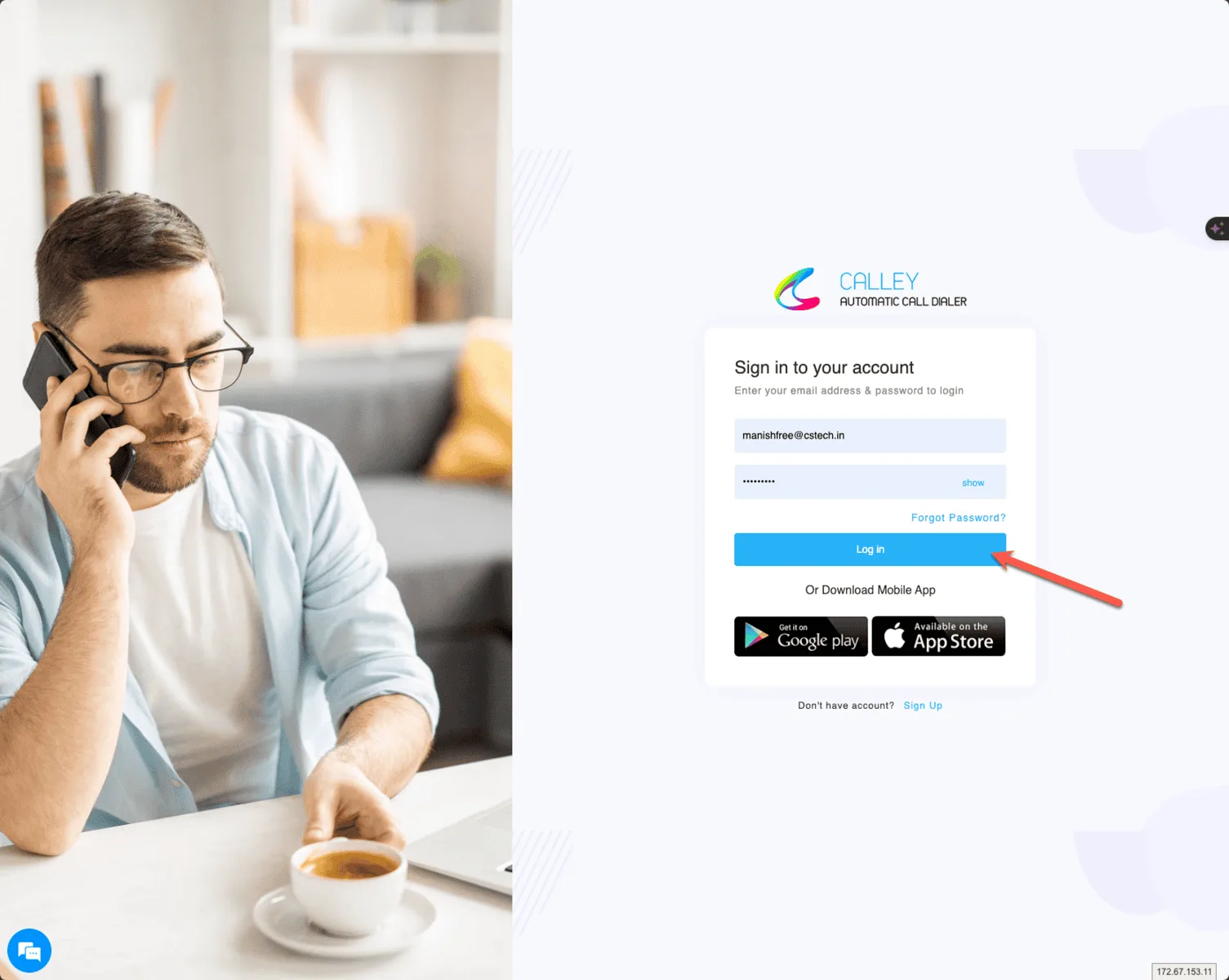
Step 1 - Login to your account on web panel
To upload leads you need to login to the calley web panel hosted on https://portal.getcalley.com. In case you do not have an account you can create one.
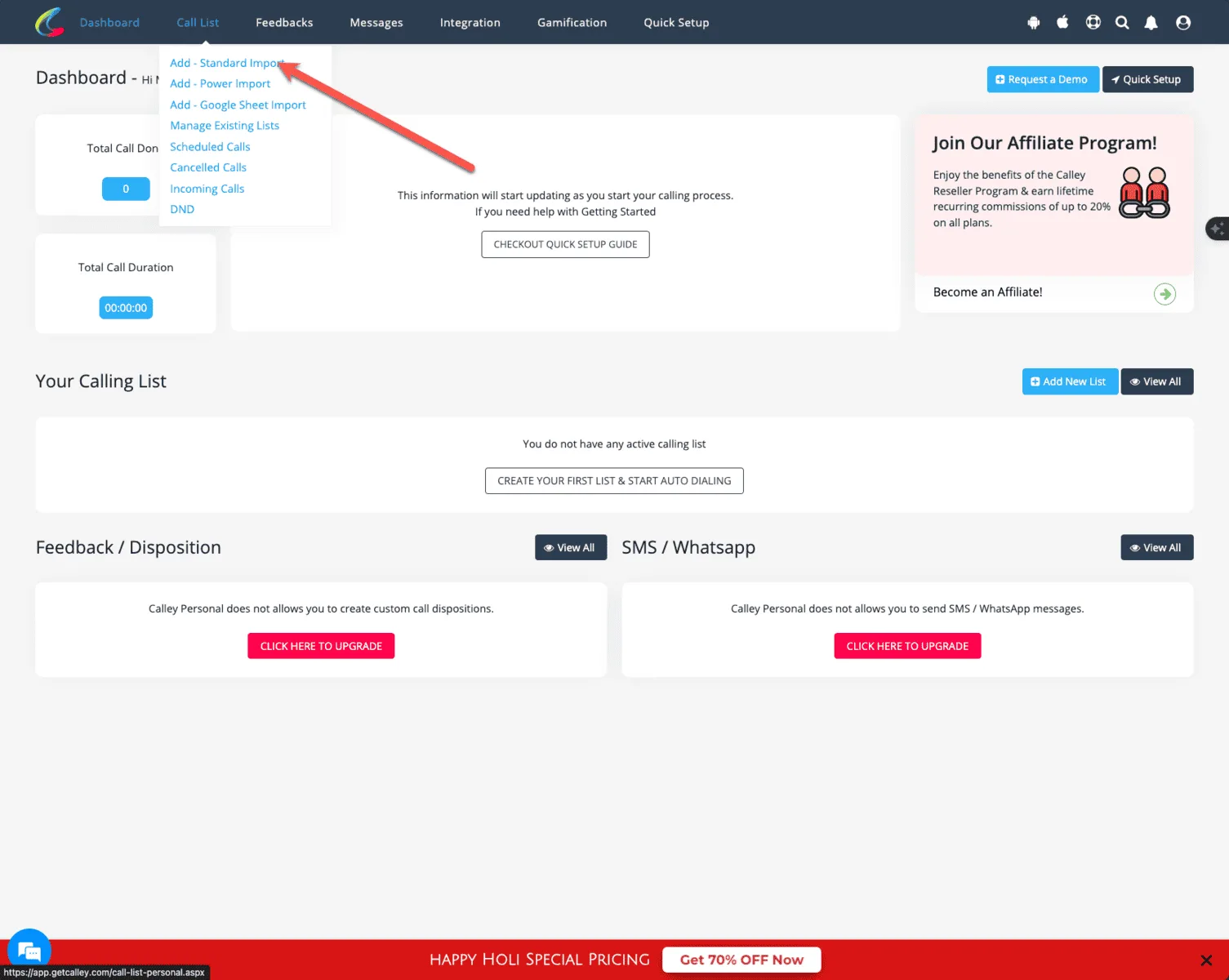
STEP 2 - Once on dashboard click add Standard Import
Once you are on the dashboard go to the Call List drop down and click on Add - Standard Import
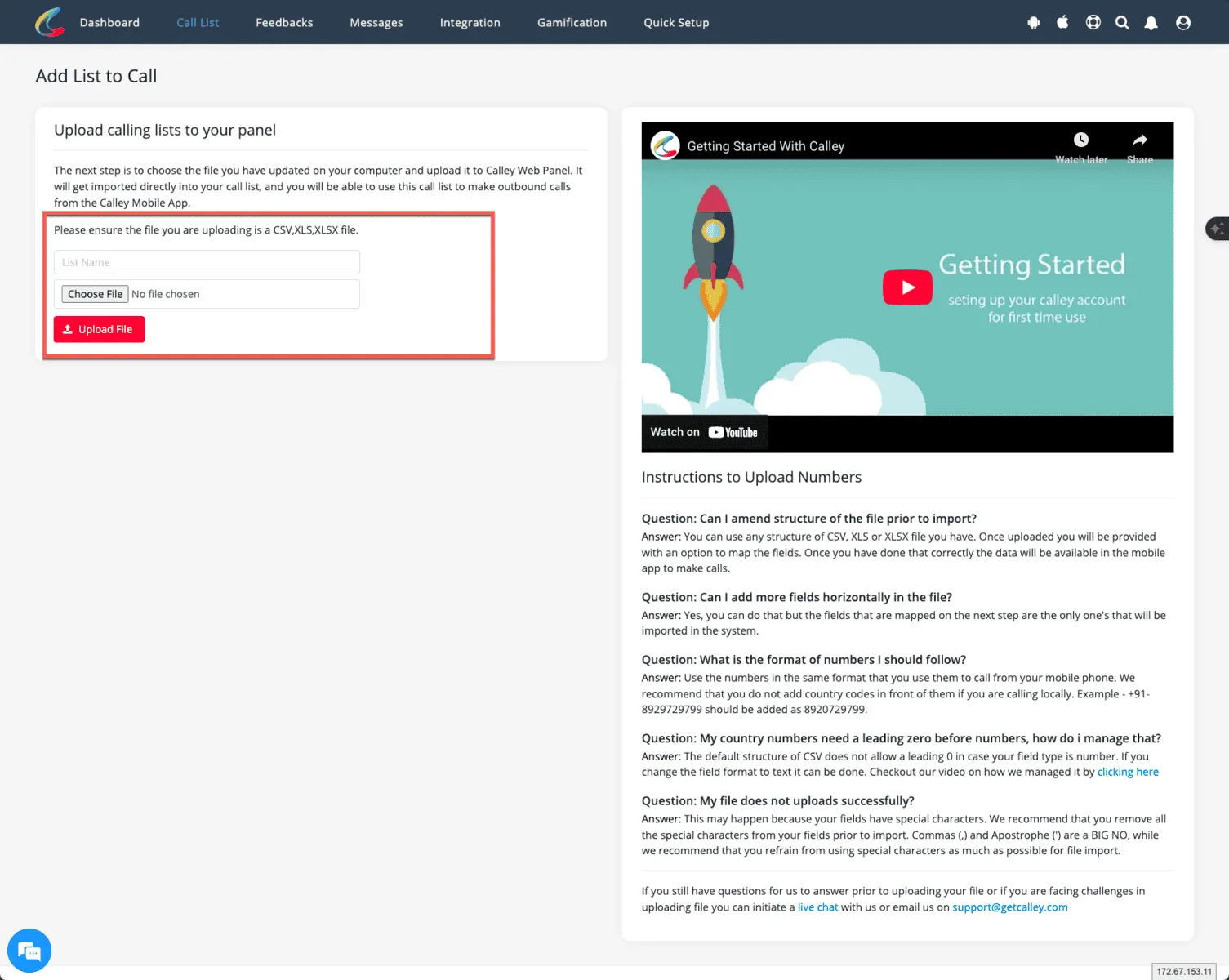
STEP 3 - Provide a list name & choose an XLS file to upload
Provide a List name and Select an XLS, XLSX or a CSV file of your leads to import
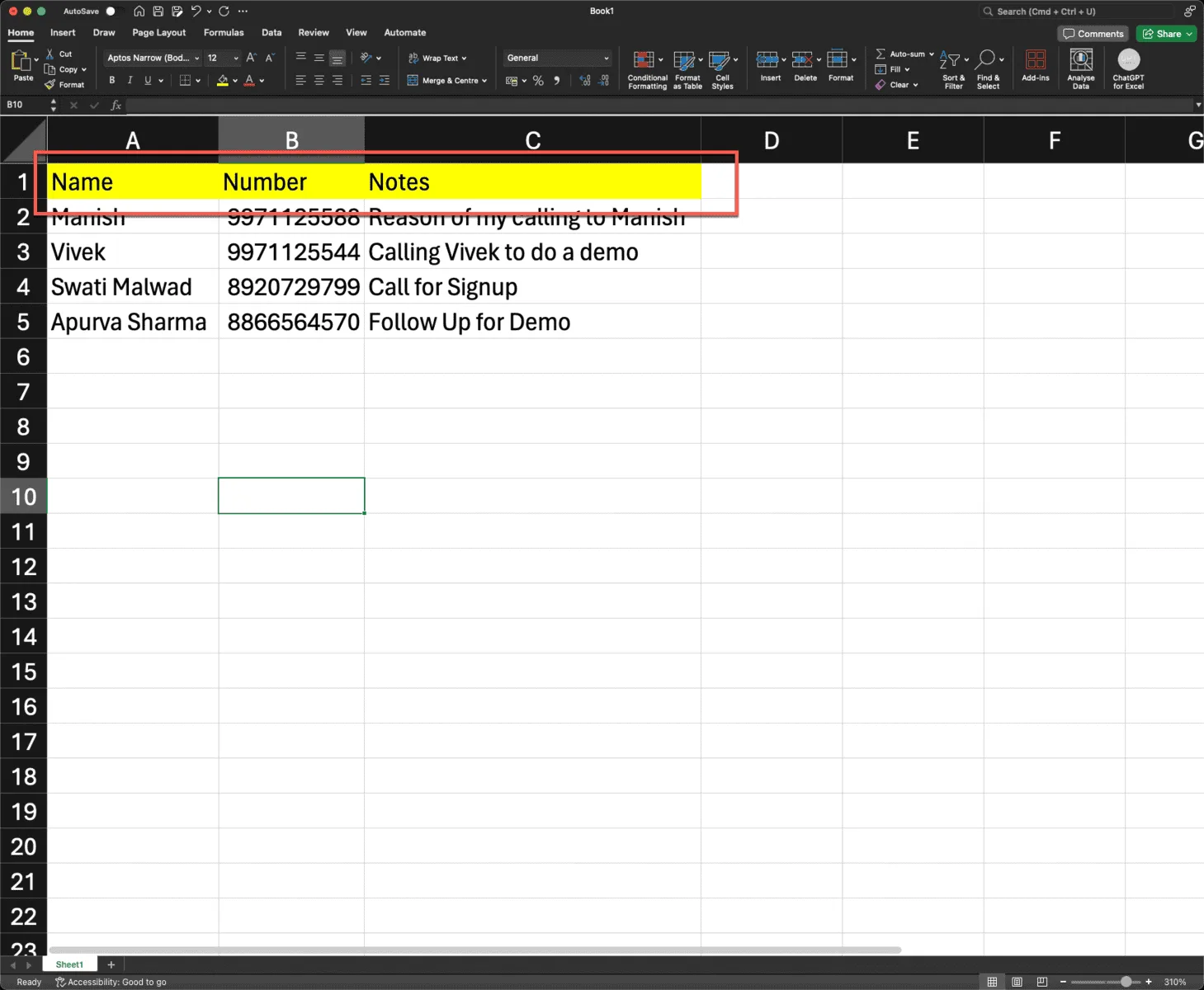
STEP 4 - Prepare an xls, xlsx or csv file with 3 fields (name, number & notes)
Ensure that the list you have created in xls file has atleast 3 mandatory fields i.e. Name, Number and Notes. Name is name of the lead you call, Number is the Phone Number you intend to call and Notes is your Reason to Call. They are all shown on the mobile app as you trigger a call.
STEP 5 - Select the XLS file and press Upload File
Select the file, give a name and click on Import data.
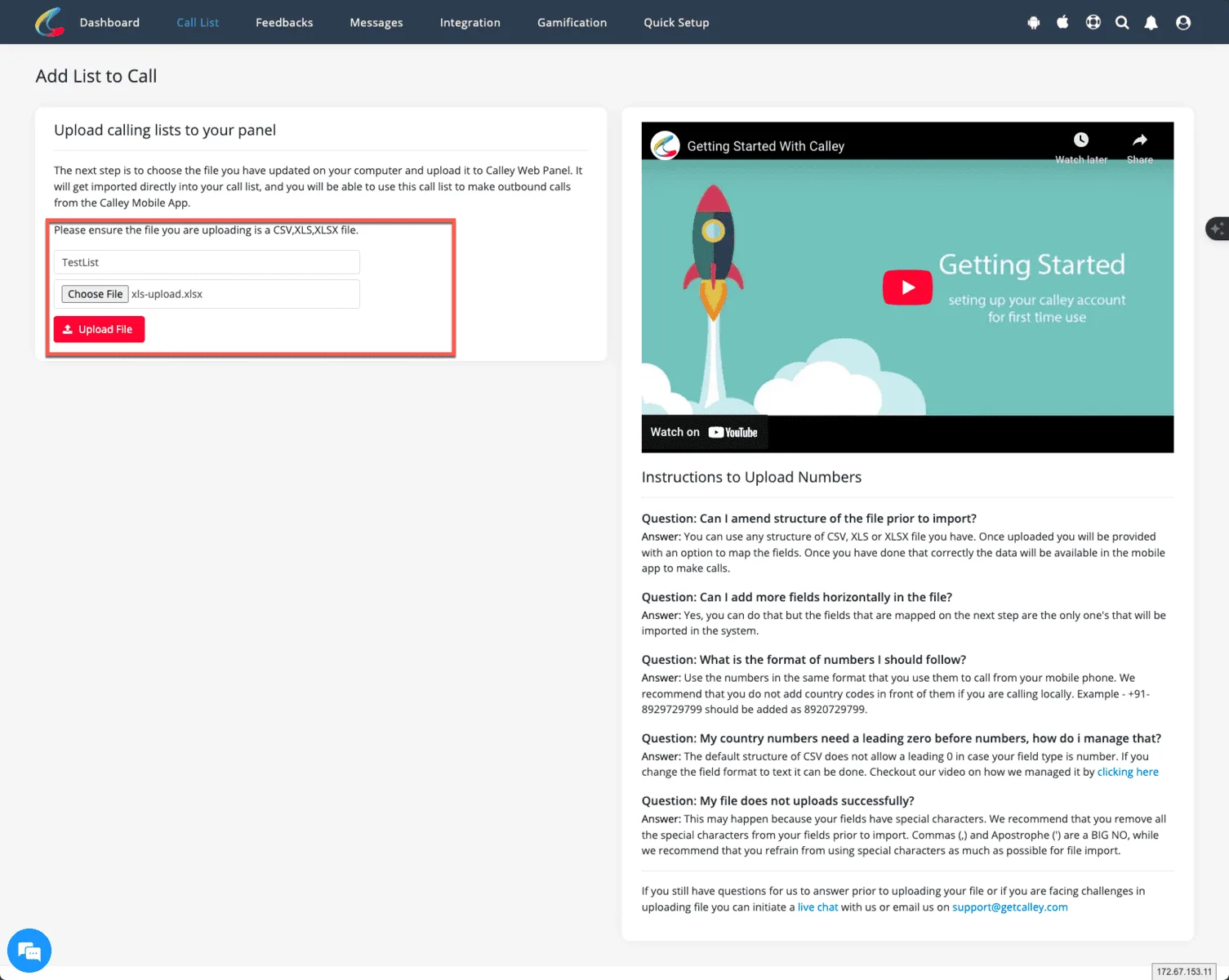
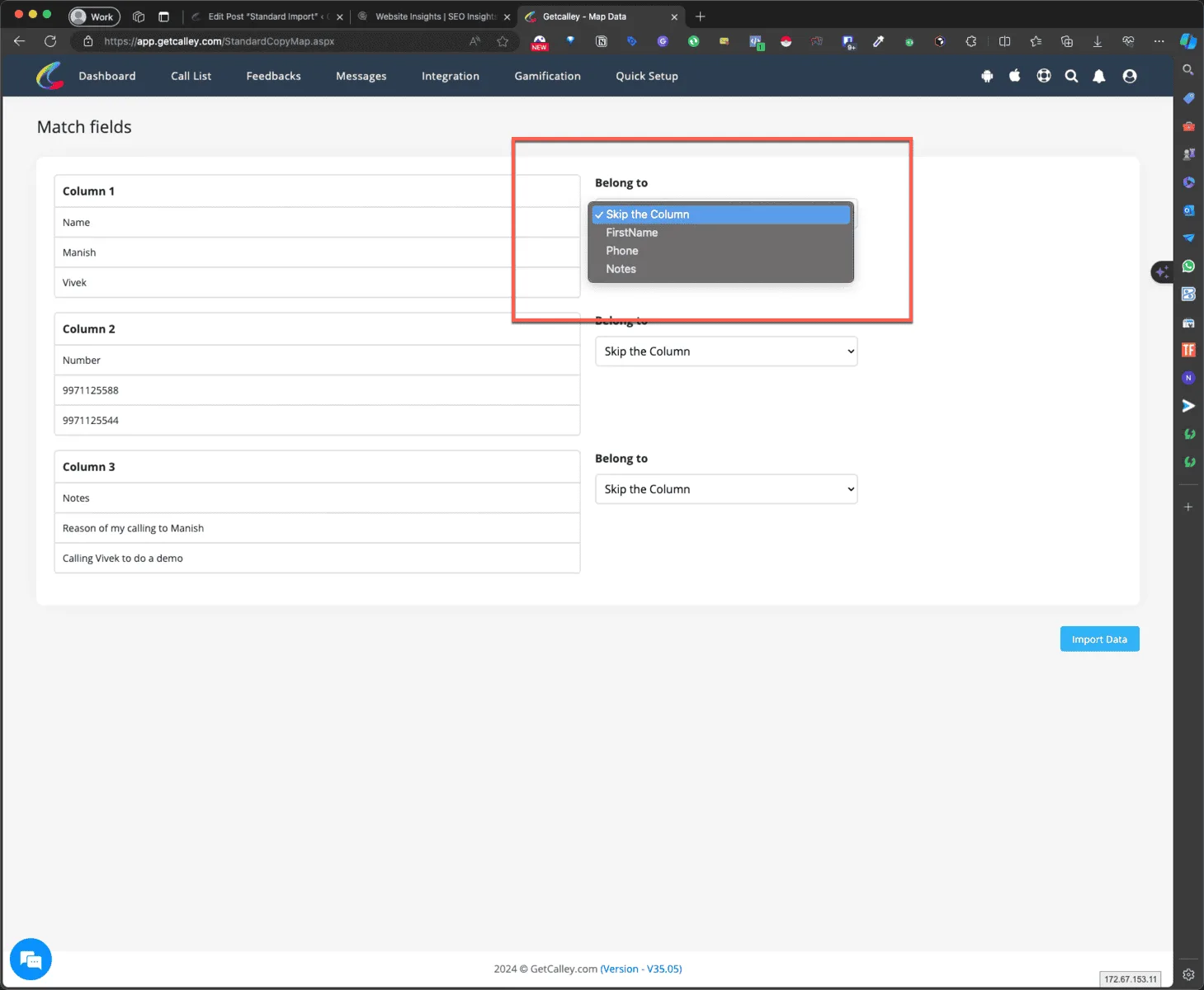
STEP 6 - Once the file is uploaded you can map the fields in XLS with the fields in calley software
Once the data import is done you will have the option to choose map the heading created in your xls file to the fields available in the Calley Web Panel.
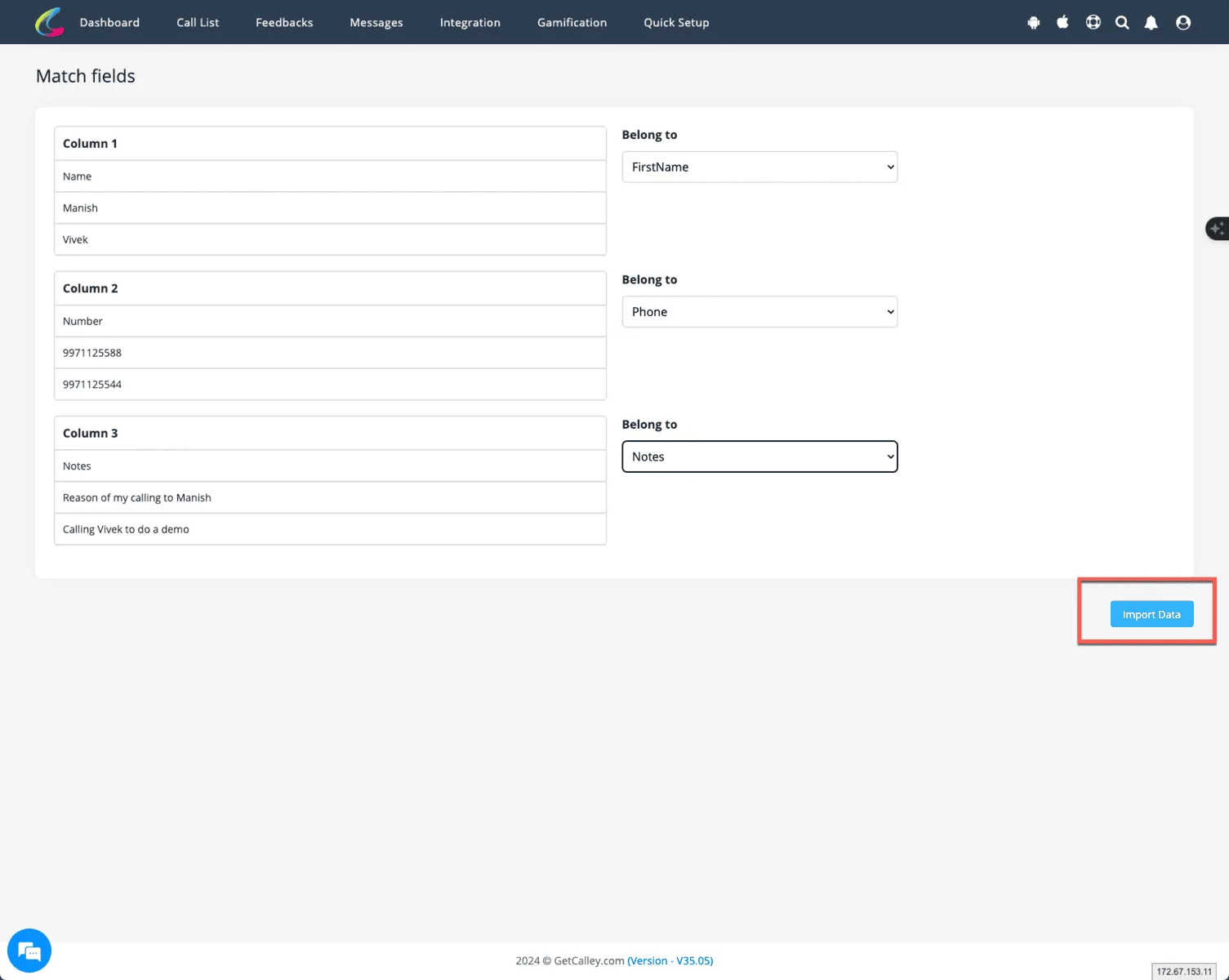
STEP 7 - Once the fields are mapped click on Import data
As the mapping is done, please click on Import data to import the leads in your calley web panel.
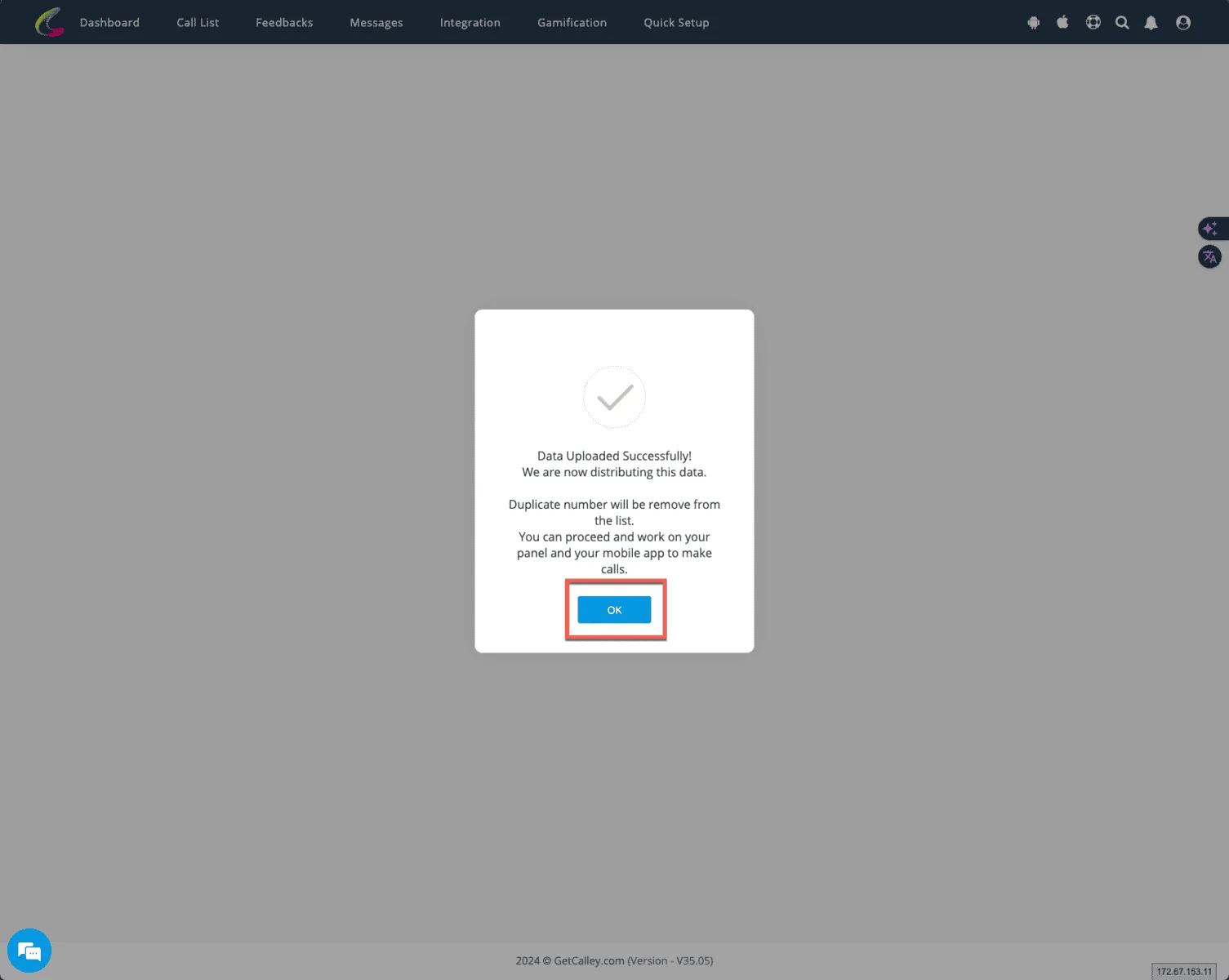
STEP 8 - The sheet is now uploaded successfully
Leads will be imported successfully to the calley web panel.
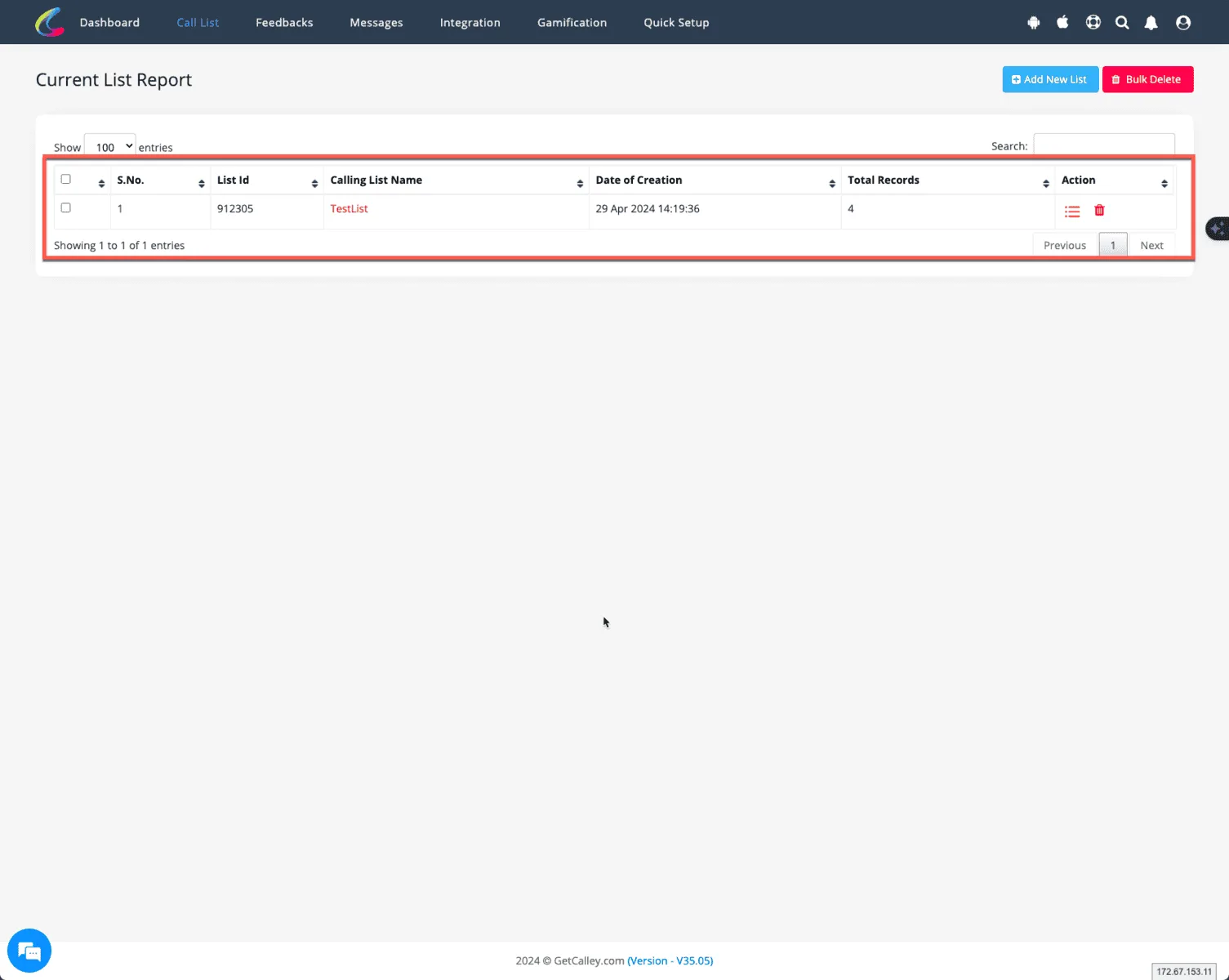
STEP 9 - You can see the list in Web Panel as well as in the Mobile app to make calls
You can view the leads in the panel as well as in the mobile app when you want to make calls. You can use the following link to download calley autodialer mobile app.
Calley Personal Free Auto Dialer Plan comes with a following limits.
Calley Personal Free Auto Dialer Plan comes with a following limits.
- ✓List size limit of 50 Leads
- ✓Daily Calling Limit of 25 Calls
- ✓List values to have only 3 fields - Name, Number & Notes
If you are satisfied with the free plan and comfortable with the daily 25-call limit, Calley Personal is the right choice.
However, if you want to call Unlimited and reach out to more leads quickly, you should look at the Calley PRO and Calley Teams plans.
Checkout here > Pricing Plans for Calley Auto Dialer App
Link to > Full Feature List of Calley Auto Dialer
Do you want to Subscribe to a Free Auto Dialer with a limit of 25 calls per day? Or do you want to Auto-Dial Unlimited Leads using the Calley Auto Dialer App?
We know you will have questions.
We would love to answer all your questions to get you started with Autodialing using The Calley Auto Dialer app.