
How can we Add Numbers in DND List in Calley
In today’s fast-paced business environment, customer experience is key. Calling uninterested or unresponsive leads wastes valuable time and resources, which is why Calley’s Do Not Disturb (DND) list is an essential feature for businesses. It helps ensure that you only reach out to people who are genuinely interested while avoiding those who have opted out.
This feature is especially useful for sales teams, telemarketers, and customer support representatives who make hundreds of calls daily. By keeping an updated DND list, you can increase productivity, improve customer satisfaction, and stay compliant with calling regulations.
This guide will show you three simple ways to add numbers to the DND list—
- ✓Manually adding the numbers from DND page
- ✓Mark a number as DND from the Mobile App
- ✓Mark a number as DND from the Call from Browser
Step by step guide for the adding numbers in DND list
Manually adding the numbers from DND page
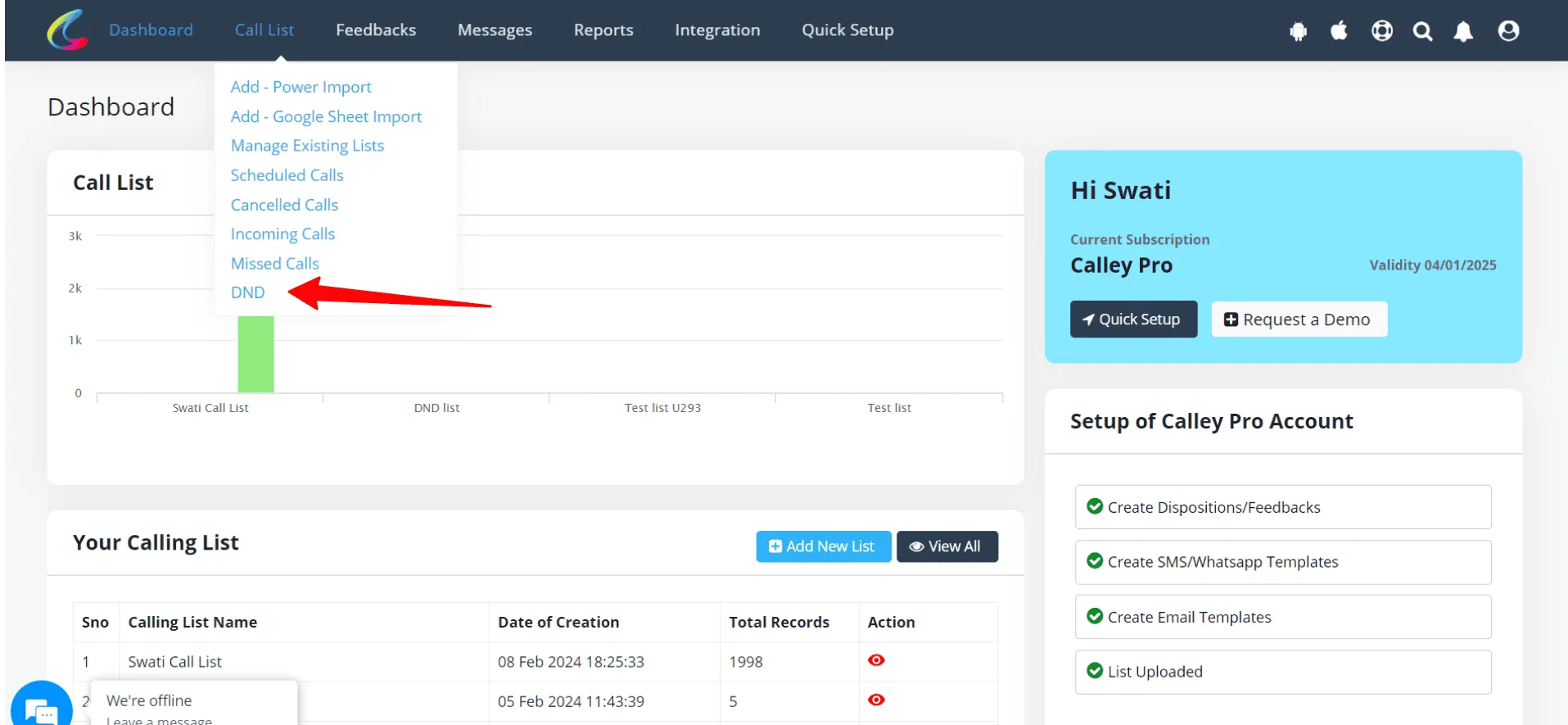
✓Login to Dashboard. Go to Call List > DND
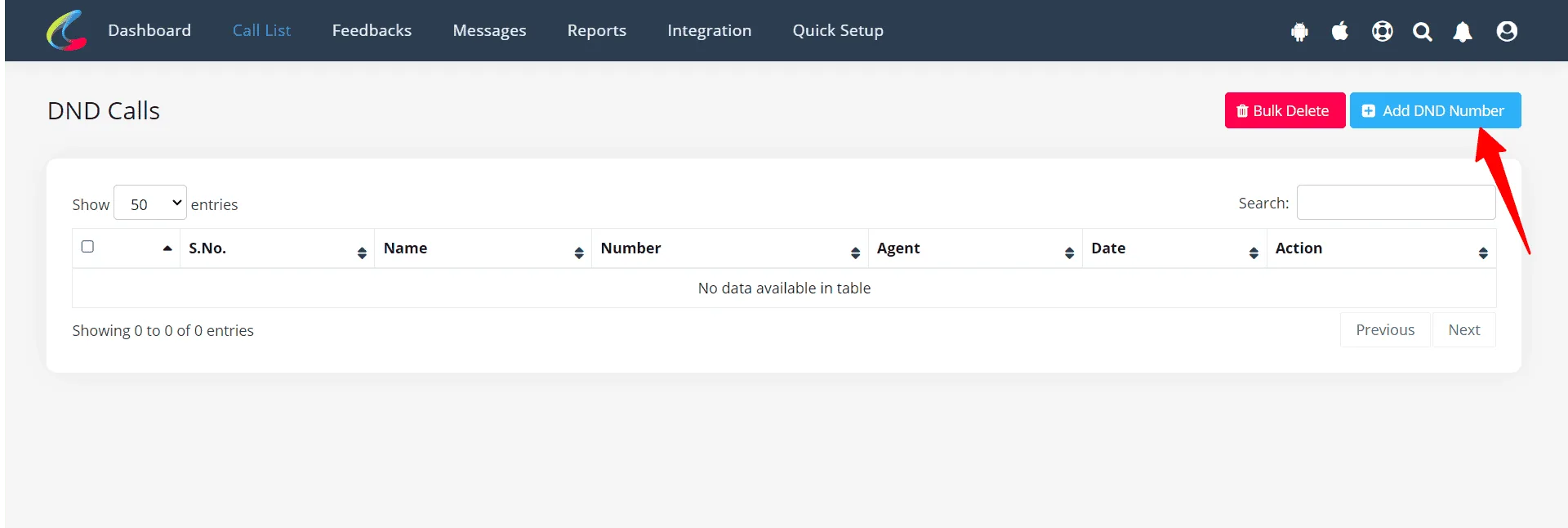
✓Now you are on DND page. Click on Add DND Number
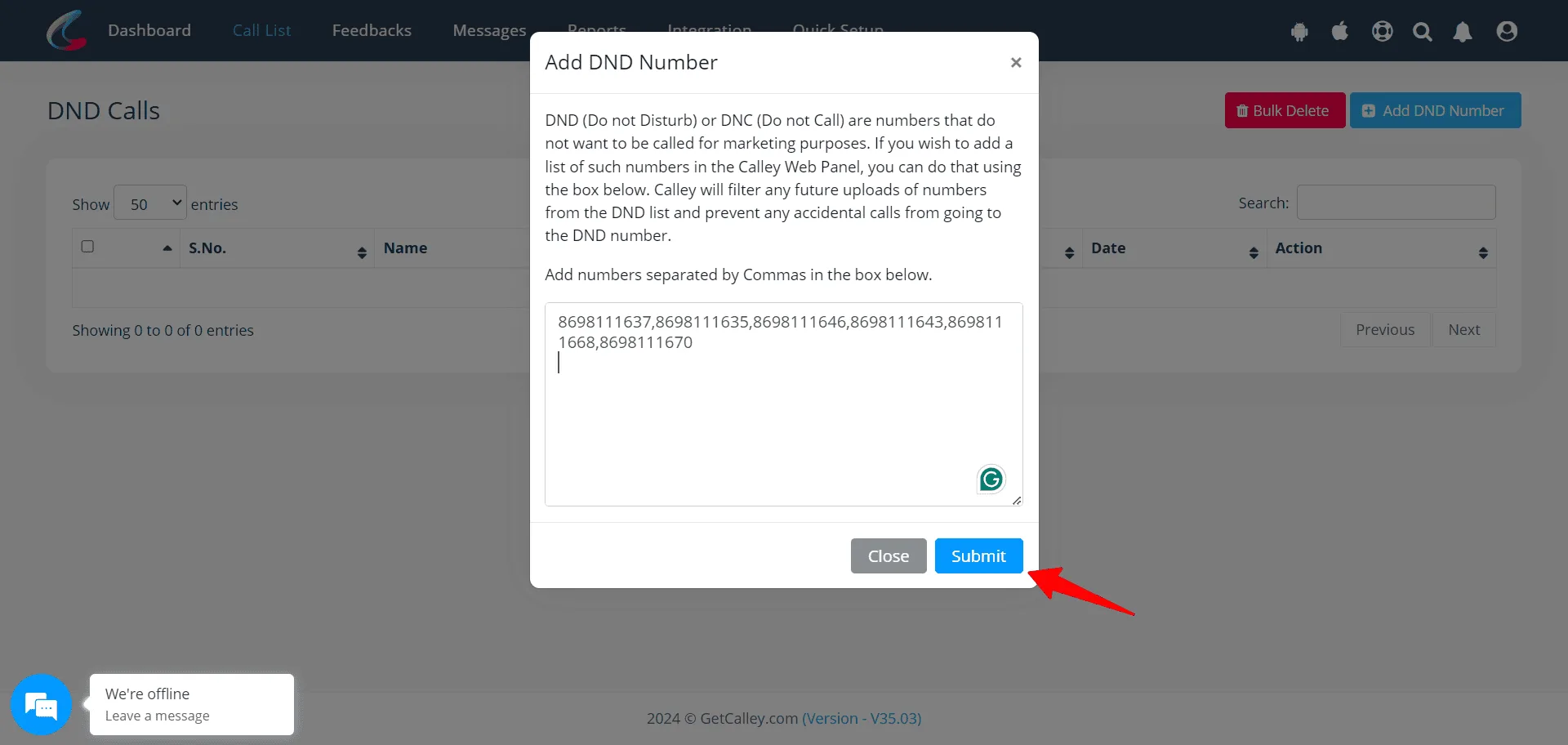
✓Now start adding the numbers in bulk separated by commas. Click on Submit, now the numbers are added in DND List
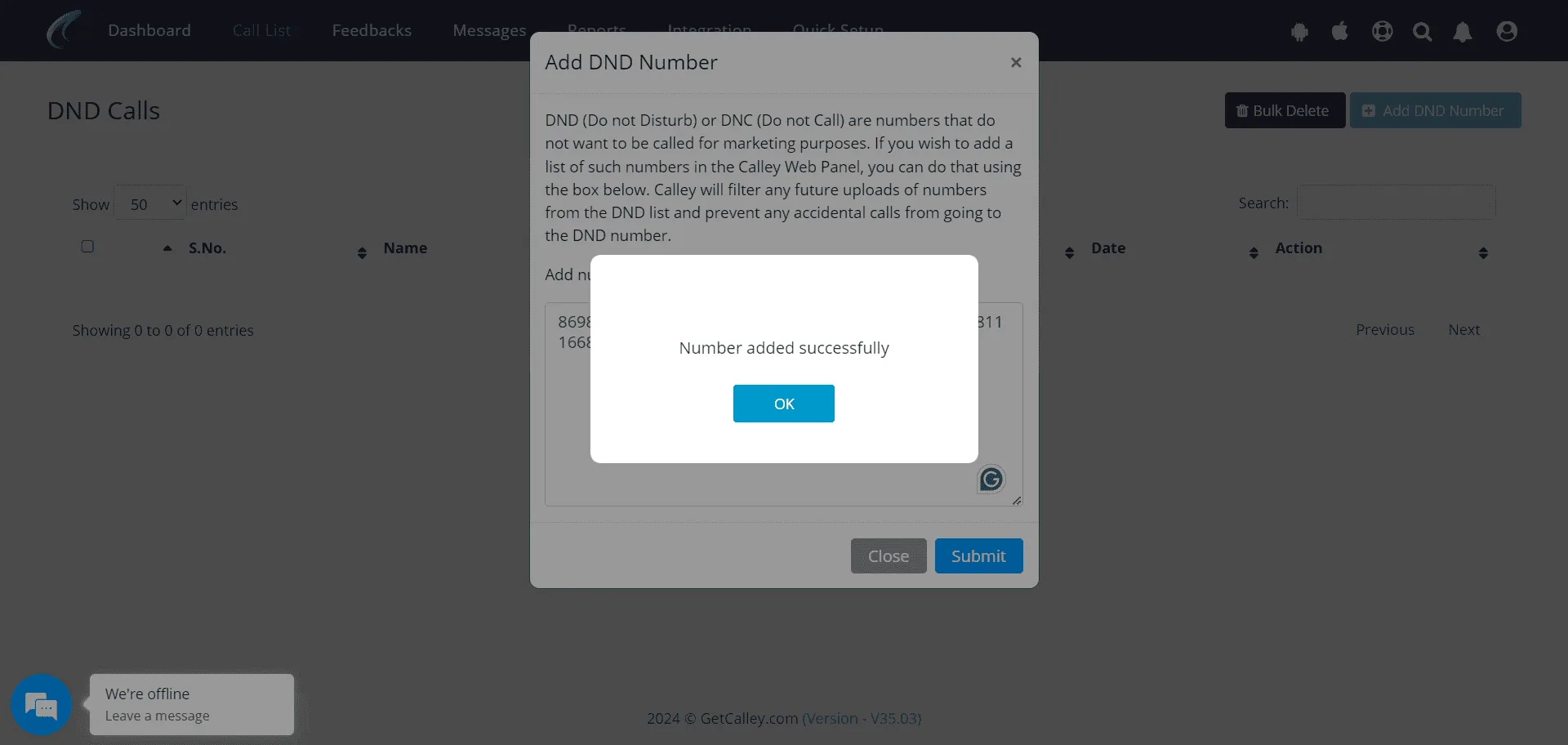
✓Click on OK.
✓Validate the DND list the numbers are added in DND are not.
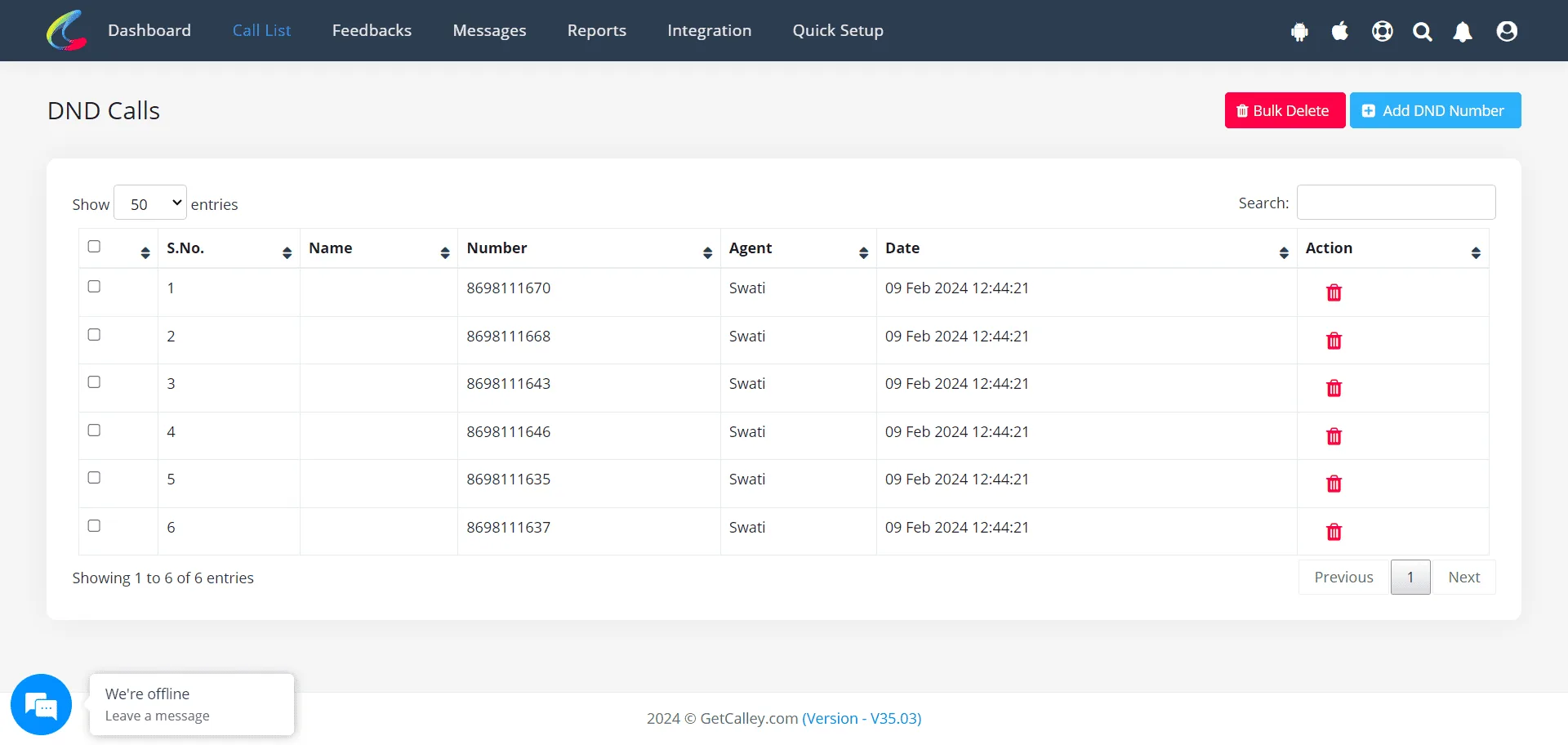
Mark a number as DND from the Mobile App
✓Login to mobile app.

✓Load a list
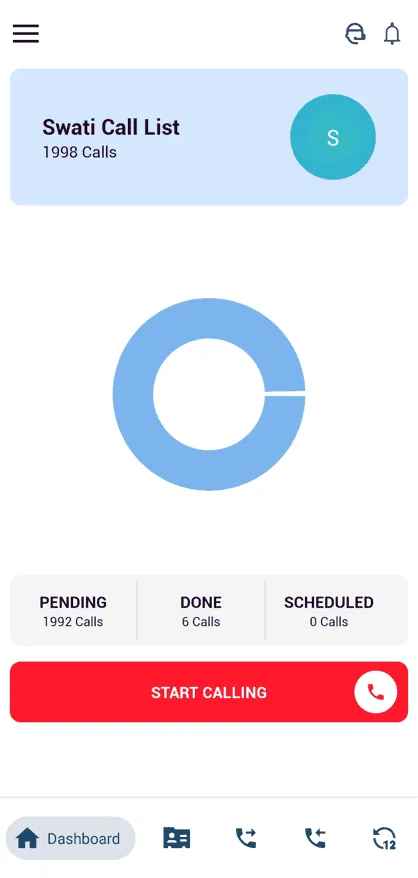
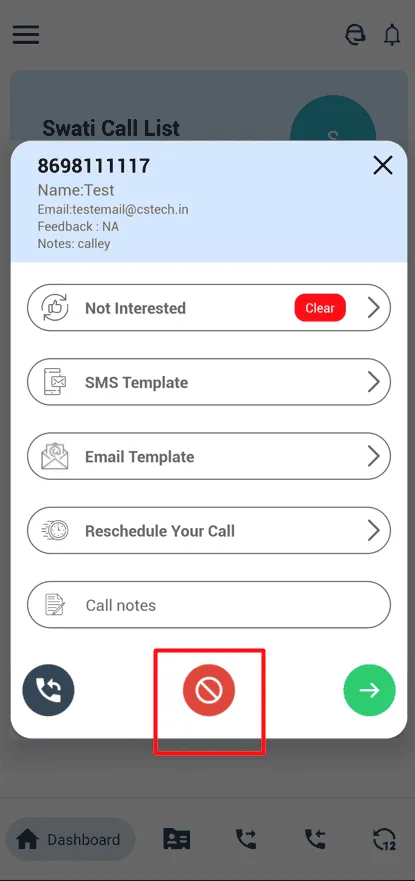
✓Click on start calling. Post Call you will get a Feedback page to update, there is red button to mark the number as DND.
✓Now check the DND list on the web panel and validate the number is added in DND list or not.
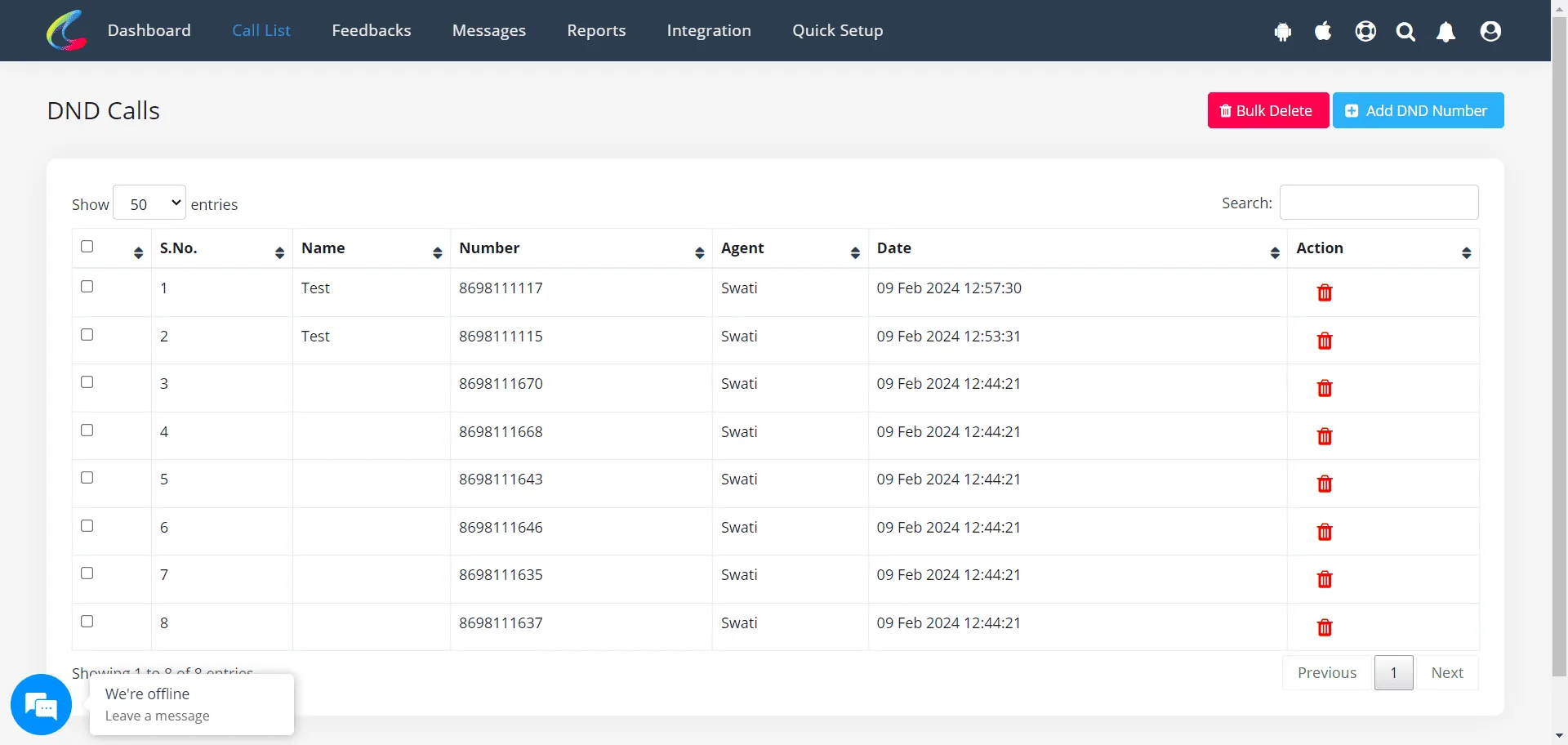
Mark a number as DND from the Call from Browser
✓Login to Dashboard. Go to Call List > Manage Existing List
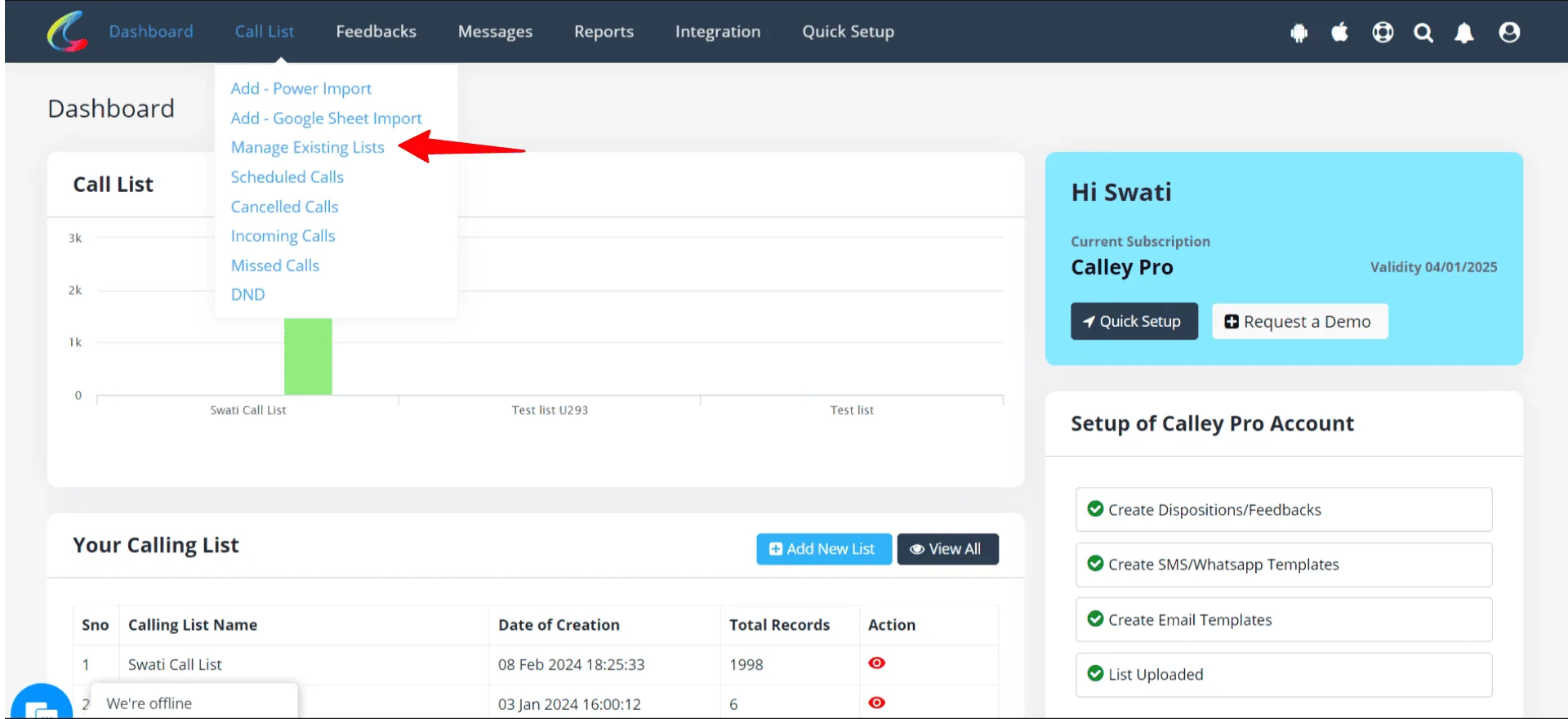
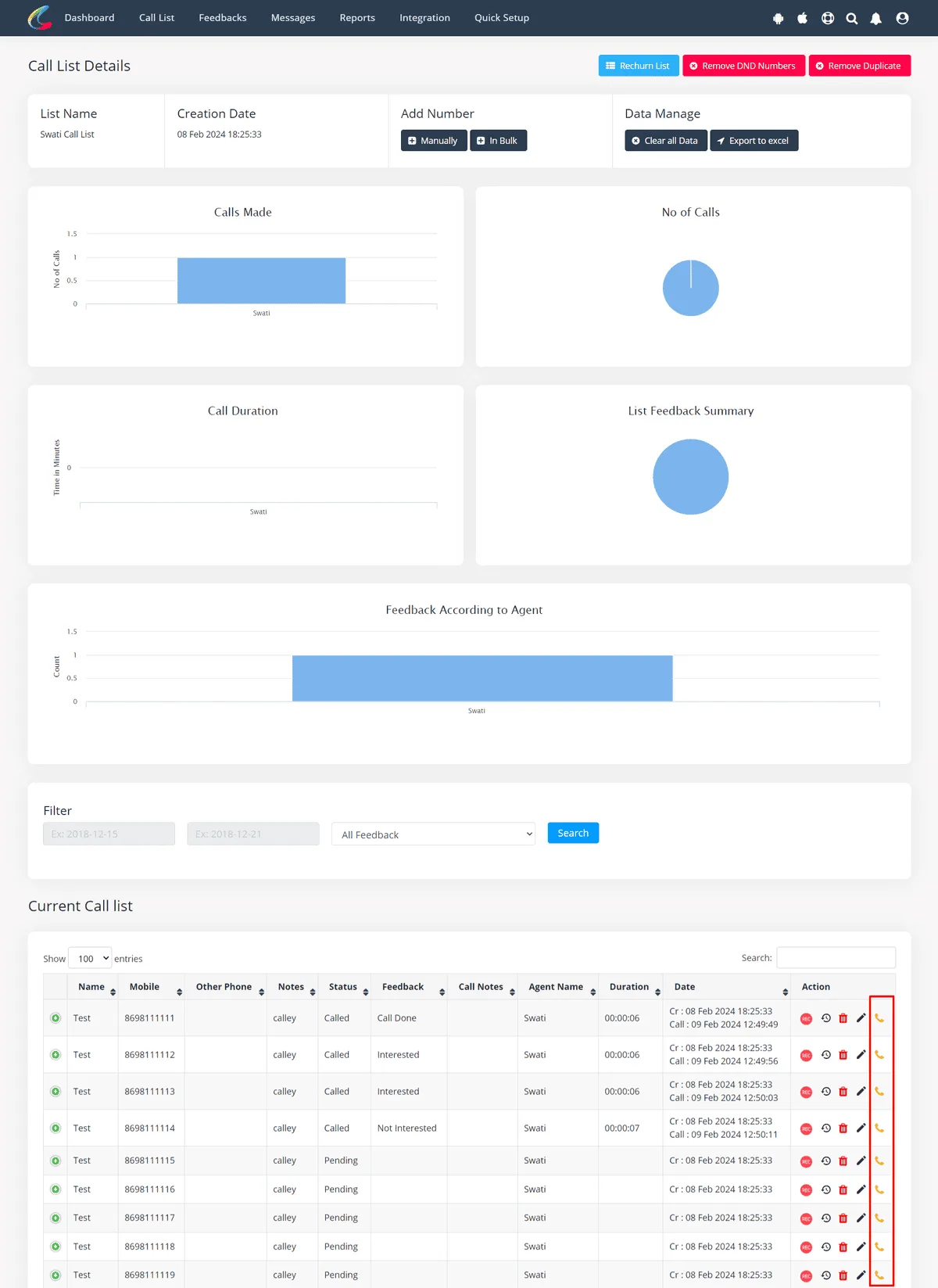
✓Choose a list you want to make a call. Here there is Call from browser dialer click on that.
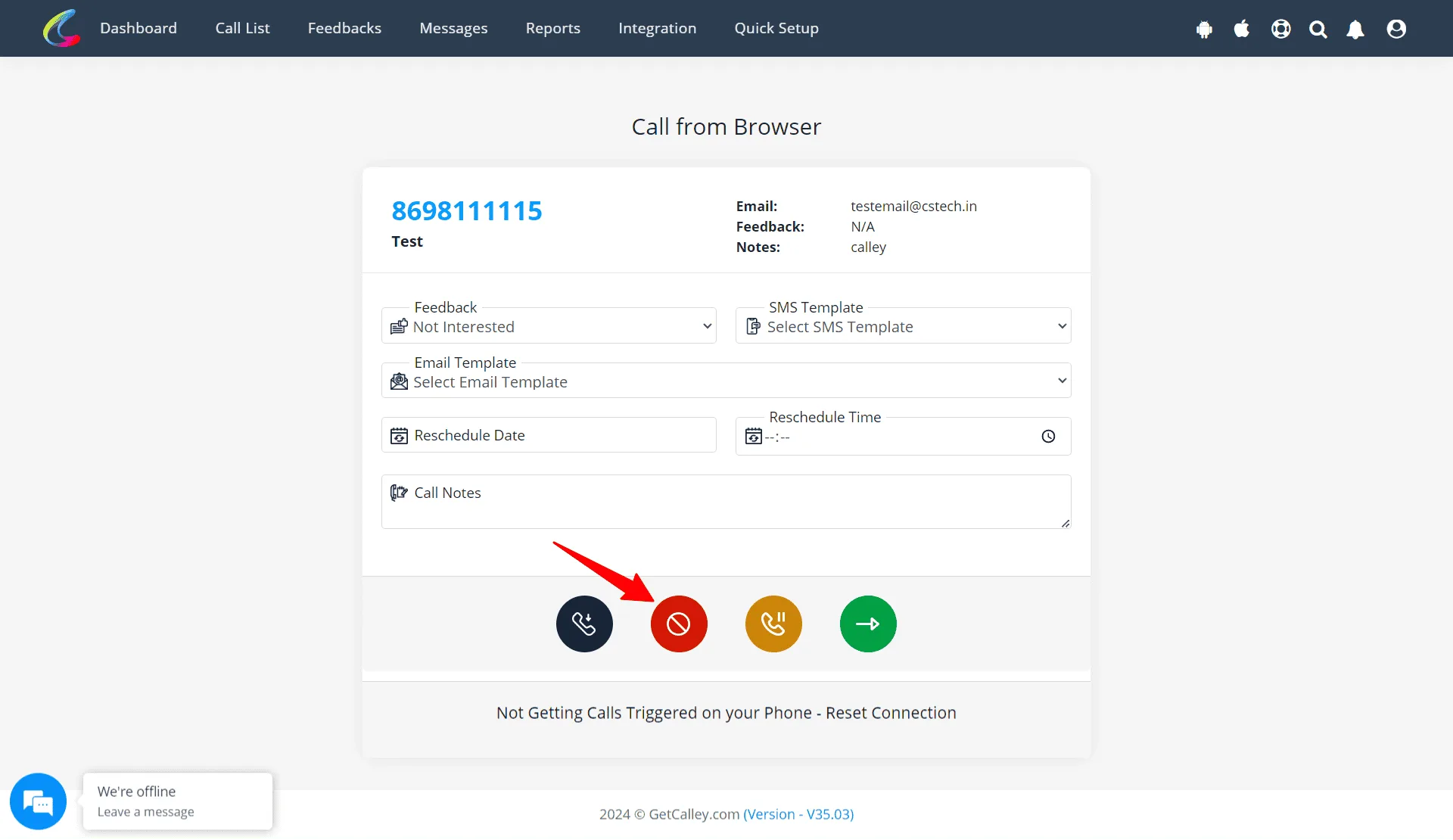
✓Call triggered on Mobile app and post call update the feedback. There is a red color button to mark the number as DND.
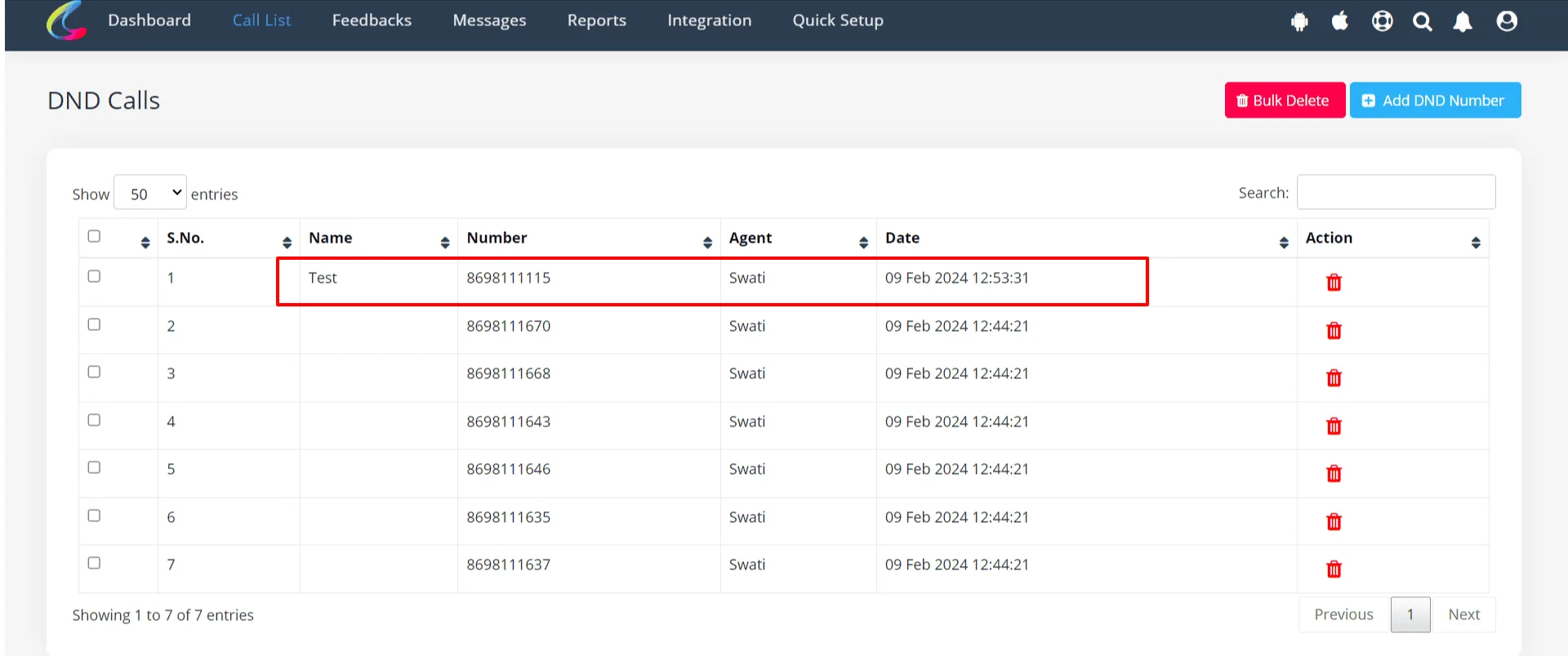
✓Now check the DND list on the web panel and validate the number is added in DND list or not.
Why is This Important for Your Business?
- ✓Saves Time – No more calling uninterested leads.
- ✓Respects Customer Preferences – Helps maintain a positive brand image.
- ✓Ensures Compliance – Avoids legal issues with unwanted calls.
- ✓Improves Call Efficiency – Lets you focus only on engaged leads.
The DND feature in Calley is an essential tool for businesses that rely on telecalling. By keeping your calling list updated and removing numbers that should not be contacted, you can increase efficiency, save time, and maintain a positive brand image. Whether you manage a sales team, customer support, or lead generation process, using the DND list ensures that your calls are always targeted and effective. It not only helps you focus on high-potential leads but also ensures you stay compliant with call regulations and respect customer preferences.
Checkout here > Pricing Plans for Calley Auto Dialer App
Link to > Full Feature List of Calley AutoDialer
Do you want to Subscribe to a Free Auto Dialer with a limit of 25 calls per day?
We know you will have questions.
We would love to answer all your questions to get you started with Autodialing using The Calley Auto Dialer app.