
Understanding the Team Leader Role in Calley Teams Subscription
Understanding the Team Leader Role in Calley Teams Subscription
Growing teams need leaders to operate efficiently and manage their workload effectively. Calley Teams Subscription empowers you to create and manage team clusters by introducing the role of a Team Leader. This role helps organize your agents into smaller, more manageable groups and ensures smooth team operations.
What is the Team Leader Role?
A Team Leader manages their assigned agents within the Calley Teams structure. They have their own dedicated panel, which provides the tools and data needed to oversee the performance of their team members effectively.
- ✓Create and Manage Call Lists: Team Leaders can create call lists and assign them to their team agents for execution.
- ✓Access Reports: Team Leaders can view detailed reports and performance data of their assigned agents, including call feedback and dispositions.
- ✓Restricted Permissions: While Team Leaders can manage call lists and view reports, they cannot create feedback, messages, email templates, or agents. They also cannot manage SMTP, SMS API profiles, or integrations.
How to Create a Team Leader Account
Team Admins can create Team Leader accounts from the Admin Panel. Follow these steps:
✓Login to Admin Panel with valid credentials. As you login you are redirected to Team Admin Dashboard.
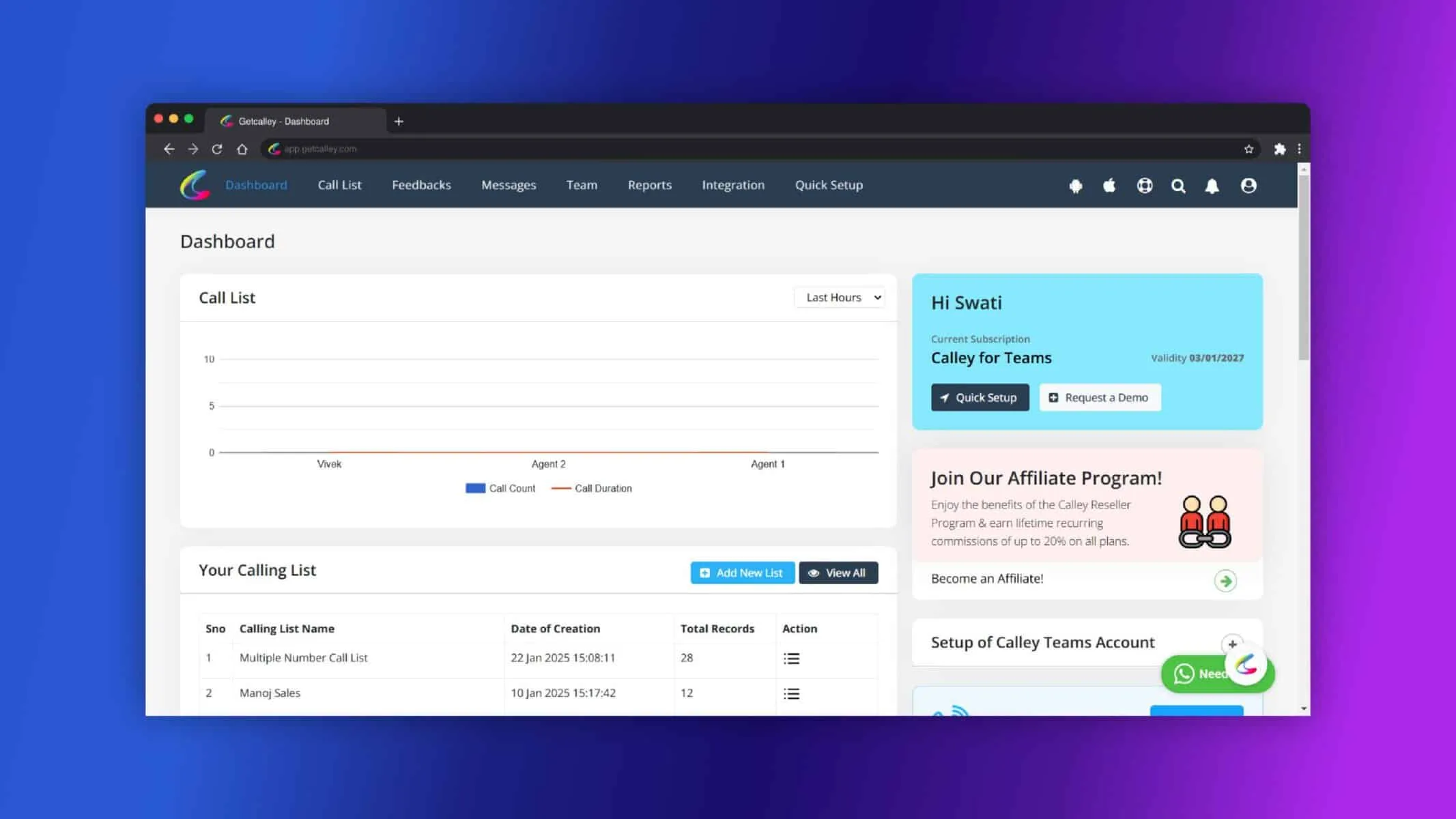
✓Go to the “Team” and Click on “Leader” section in the Admin Panel.
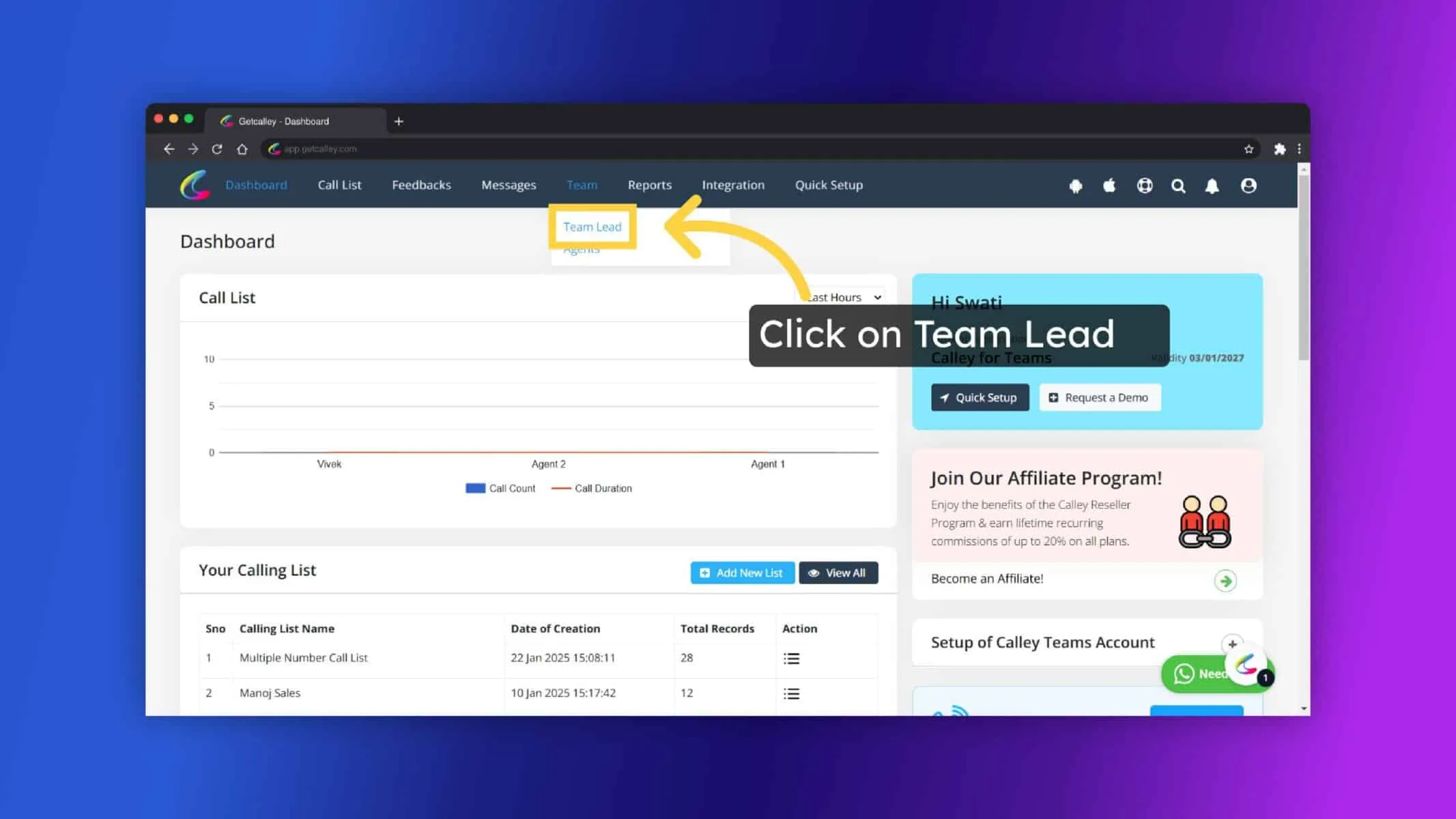
✓Enter the required details such as the Team Leader’s name, email, and phone number. Click on “Submit” to finalize the Team Leader account.
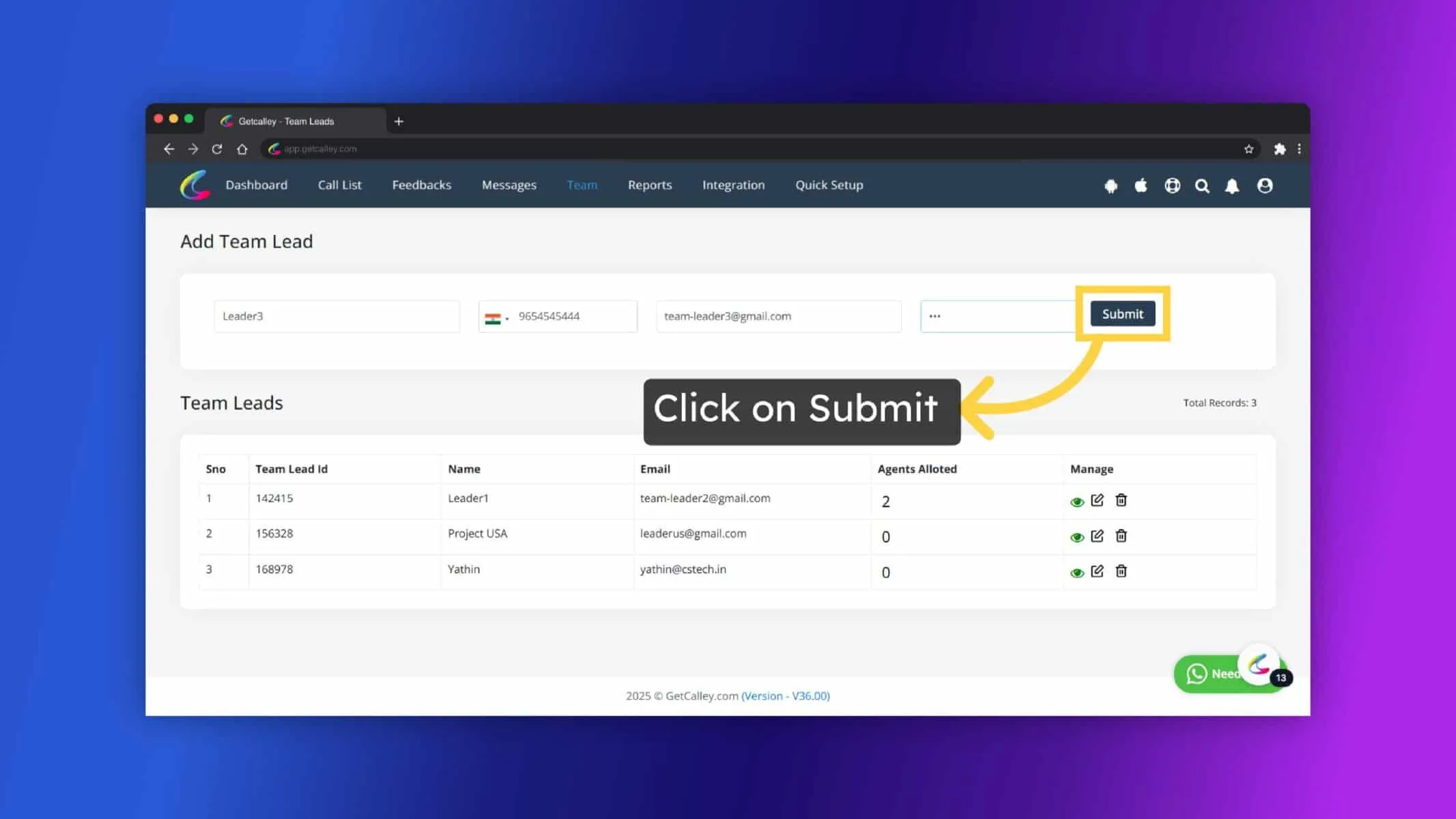
✓Team Leader Account is created. But there no agents assigned to him.
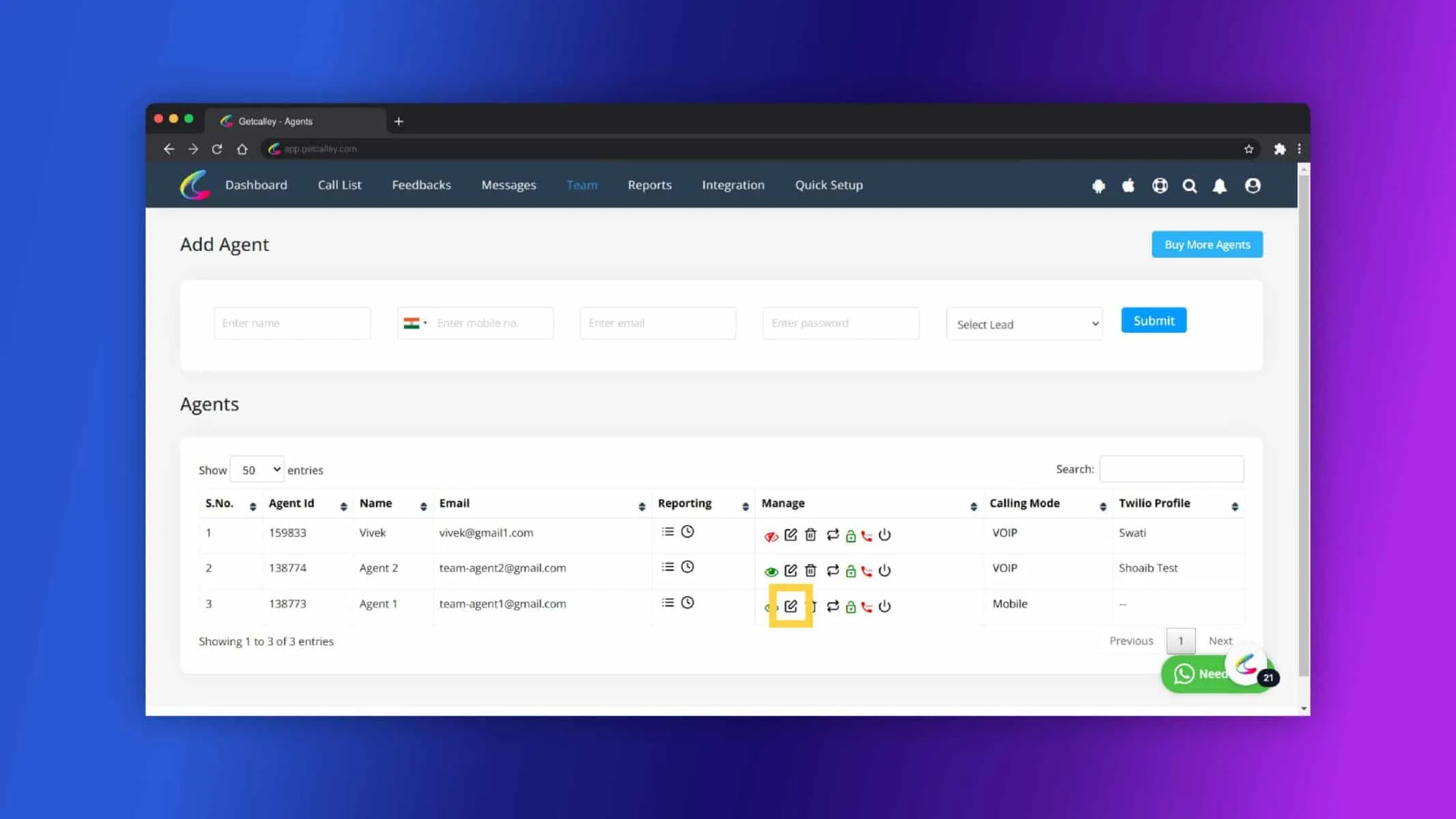
✓To assign agents go to Team Agents Listing. Click on edit which agent you want to assign.
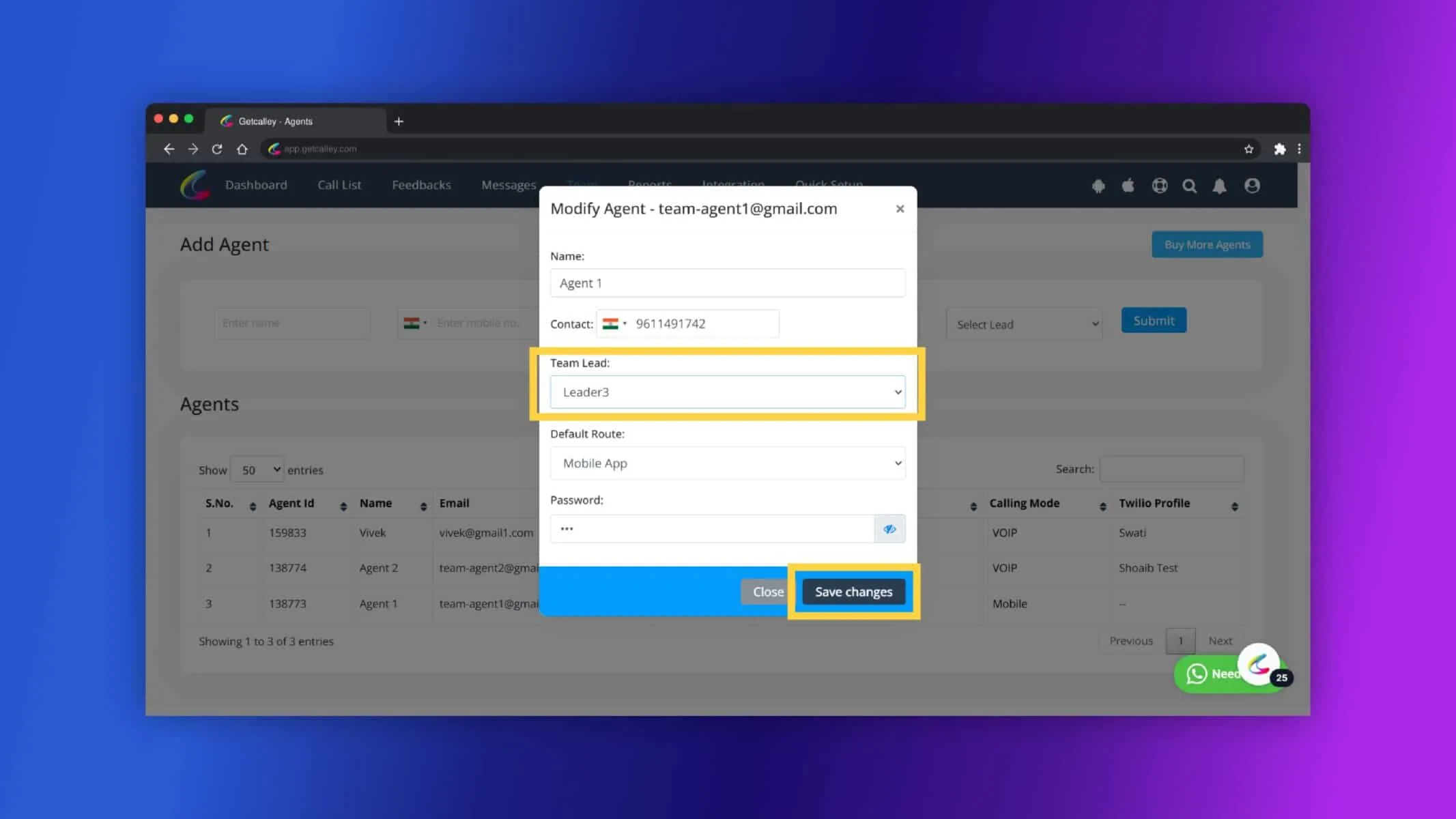
✓Select the Leader and Click on Save Changes.
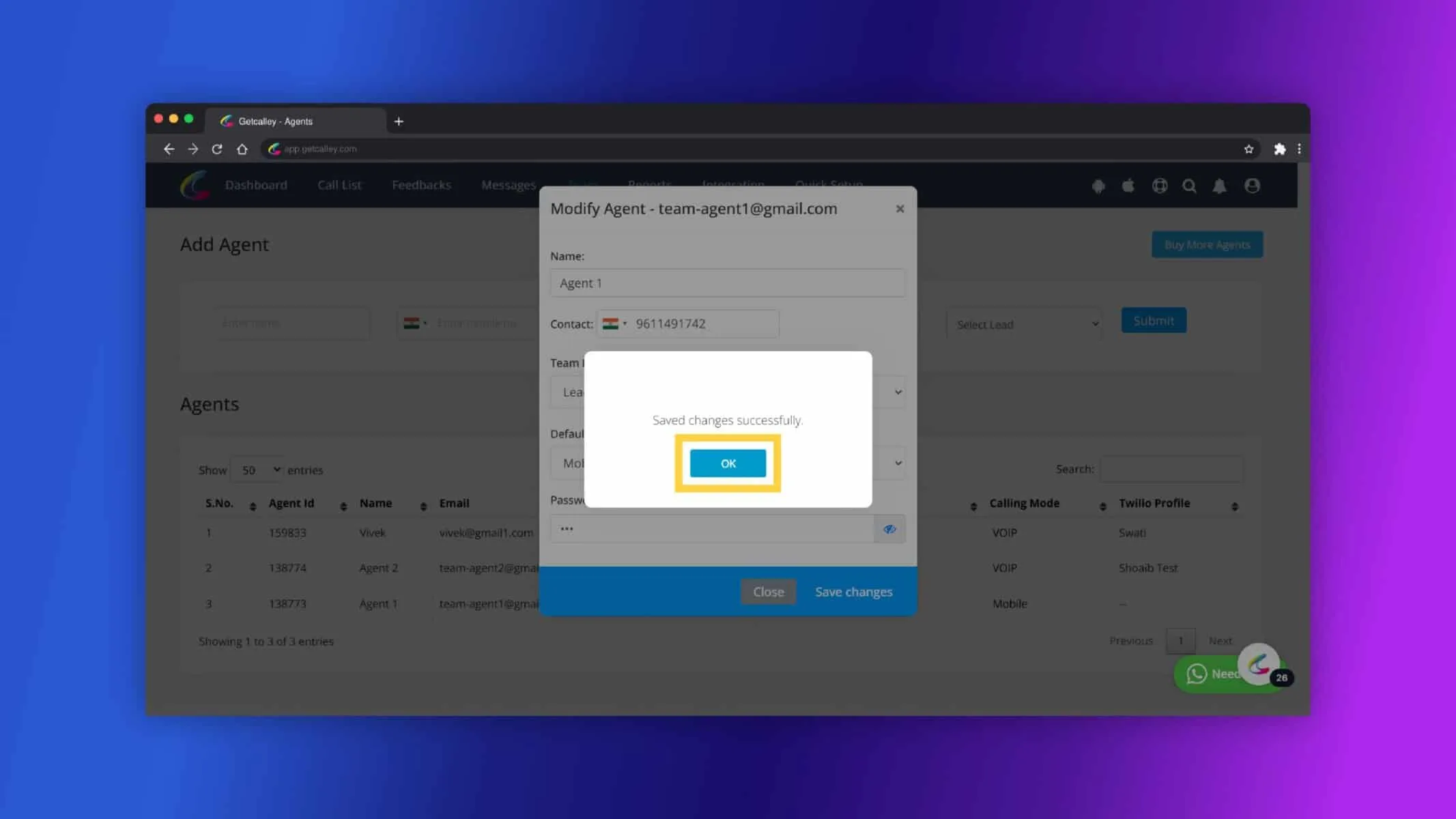
✓Click on Ok.
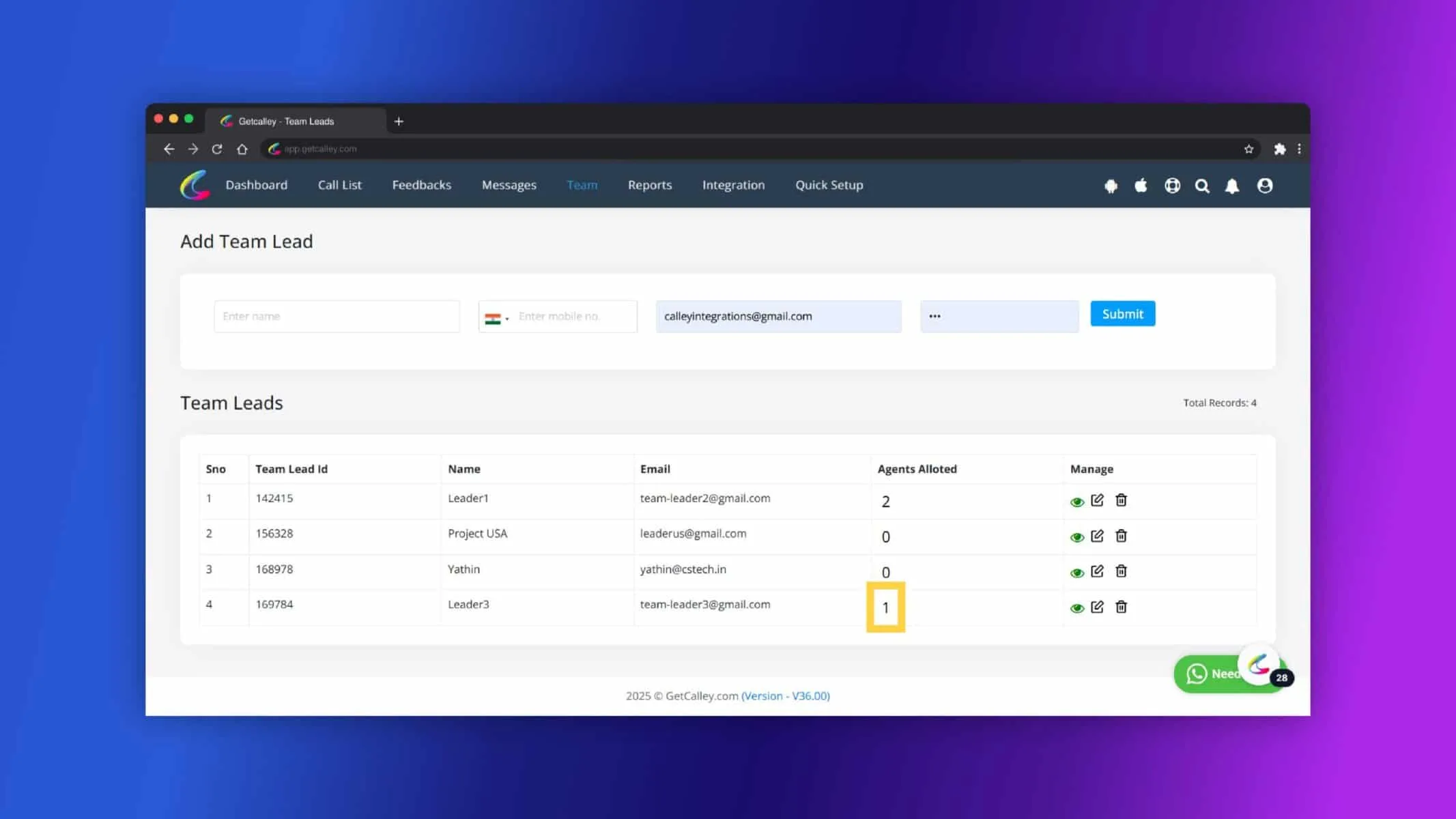
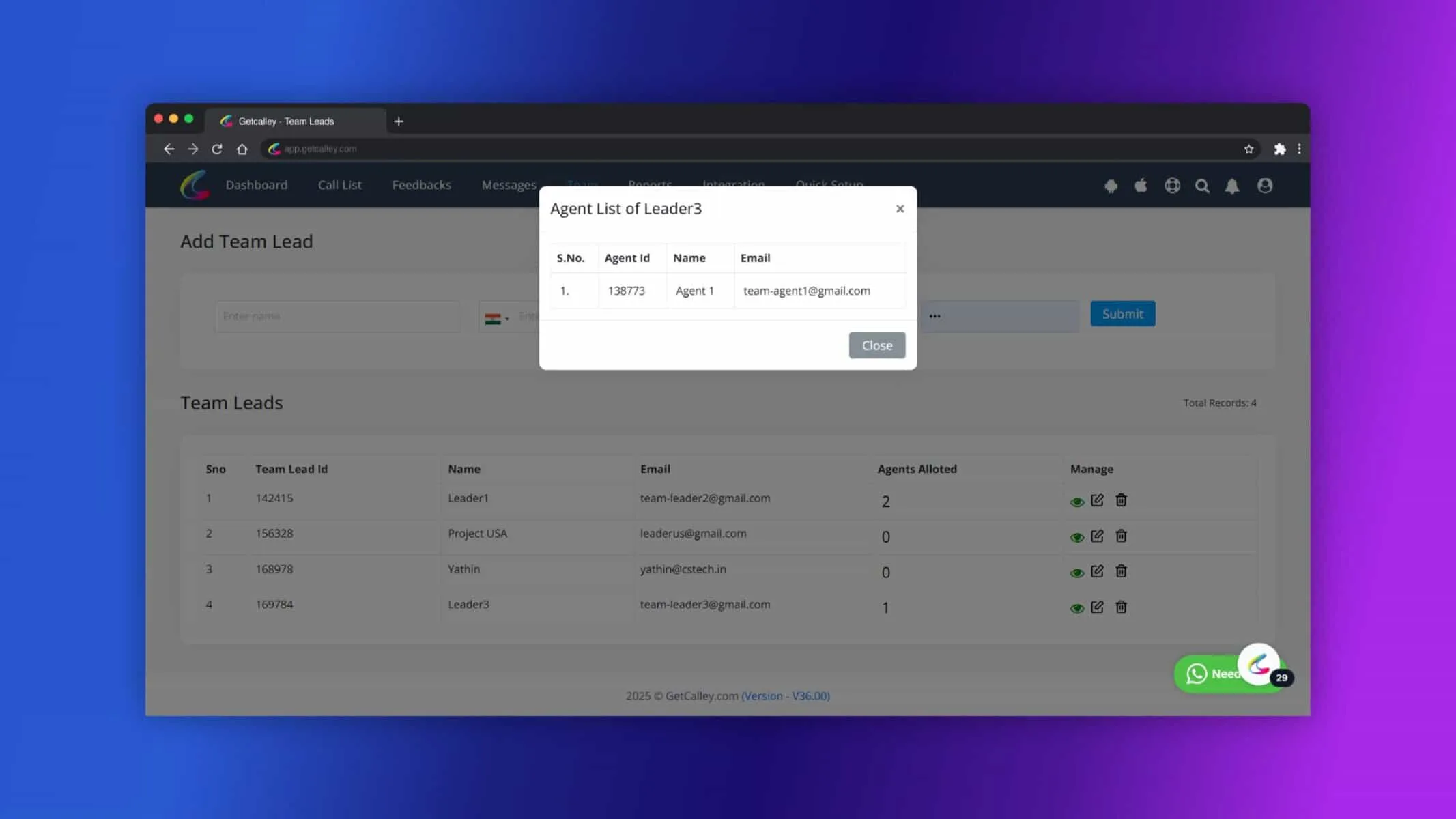
✓Go back to Team Leader Listing and you can see one Agent assigned its showing. Click on the counts.
✓Here You can see which agent assigned to the Leader.
How to Use the Team Leader Panel
✓Log in to the Team Leader Panel: Team Leaders receive their own credentials to access the dedicated panel.
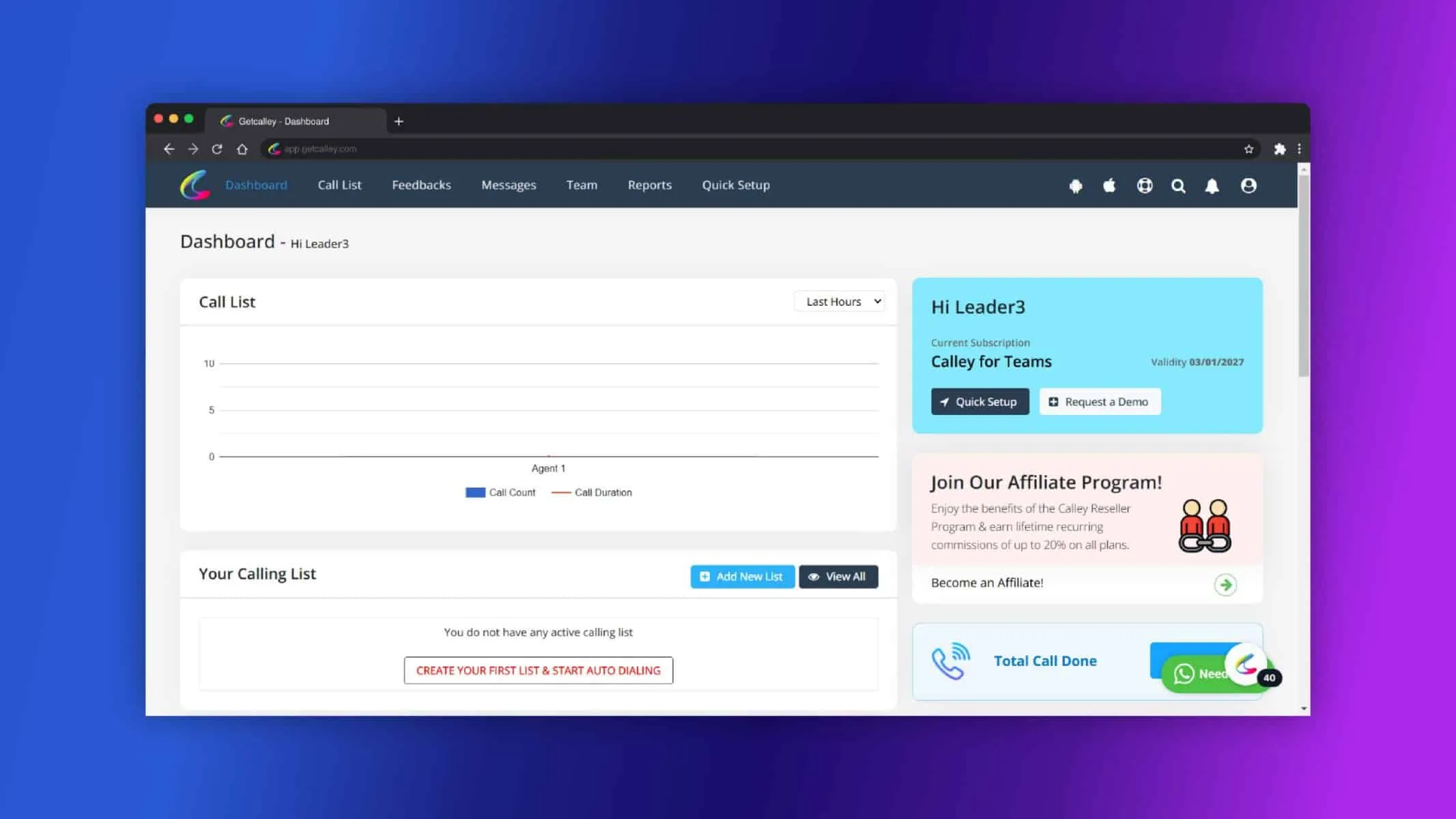
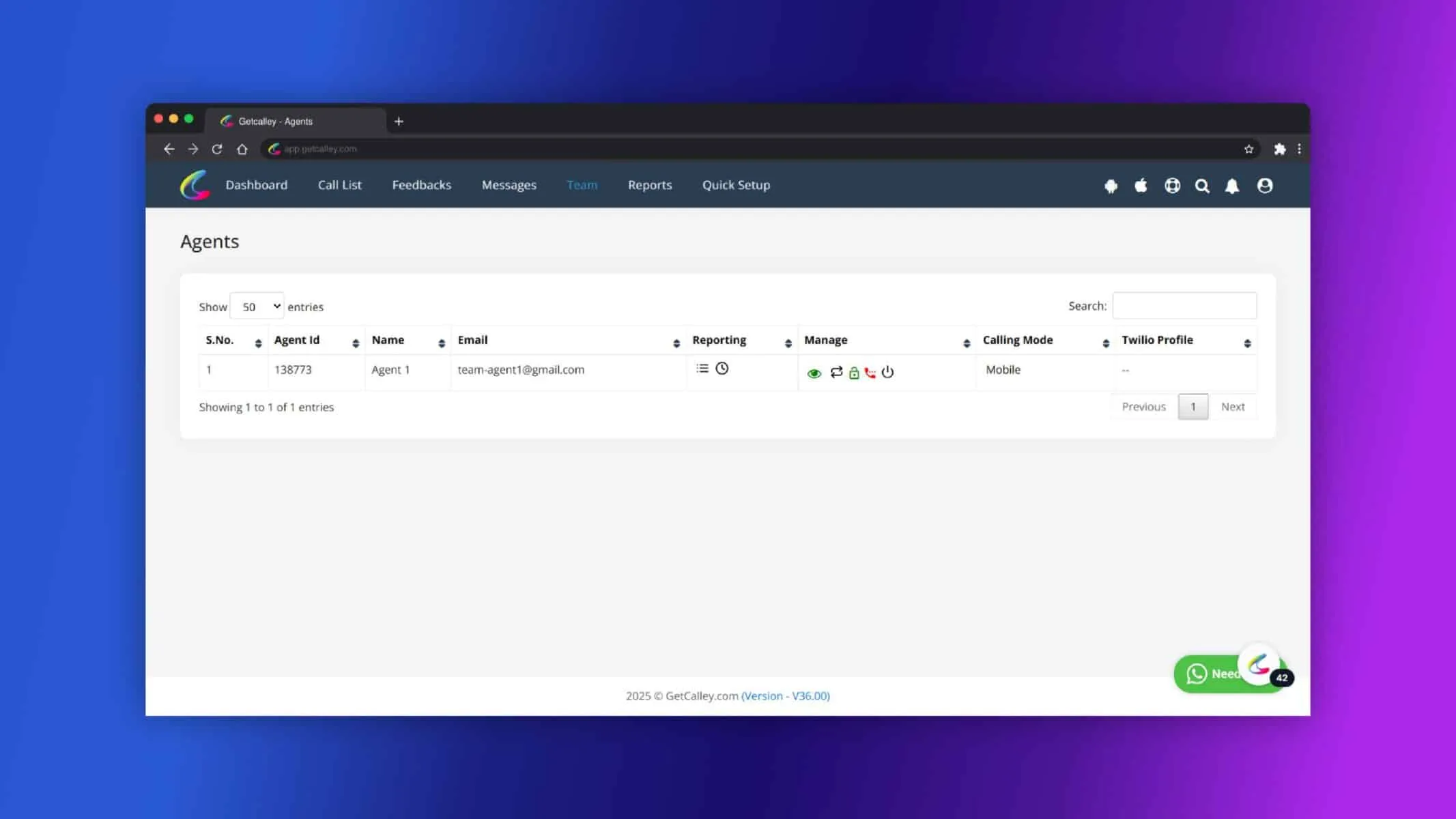
✓Monitor Assigned Agents: Once logged in, the Team Leader can view the list of agents assigned to them.
- ✓Access Reports: Navigate to the reporting section to review call feedback, performance metrics, and dispositions submitted by agents.
- ✓Provide Guidance: Use the insights from reports to guide agents and improve their performance.
Benefits of the Team Leader Role
- ✓Improved Agent Management: Team Leaders can focus on managing smaller groups of agents, ensuring more personalized supervision.
- ✓Better Performance Tracking: Access to real-time reports allows Team Leaders to identify areas for improvement and track progress effectively.
- ✓Streamlined Communication: With a dedicated panel, Team Leaders can easily monitor their team’s activities and provide timely feedback.
The Team Leader role in Calley Teams Subscription is designed to streamline team management by creating smaller, more manageable clusters. By leveraging their dedicated panel, Team Leaders can monitor agent performance, track call feedback, and ensure that their team operates at peak efficiency. This role is essential for maintaining productivity and fostering accountability within growing organizations.
Checkout here > Pricing Plans for Calley Auto Dialer App
Link to > Full Feature List of Calley AutoDialer
Do you want to Subscribe to a Free Auto Dialer with a limit of 25 calls per day?
We know you will have questions.
We would love to answer all your questions to get you started with Autodialing using The Calley Auto Dialer app.