
How to Create SMS / WhatsApp message templates?
SMS & Whatsapp Message Automation with Calley Autodialer App
Think... your agent called a lead and the lead said,
Send me more information on Whatsapp 🙂 or...
The lead did not pick up the call and your agent wants to send them a Missed Call SMS message. What should they do, compose a message at that time and send them with incorrect grammar, incorrect spellings and pathetic formatting...
For this we have created a functionality for Calley PRO & Calley Teams subscribers that allows them to send a Whatsapp or an SMS message to the lead at the end of the call.
and the best thing, as admin you can create the message templates well before in advance.
How to create an SMS / Whatsapp Template ?
You can create templates for SMS / Whatsapp thru Calley Web Panel.
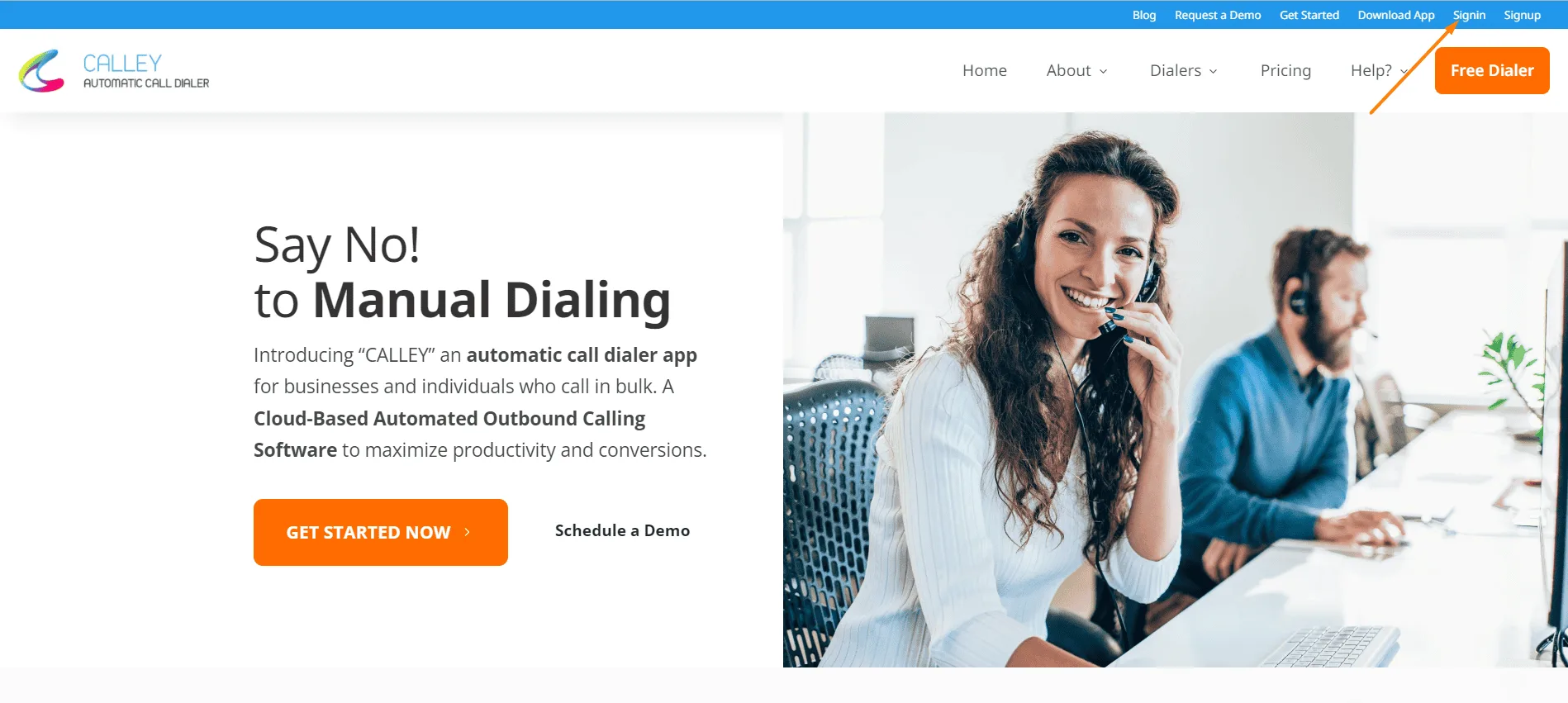
Step 1 - Visit your Calley Web Panel
Go to https://www.getcalley.com/ and click on Sign In link on the top navigation bar.
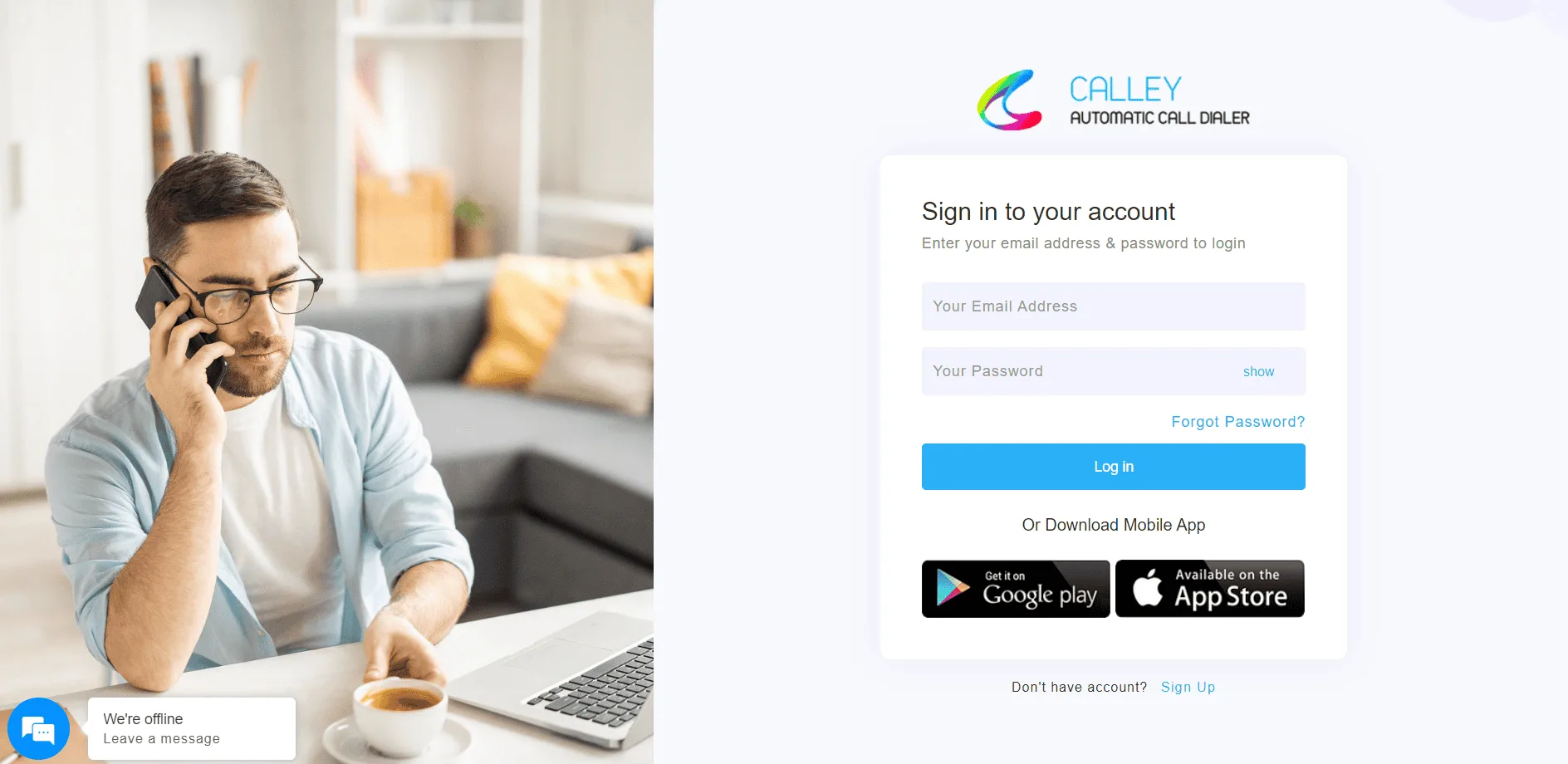
Step 2 - Login to Calley Web Panel
Login with the valid credentials that you used when creating your Calley Account.
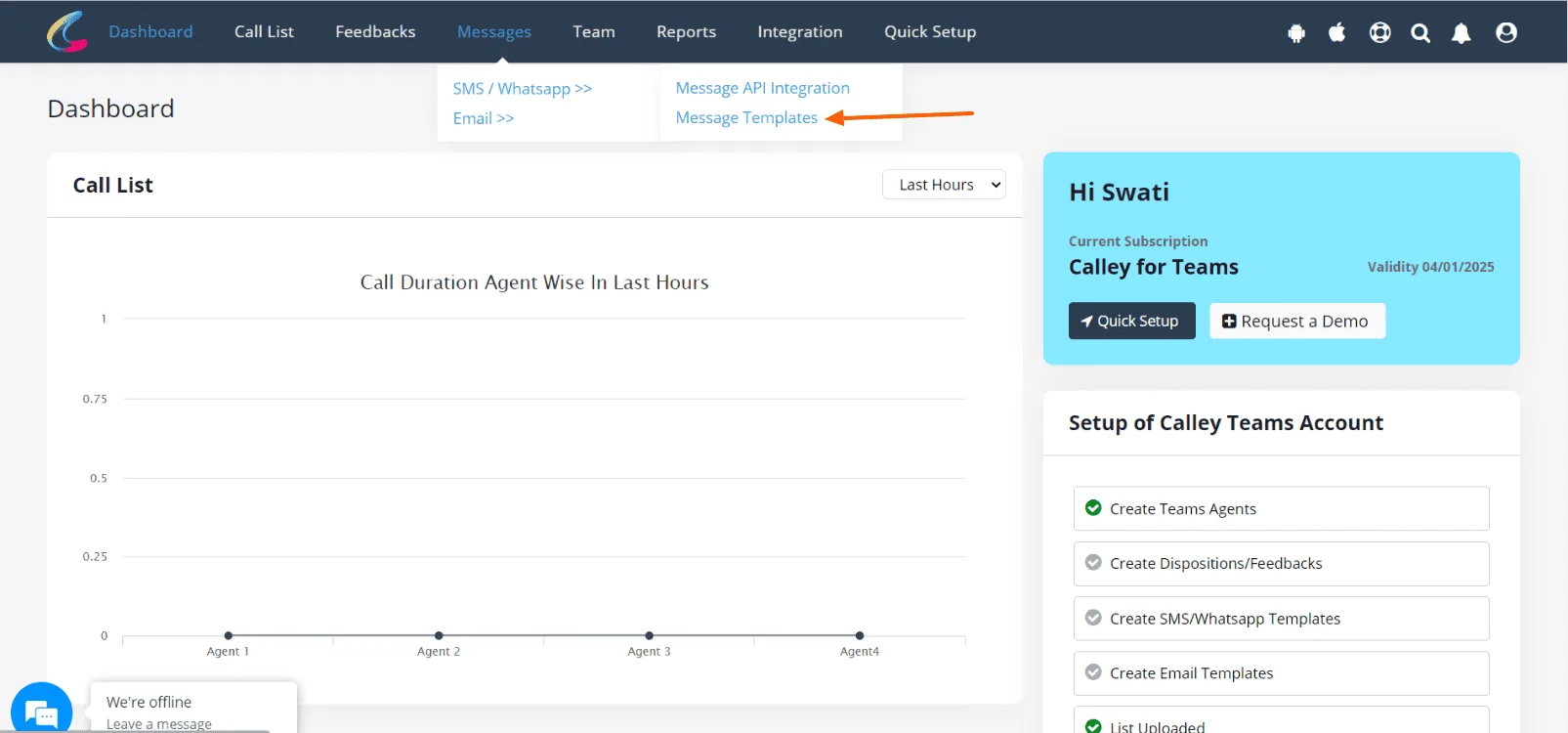
Step 3 - Visit link to manage templates
Go to Top Navigation > Messages > SMS/WhatsApp > Message Templates after login.
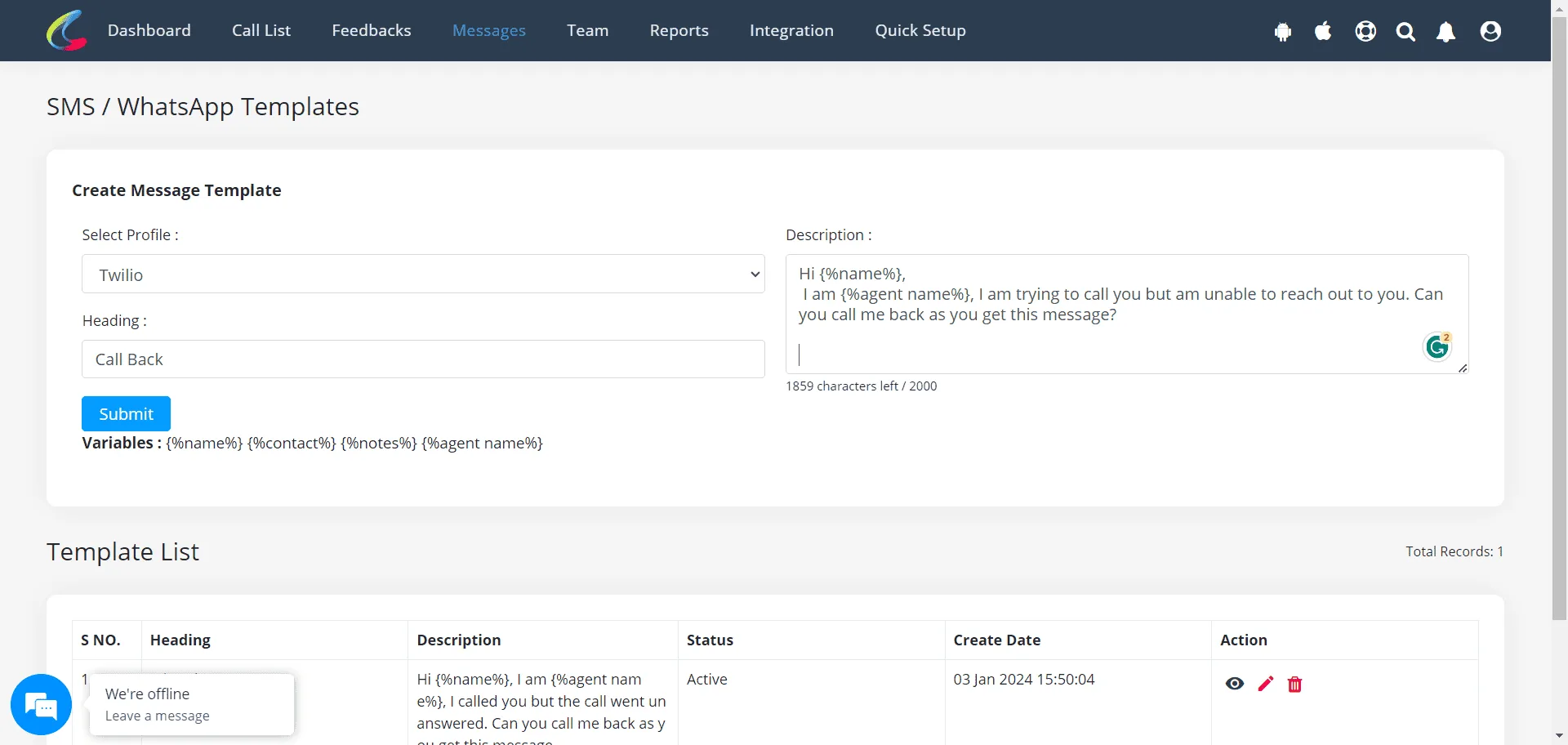
Step 4 - Create a Message Template
Fill in the Heading and Description (What you want to send as a message). You can leave the Profile blank in case you are not using an SMS API in which case the SMS will be sent thru the number that you are using on the mobile phone.
Step 5 - Head to Calley Mobile App on Android or iOs
Now head to the CalleyACD Mobile app; as you make a call, you will see the SMS / WhatsApp template is available to be sent at the Post Call Feedback Screen.
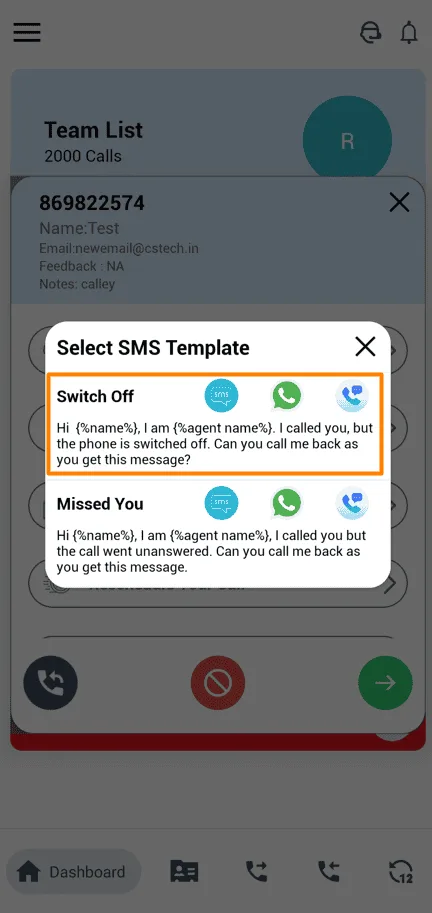
Step 6 - Send Messages after the call
To send an SMS message thru your Mobile Phone, click on this link

Step 7 - Send Whatsapp after the call

To send the message via Whatsapp, click the link below.
Boost Workflow with Message & Whatsapp Templates
- Saves Time
No need to type messages manually after each call. - Ensures Consistency
Send well-structured messages every time. - Improves Follow-ups
Easily send missed call messages or product details. - Boosts Customer Engagement
Keep leads informed without extra effort. - Supports Sales & Marketing
Automate repetitive messaging tasks.
Creating and using SMS/WhatsApp message templates in Calley helps businesses save time and improve communication with leads.
With a Calley Pro or Teams subscription, you can send instant follow-ups, appointment reminders, or product details without typing the same message repeatedly.
If you’re on Calley Personal, consider upgrading to use this feature - Signup for a 7 Days Free Trial.
Start optimizing your follow-ups today!
Checkout here > Pricing Plans for Calley Auto Dialer App
Link to > Full Feature List of Calley AutoDialer
Do you want to Subscribe to a Free Auto Dialer with a limit of 25 calls per day?
We know you will have questions.
We would love to answer all your questions to get you started with Autodialing using The Calley Auto Dialer app.