
How to Enable Custom Fields in Calley – Step by Step
How to enable Custom Fields in Calley Calling Lists [A Step by Step Guide]
Calley Calling Lists come with a default set of fields that you can upload for a calling list in your panel.
but...
We know as a business owner you have things that change according to each list, the data you are uploading might have some different labels and data sets that needs to be uploaded along with the Calling List.
that’s why we created a concept of Custom Fields.
You can create new fields and even give them a desired label name as per your requirement.
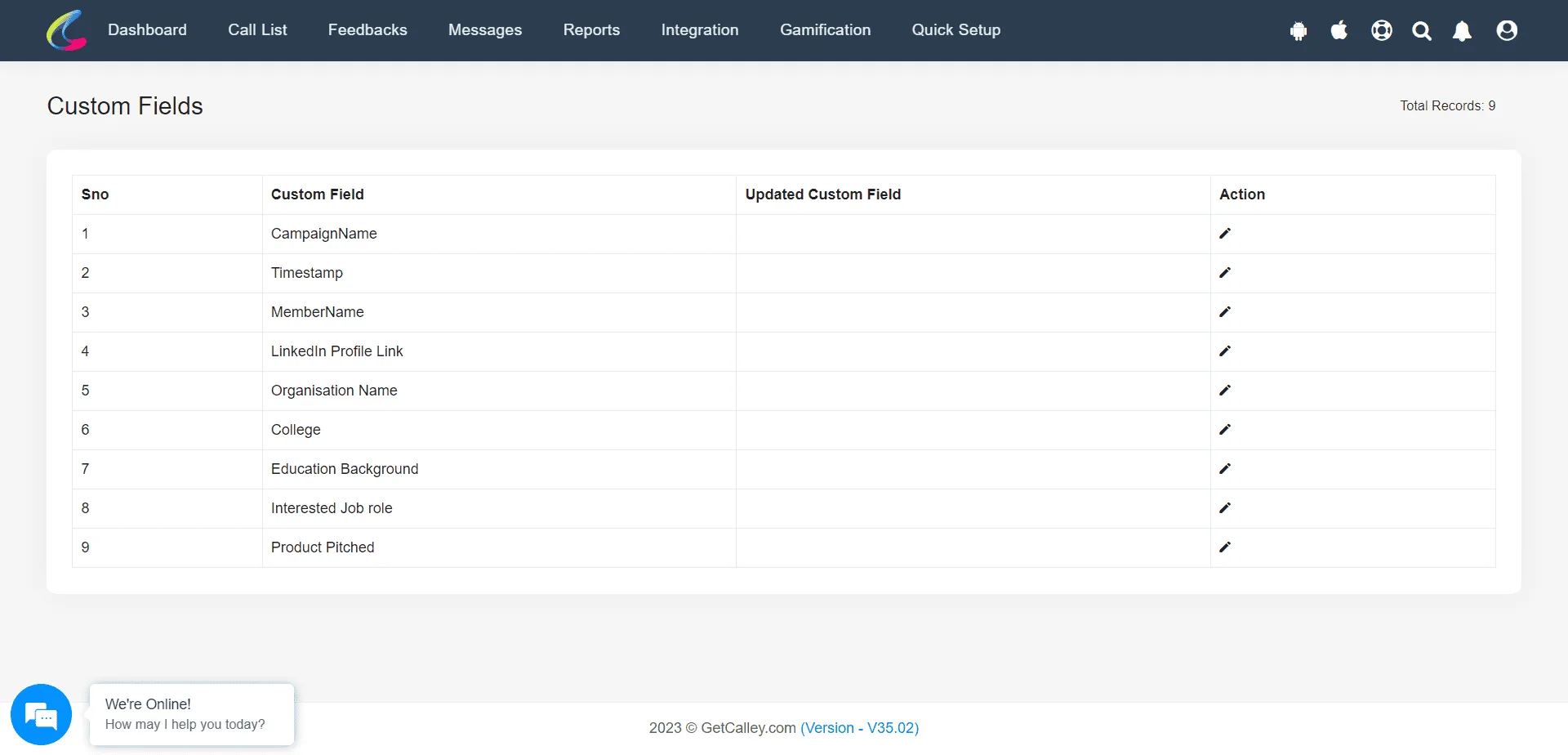
There are a total of nine custom fields available for Pro and Teams users. You can create them from your integration center and use them when conducting a Power Import of Leads or when placing calls using the Calley Auto dialer Mobile App.
Step by Step guide to Enable the Custom fields in Calley
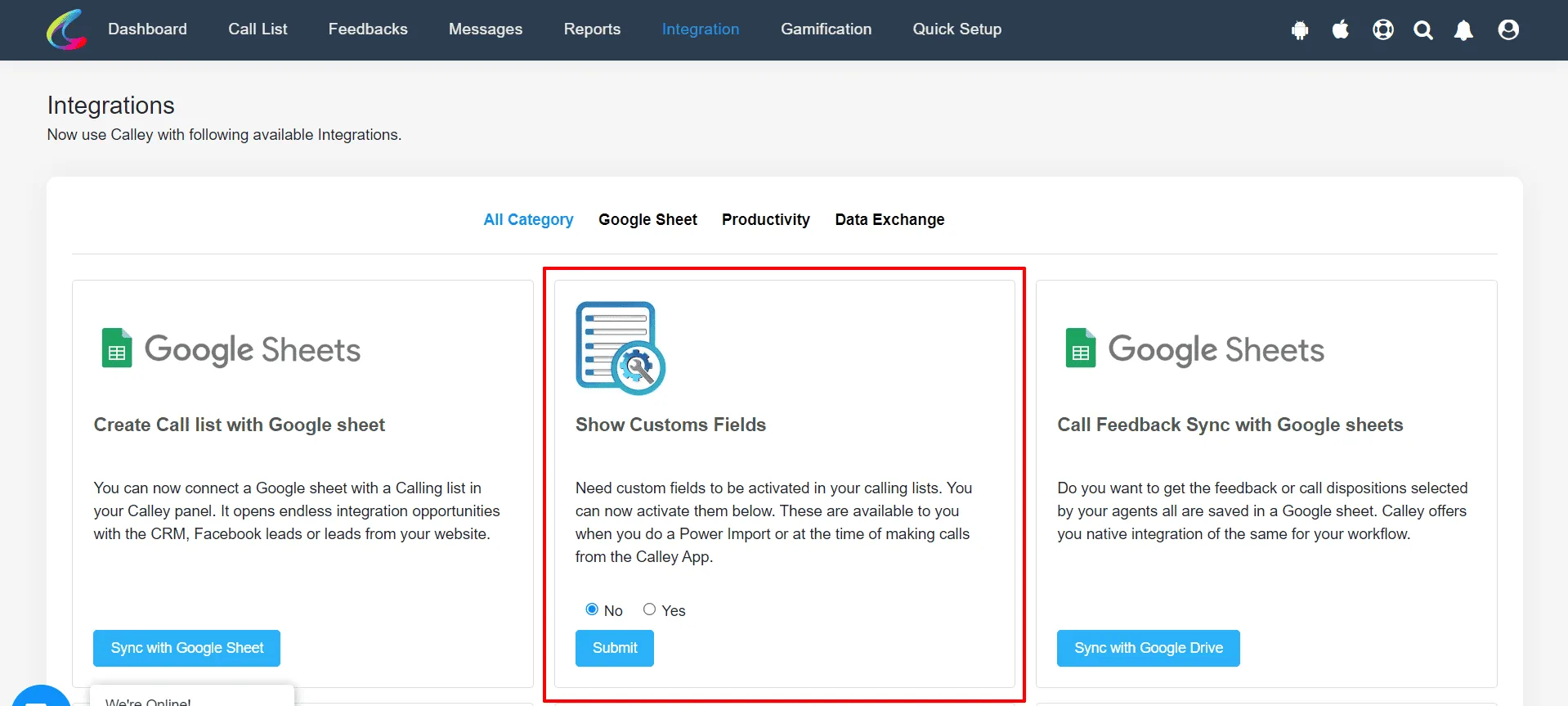
✓Login to Calley Web Panel. Go to integration section, there is an Show Custom Fields block, Click on Yes and Submit.
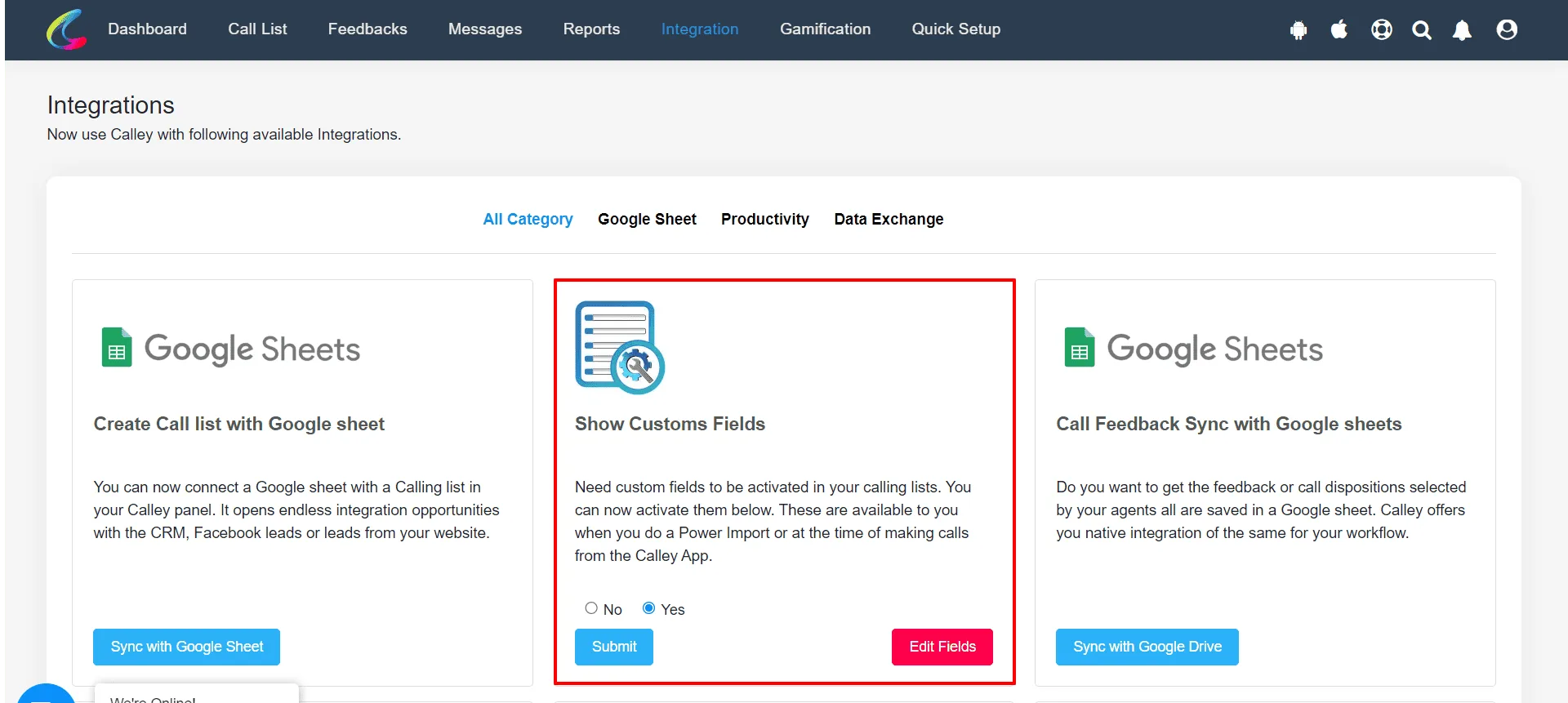
✓Now your custom fields are enabled. Click on Edit Fields.
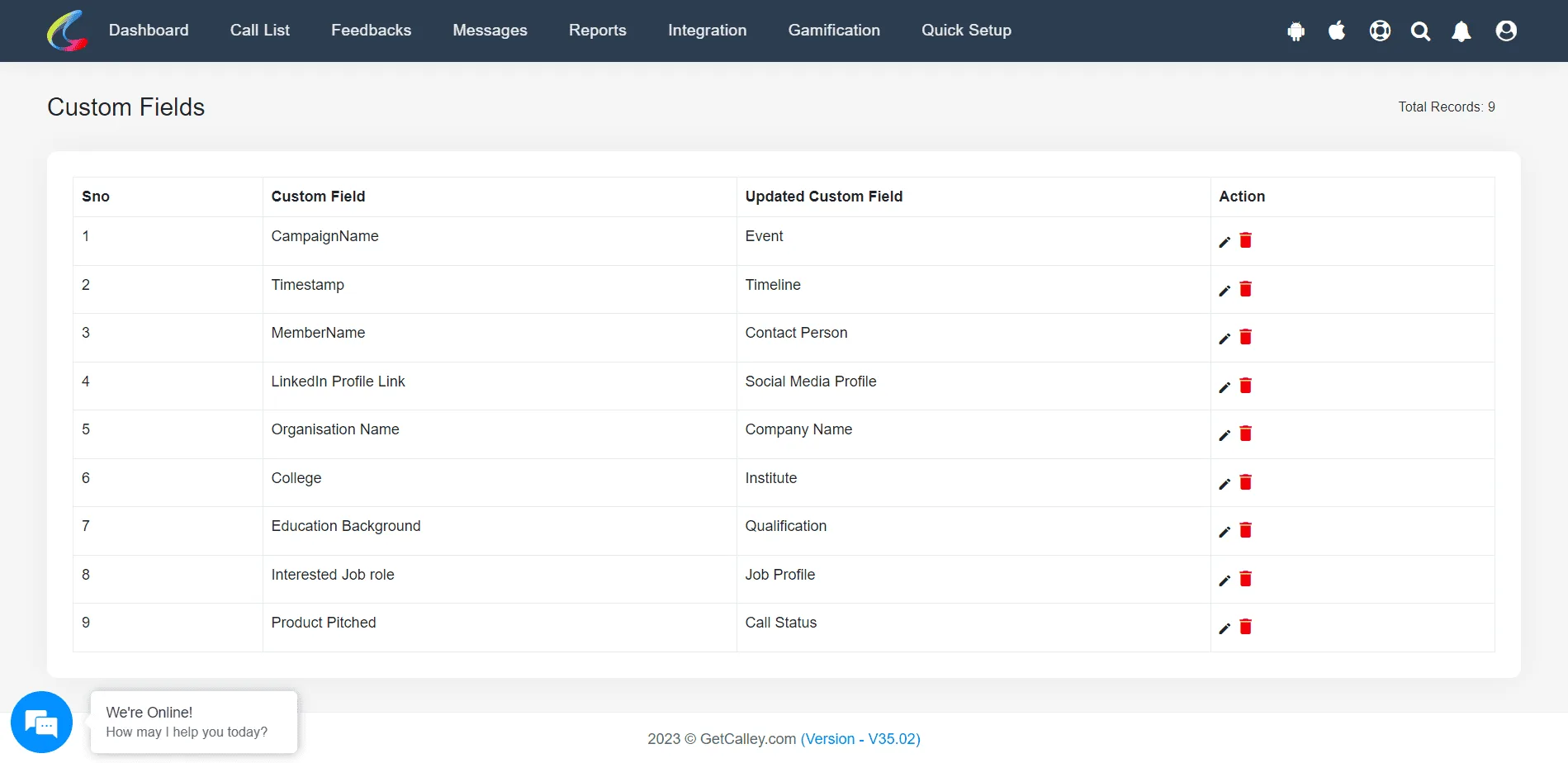
✓As you click on Edit Fields, A page will open from where you can see the default names of the custom fields available on your account.
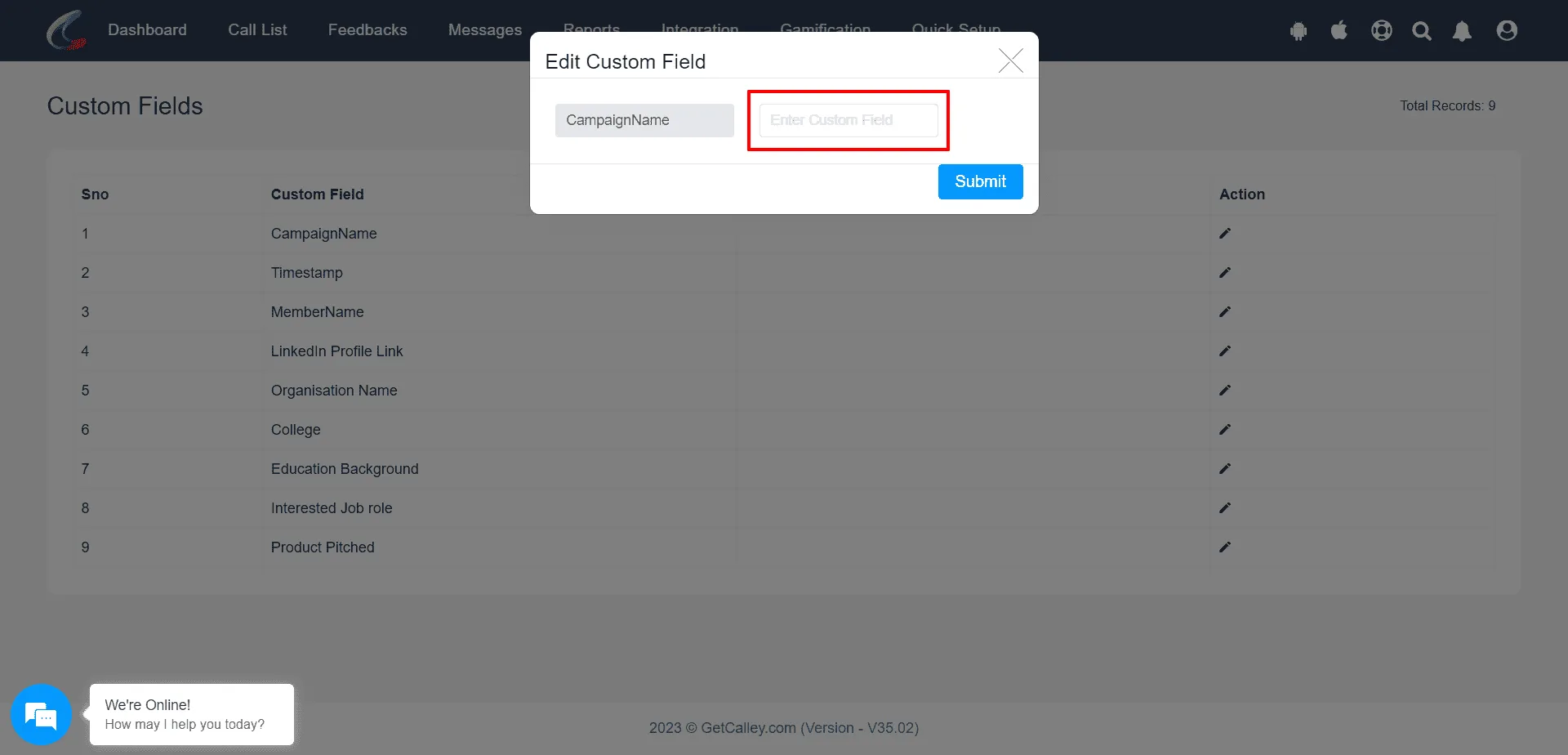
✓To update the custom field name with a new name of your choice, Click on the edit option under Action and update the field.
✓As you update the New Value of the Custom Field is shown in front of the Default Value of Custom Fields in the page.
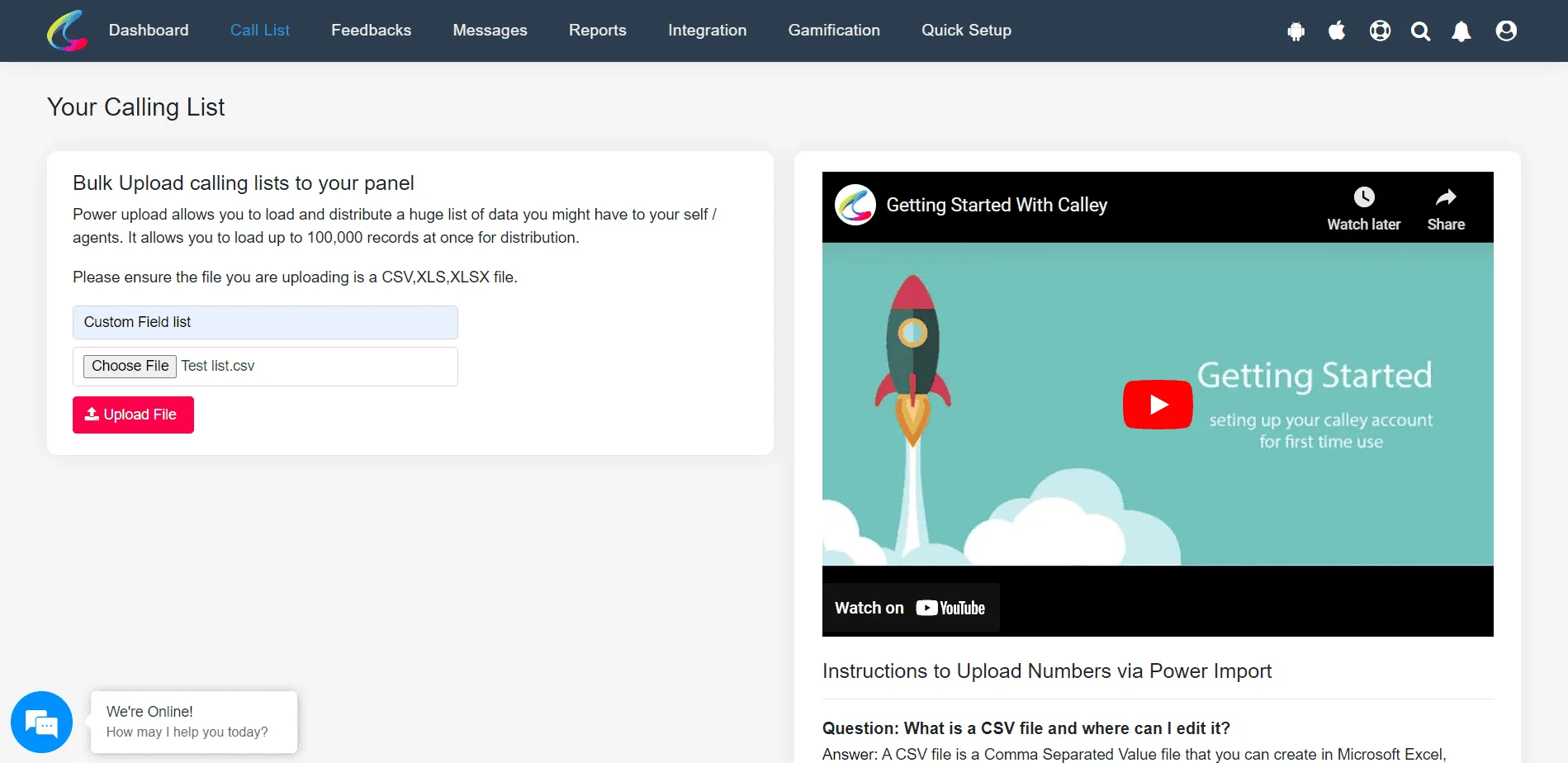
✓Once updated these fields are available in the Power Import of Leads. You can go to the Top Bar and select Call List >> Power Import
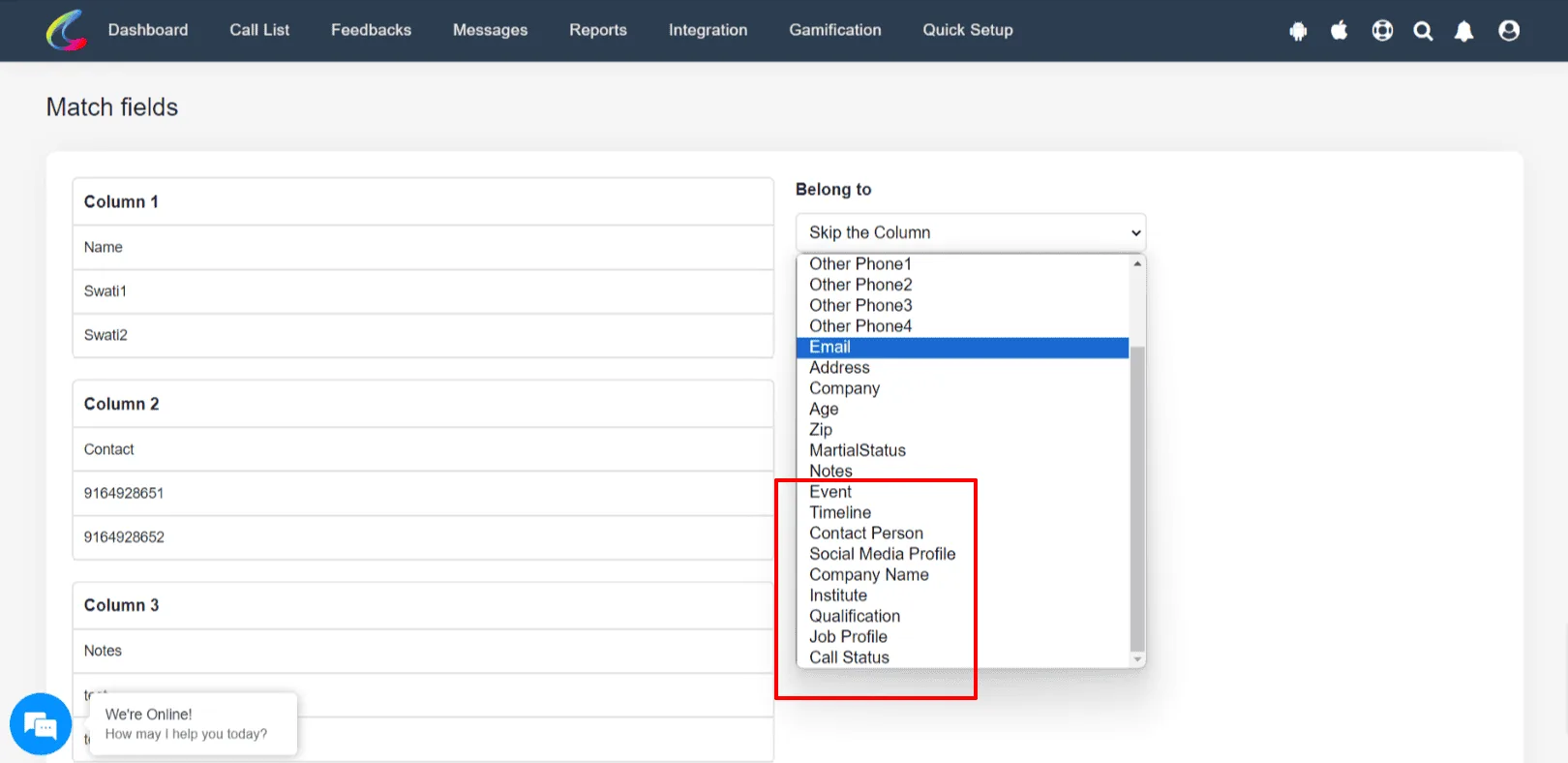
✓As the lead file is uploaded you can use the custom fields for mapping your lead data with the Web Panel (PD Dialing) and the Calley Mobile App subsequently.
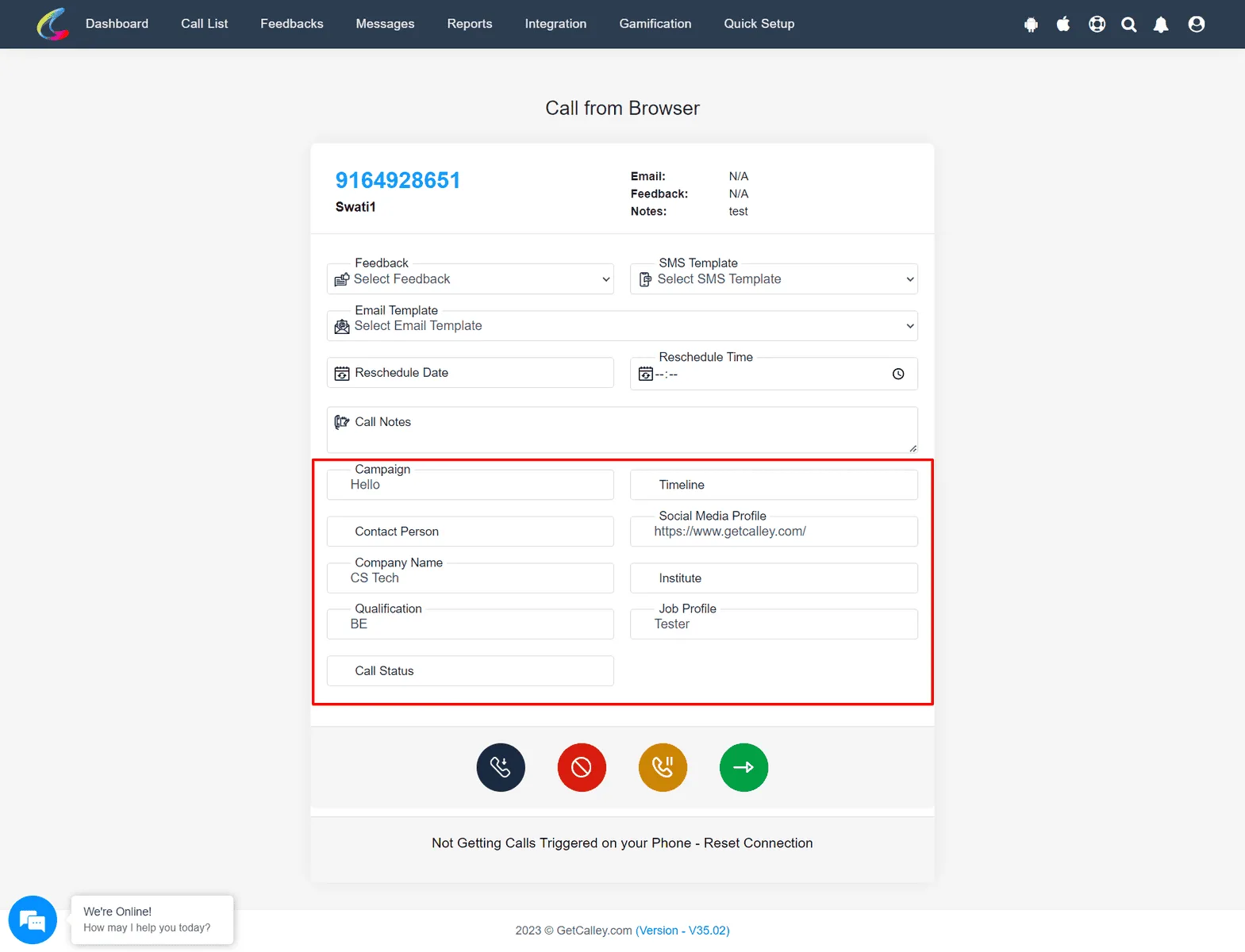
✓As you start calling on these leads you can see the Custom Fields uploaded in the Panel and take actions accordingly.
How does Custom Fields Help Your Auto dialing Process?
Custom fields allow businesses to structure and manage customer lead data efficiently. Here’s how they can benefit your workflow:
- ✓Better Tracking of Leads
Since you have customized the fields label you can see the exact data with the same field name so that you can refer to them in your calling process. - ✓Segmentation of Data
With new custom fields you can add segments for your data and assign the data accordingly to the agent who is making the call. You can even use this data for making decisions at a later time. - ✓Better Follow-Ups
The information helps in creating a reference point for the agent to strike a better conversation with the leads. - ✓Improvement in Efficiency
With Better Follow Up, Better Conversations, Better Conversions are bound to happen. - ✓Take Decisions based on Data
With structured data you as a business owner can now analyze trends, measure performance, and improve conversion rates.
Enabling custom fields in Calley allows businesses to customize call lists, track key details, and improve follow-ups.
By renaming fields based on specific needs, teams can work more efficiently and make better data-driven decisions.
Once enabled, these fields will be available in Power Import, Call Mapping, and Feedback sections, making it easier to handle customer information, improve your conversations and finally Increase your Conversions.
Checkout here > Pricing Plans for Calley Auto Dialer App
Link to > Full Feature List of Calley AutoDialer
Do you want to Subscribe to a Free Auto Dialer with a limit of 25 calls per day?
We know you will have questions.
We would love to answer all your questions to get you started with Autodialing using The Calley Auto Dialer app.