
How to log Incoming Calls using Calley Autodialer App?
How to log Incoming Calls using Calley Autodialer App?
The Calley Autodialer App now allows Calley Pro and Teams users to log incoming calls, making it easier to track and manage interactions with leads and customers. This feature helps users keep a complete call history, including both outgoing and incoming calls, ensuring no lead is missed. Follow the steps below to enable and use the incoming call logging feature in Calley.
How to Enable and Use Incoming Call Logging?
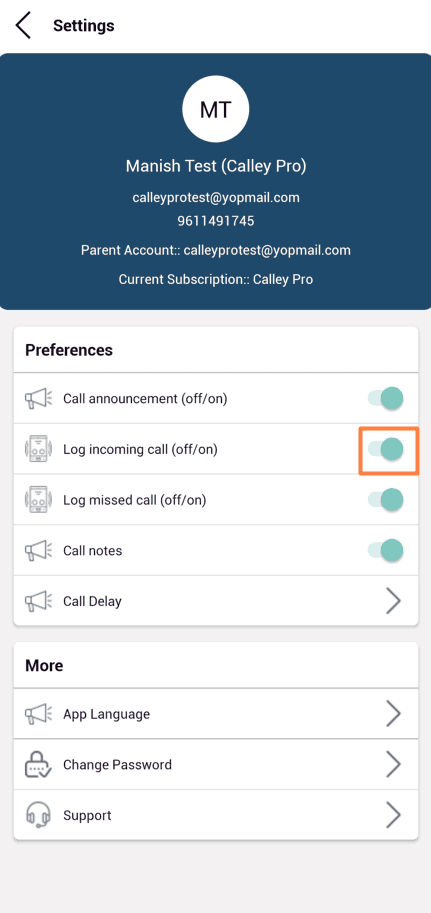
✓Open the Calley Auto Dialer app on your mobile phone. Go to Settings and enable the "Log Incoming Calls" option.
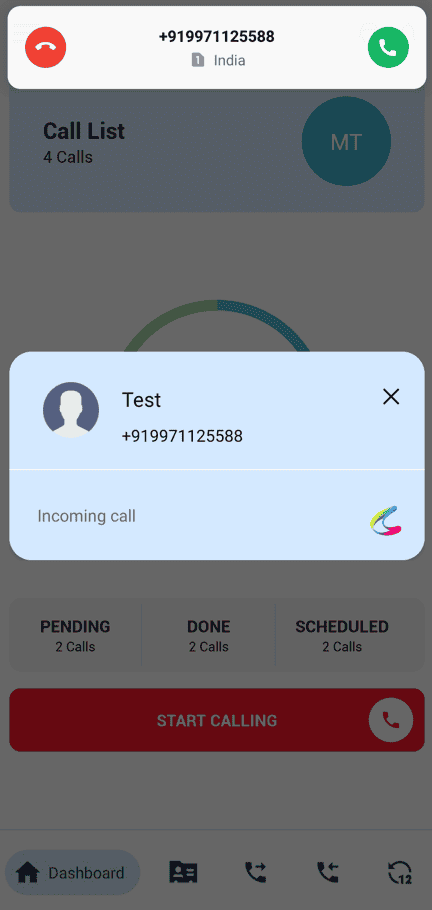
✓When you receive an incoming call, a popup notification will appear.
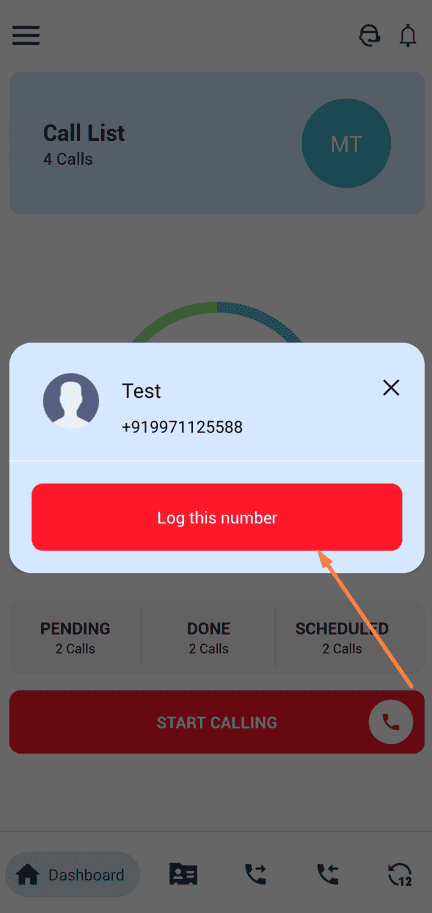
✓After the call ends, a "Log This Number" popup will appear. Tap on it to save the call details.
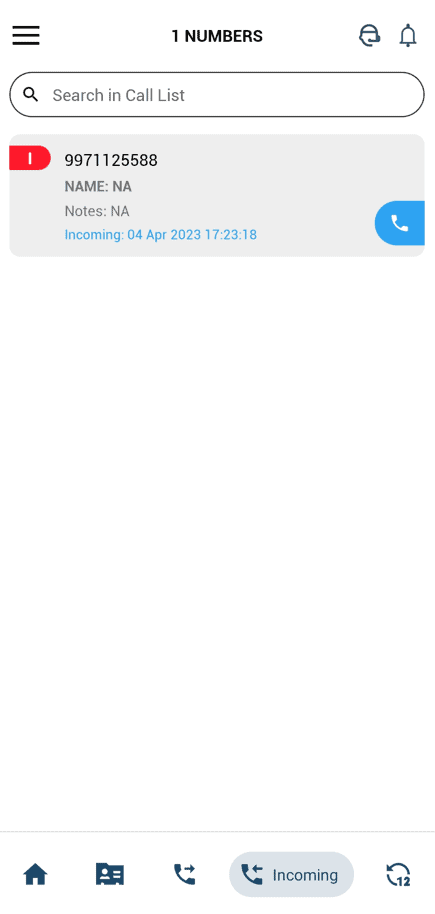
✓You can see all logged incoming calls in the Incoming Calls tab in the mobile app.
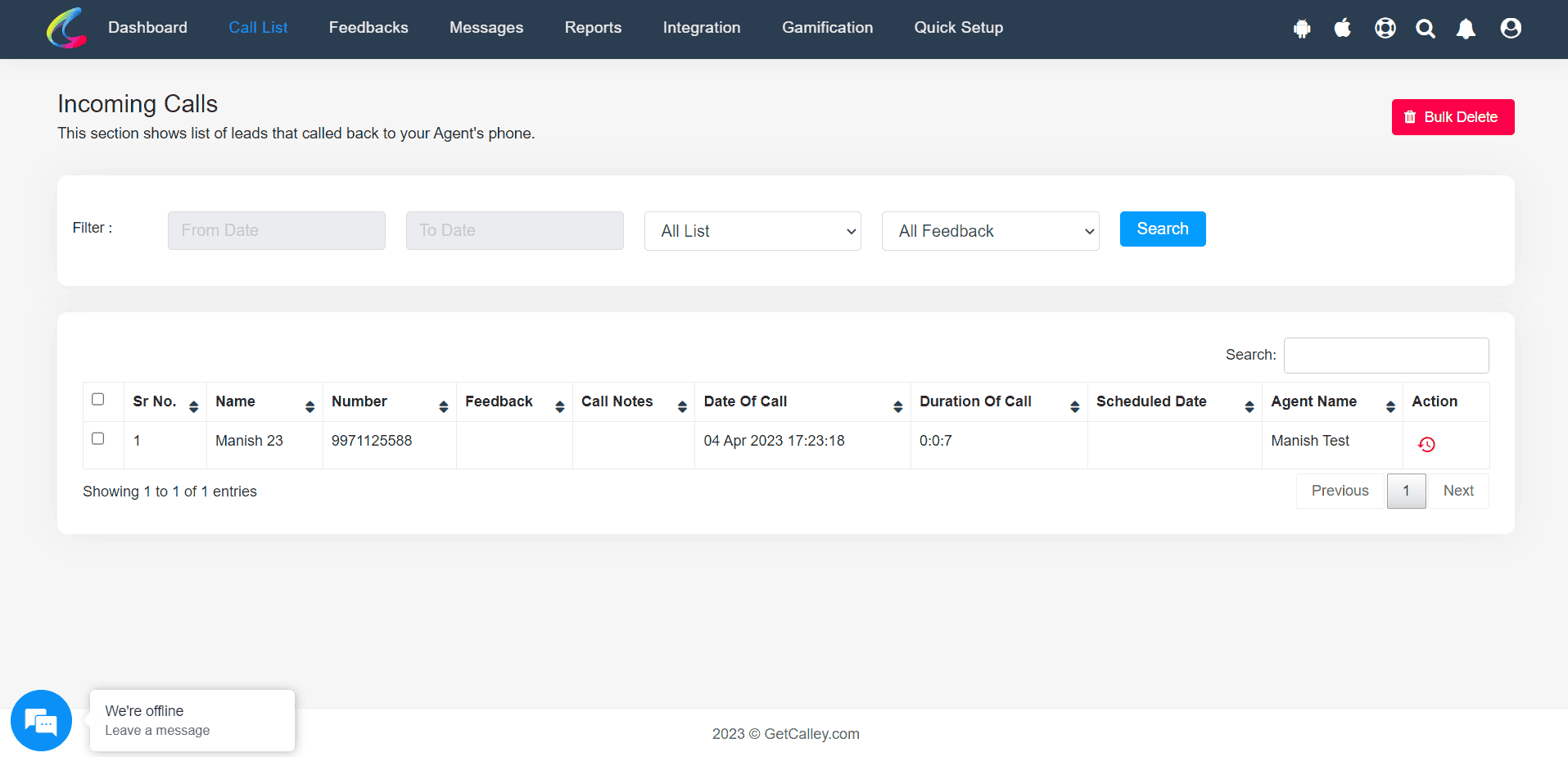
✓The same data is also available on the Calley Web Panel under Top Navigation Bar > Call List > Incoming Calls.
How This Feature Helps Your Business
- ✓Tracks All Customer Interactions: Logs both outgoing and incoming calls for better follow-up management.
- ✓Saves Important Leads: Easily log and revisit incoming calls from potential customers.
- ✓Improves Productivity: No need to manually write down call details—everything is stored in the app.
- ✓Syncs with the Web Panel: Access call logs from anywhere for better tracking and team collaboration.
The incoming call logging feature in Calley helps businesses keep track of both outgoing and incoming calls, ensuring a complete call history for better follow-ups and improved lead management. This feature is available for Calley Pro and Teams users on Android devices. Enable it today and never lose track of an important call!
Checkout here > Pricing Plans for Calley Auto Dialer App
Link to > Full Feature List of Calley AutoDialer
Do you want to Subscribe to a Free Auto Dialer with a limit of 25 calls per day?
We know you will have questions.
We would love to answer all your questions to get you started with Autodialing using The Calley Auto Dialer app.