
Lead Distribution in Calley Teams
Lead Distribution in Calley Teams
Managing leads effectively is essential for the success of any calling campaign. In Calley Teams, team admins have multiple ways to distribute leads among agents, ensuring a smooth workflow and maximizing lead conversion. This guide explains the different lead distribution options available and how they can benefit your team.
- 1.Lead Distribution in Calley Teams
- 1.1.Redistribution of Leads
- 1.1.1.Why is it Useful?
- 1.1.2.When to Use Redistribution of Leads:
- 1.1.3.How to Redistribute Leads?
- 1.2.Unassigned Data
- 1.2.1.Why is it Useful?
- 1.2.2.When to Use Unassigned Data:
- 1.2.3.How to distribute the Unassigned Data?
- 1.3.Distribute to Agents
- 1.3.1.Why is it Useful?
- 1.3.2.When to Use Distribute to Agents:
- 1.3.3.How All Leads are Redistribute to Agents?
- 1.4.Rechurn List
- 1.4.1.Why is it Useful?
- 1.4.2.When to Use Rechurn List:
- 1.4.3.How to Rechurn List?
- 1.4.4.Conclusion
- 2.WE KNOW YOU WILL HAVE QUESTIONS.
Redistribution of Leads
The Redistribution of Leads feature allows team admins to reassign pending calls from a call list to team agents. This ensures that all pending calls are attended to and no lead is left untouched.
Why is it Useful?
- ✓If an agent is on leave or holiday, their pending leads can be reassigned to available agents, ensuring continuous follow-ups.
- ✓Helps balance the workload among agents by redistributing pending calls.
- ✓Prevents leads from being ignored due to an agent's absence.
When to Use Redistribution of Leads:
- ✓When some agents have incomplete call lists and you want to reassign the pending leads to other team members.
- ✓When an agent is unavailable, their pending leads need to be reassigned to avoid delays.
- ✓To evenly distribute workload among multiple agents and improve efficiency.
How to Redistribute Leads?
✓Open a List you want to Distribute. There is an option called Redistribute Leads click on that.
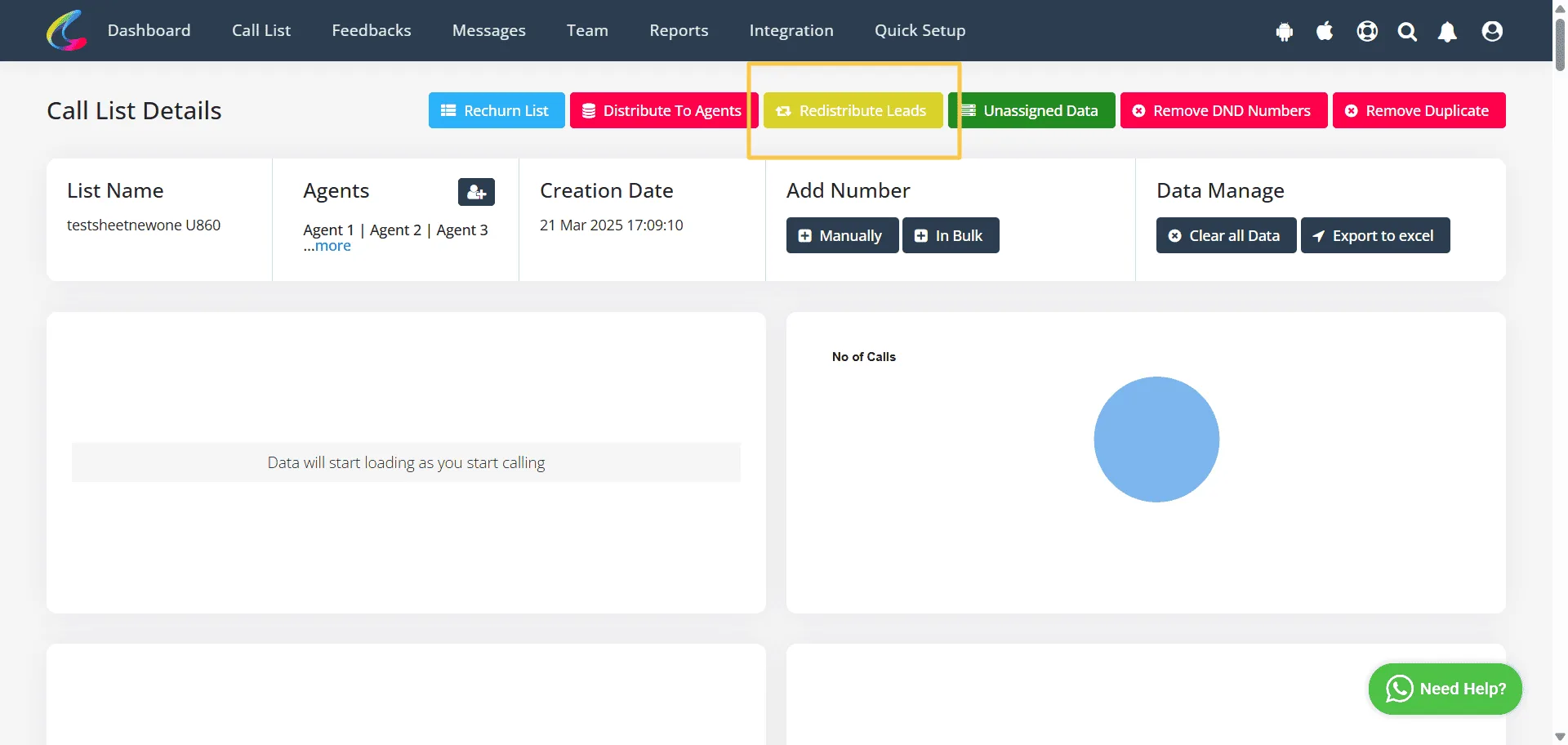
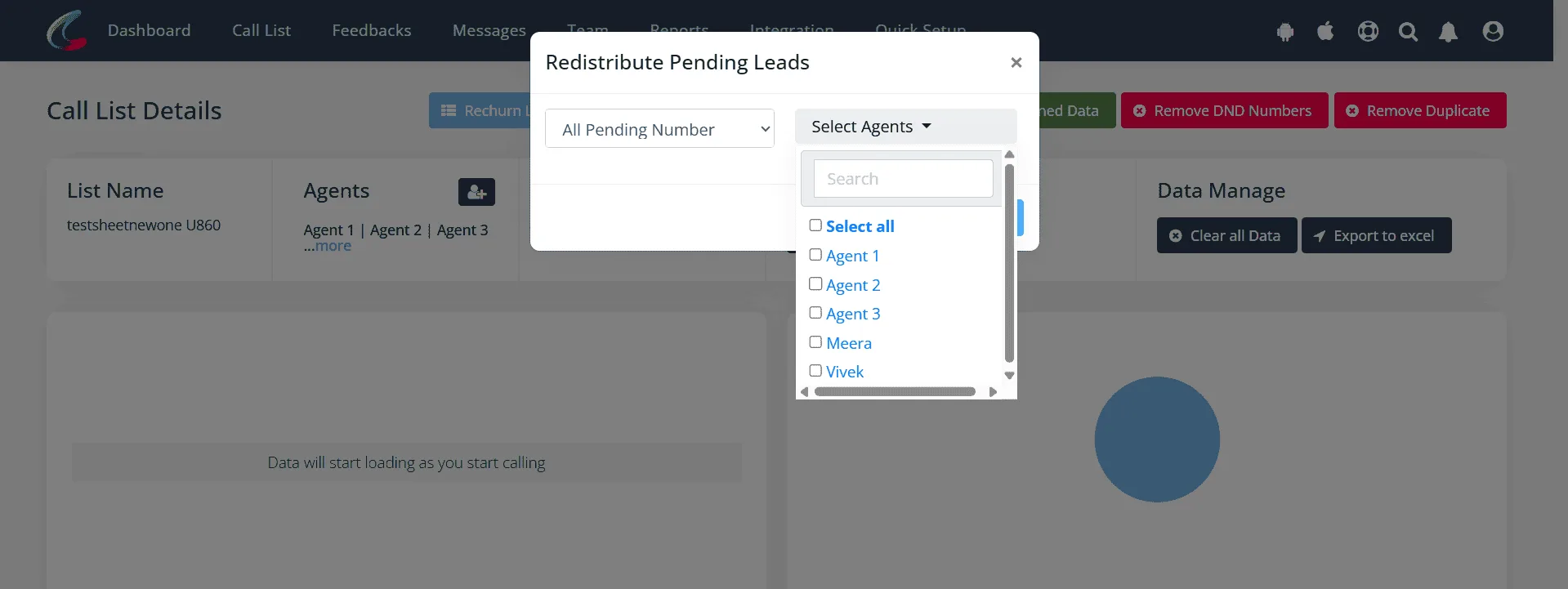
✓Select the agents you want to redistribute pending leads.
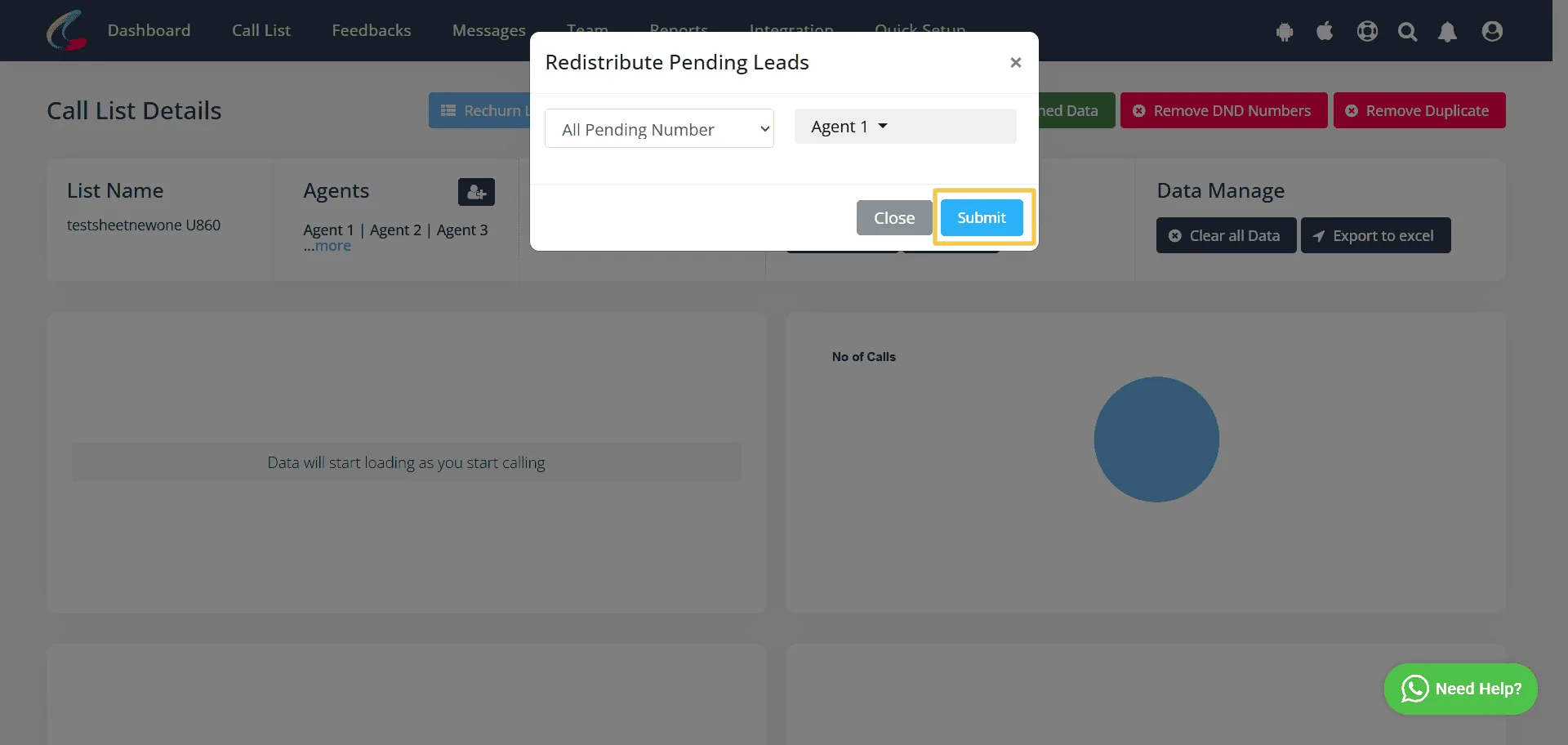
✓Click on Submit.
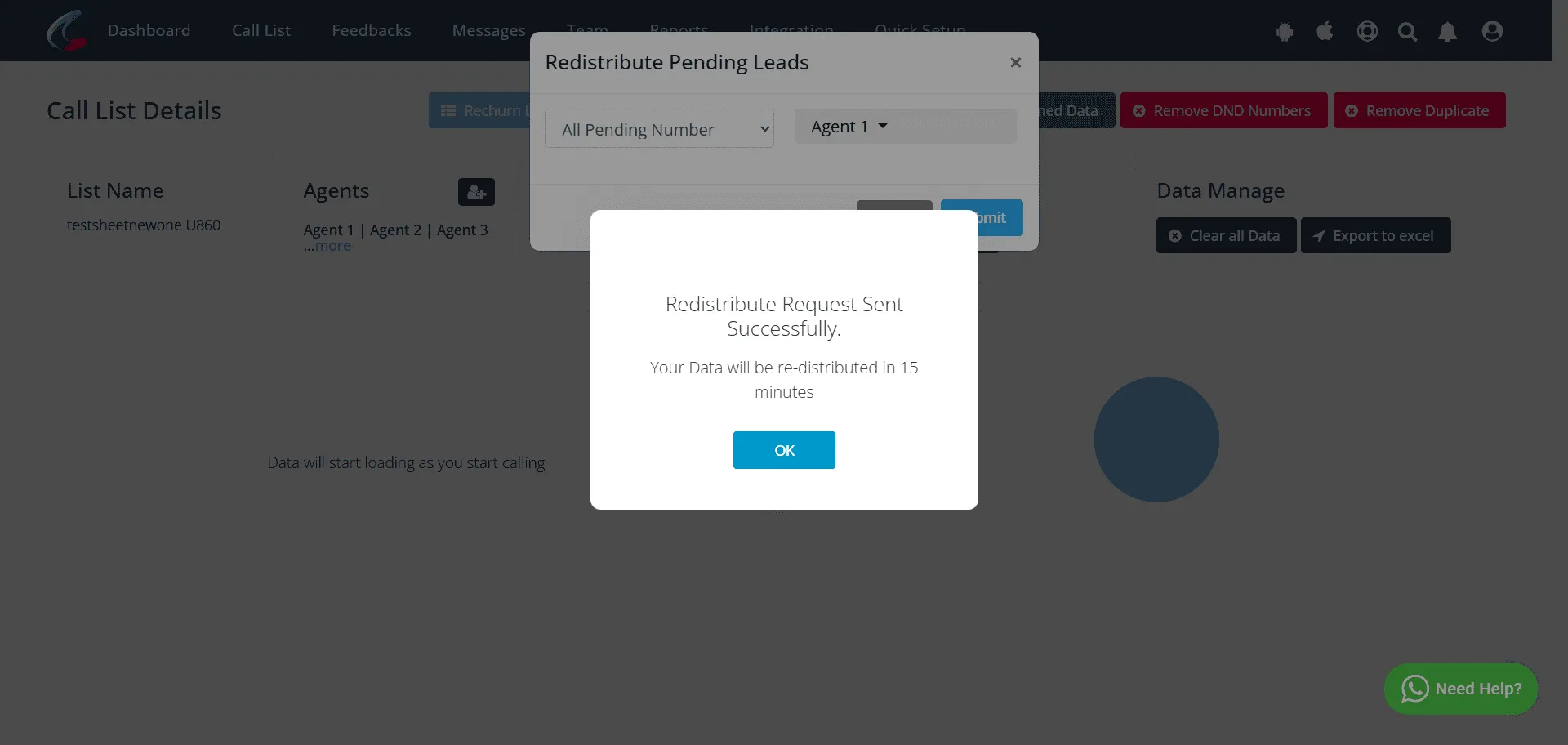
✓Click Ok. All pending leads will redistribute within 15mins.
Unassigned Data
When a user upgrades from Calley Pro to Calley Teams, existing call lists remain unassigned. The Unassigned Data feature helps distribute these unallocated leads among team agents so that no data is left idle.
Why is it Useful?
- ✓Ensures that all previous call data is effectively assigned to team agents.
- ✓This prevents any data from being overlooked after transitioning to Calley Teams.
When to Use Unassigned Data:
- ✓After upgrading from Calley Pro to Calley Teams to allocate existing call lists.
- ✓When a call list has been uploaded but not yet assigned to any agent.
How to distribute the Unassigned Data?
✓Open a Calling List you want distribute. Click on Unassigned Data button.
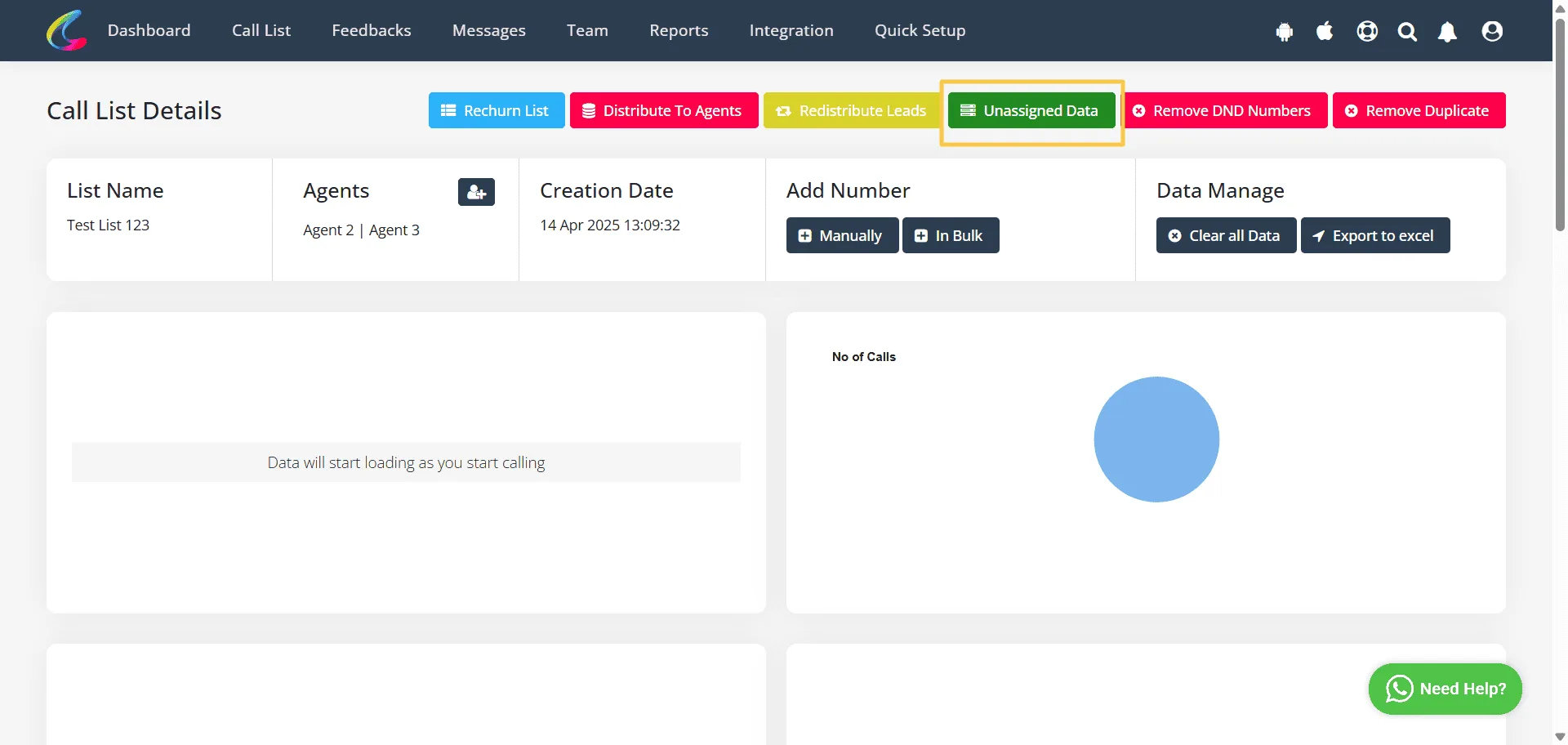
✓Select the agents you want to distribute. Click on Redistribute button.
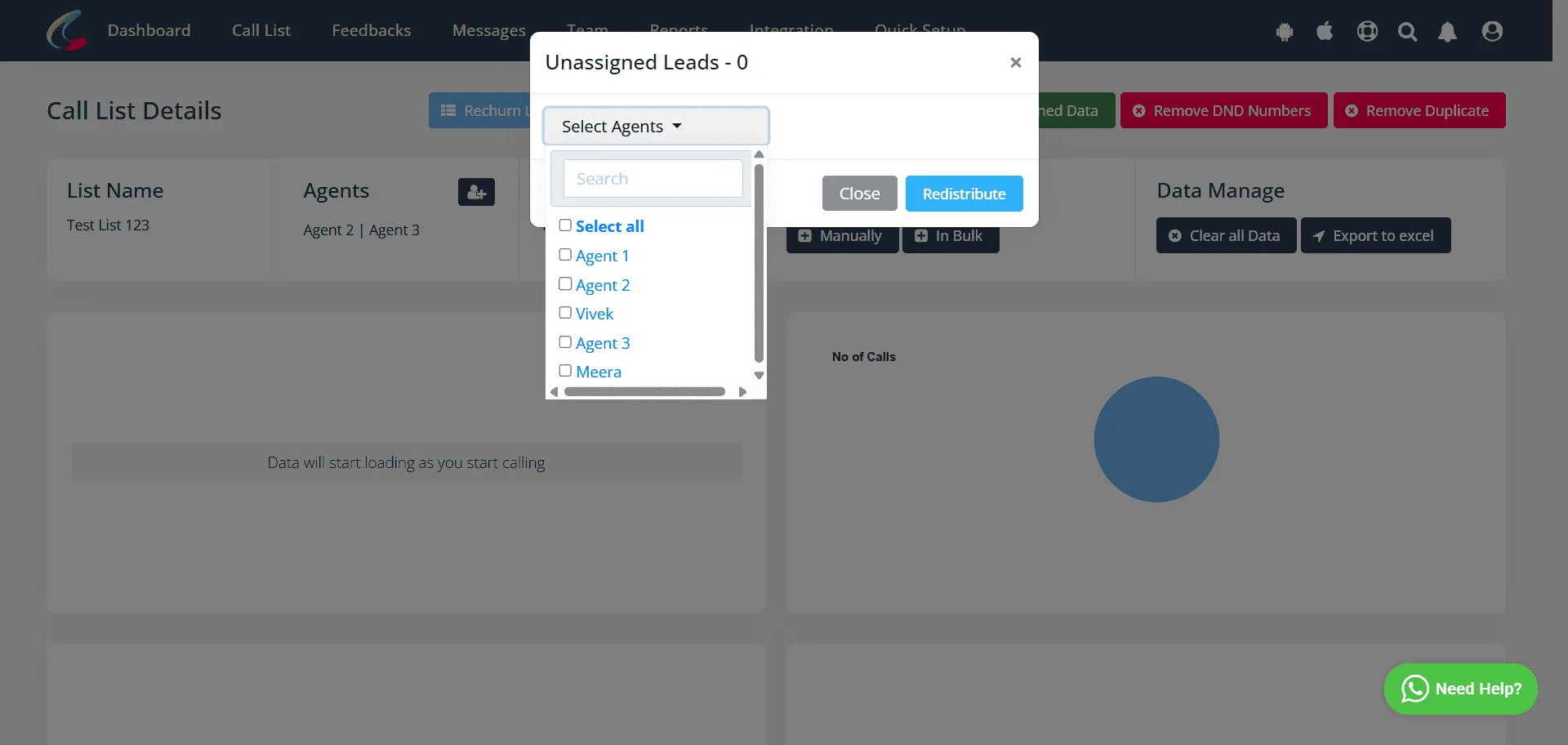
- ✓All unassigned tasks are assigned to the agent you have selected.
Distribute to Agents
The Distribute to Agents feature allows admins to redistribute all the leads from a call list to agents again. This helps in cases where leads need to be reassigned due to operational reasons or changes in strategy.
Why is it Useful?
- ✓Provides flexibility to reassign leads based on performance or priority.
- ✓Ensures that agents receive an even distribution of leads for better workload management.
When to Use Distribute to Agents:
- ✓To reallocate leads after an initial assignment.
- ✓When agents need fresh call lists from the same data set.
How All Leads are Redistribute to Agents?
✓Open the list you want to Distribute. Click on Distribute to Agents.
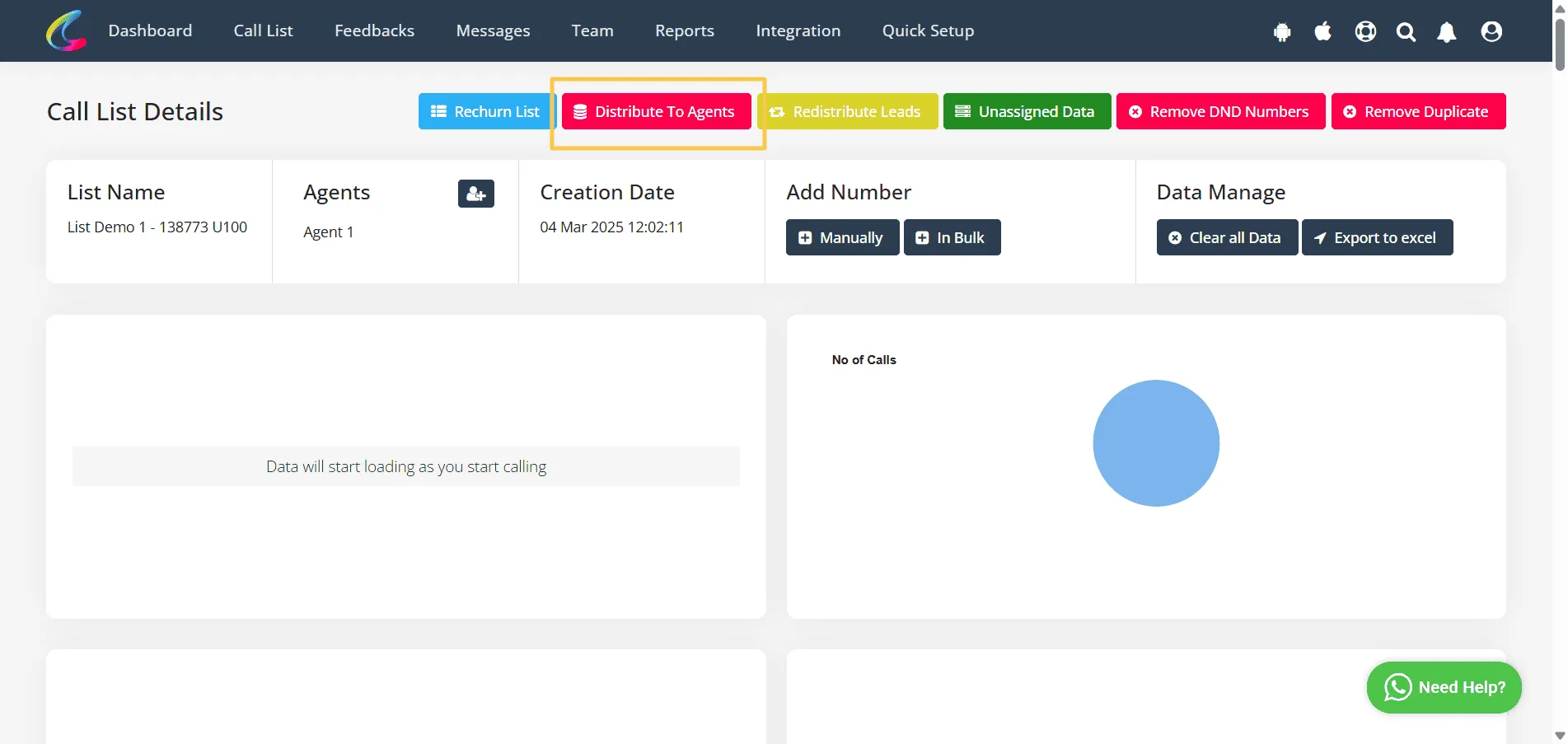
✓Select the agents you want to Distribute and Click on Submit.
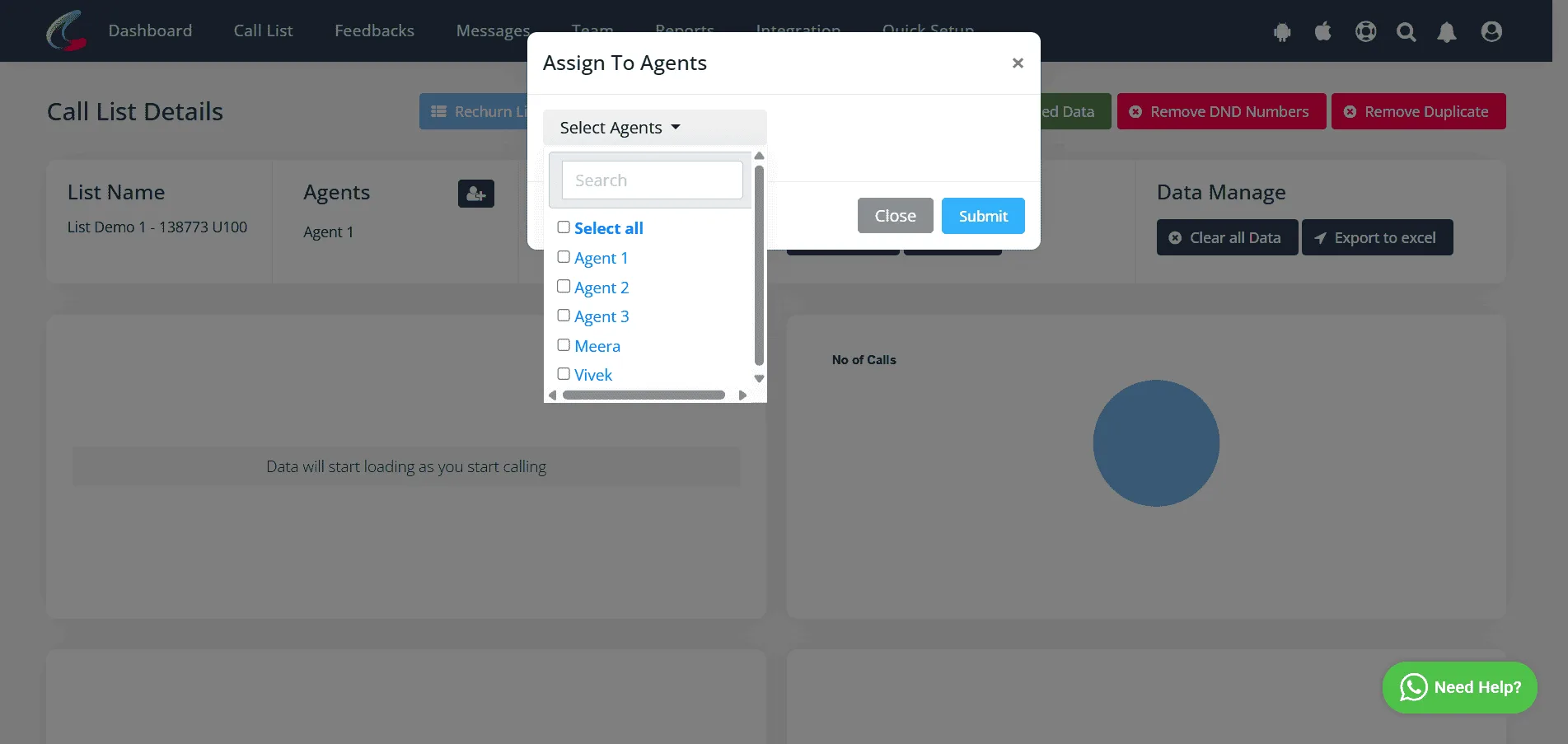
✓Click on OK.
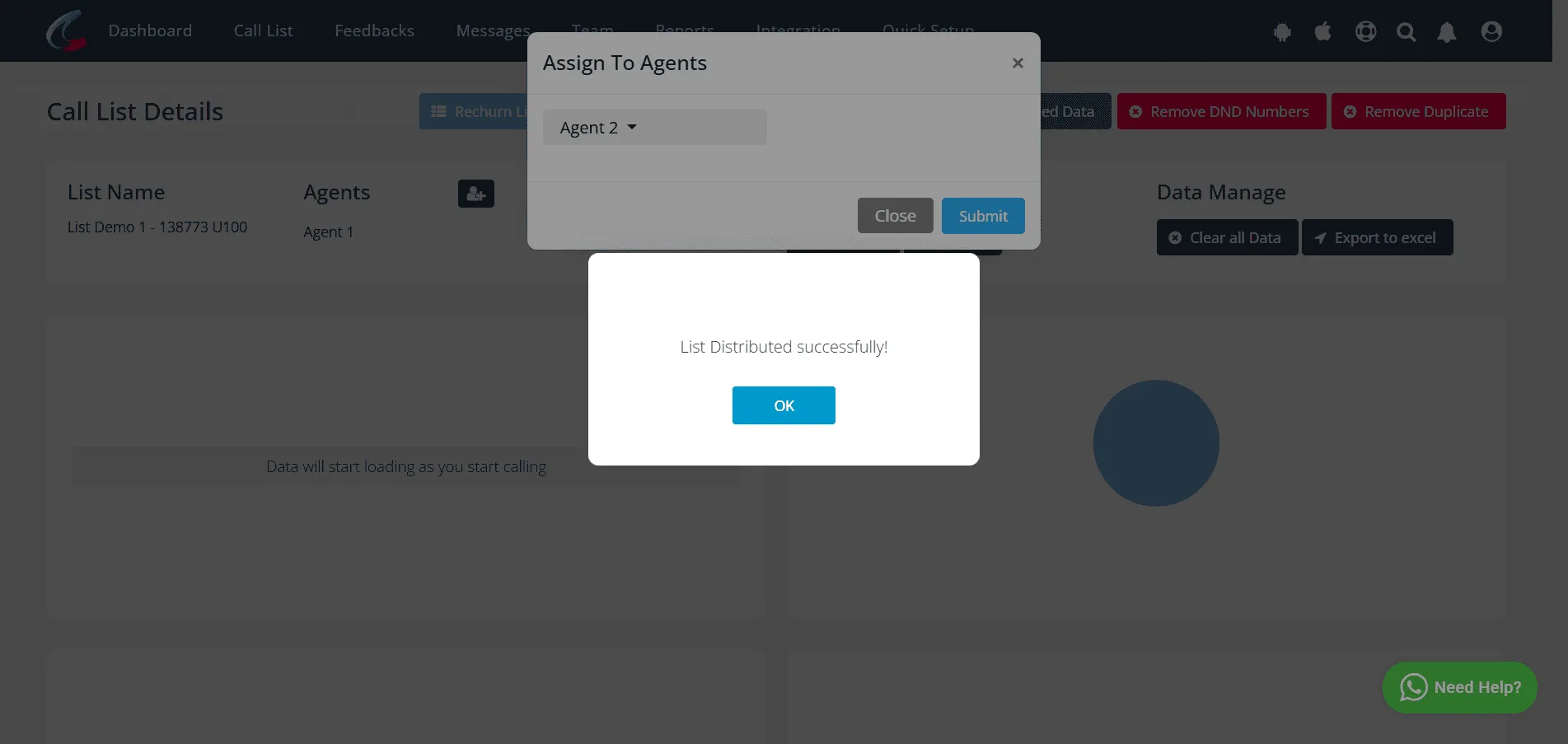
- ✓All Leads are redistributed successfully.
Rechurn List
The Rechurn List feature allows team admins to reorganize and optimize call lists based on feedback and call notes. This ensures better follow-ups and maximizes conversion rates.
Why is it Useful?
- ✓Helps team admins focus on potential leads who were not reached or required a follow-up.
- ✓Improves call efficiency by revisiting and optimizing previous call lists.
When to Use Rechurn List:
- ✓To revisit and optimize calling lists based on previous call outcomes.
- ✓To ensure that potential leads who were not reached or needed a follow-up are contacted again.
How to Rechurn List?
✓Open the list you want to Rechurn. Click on Rechurn List.
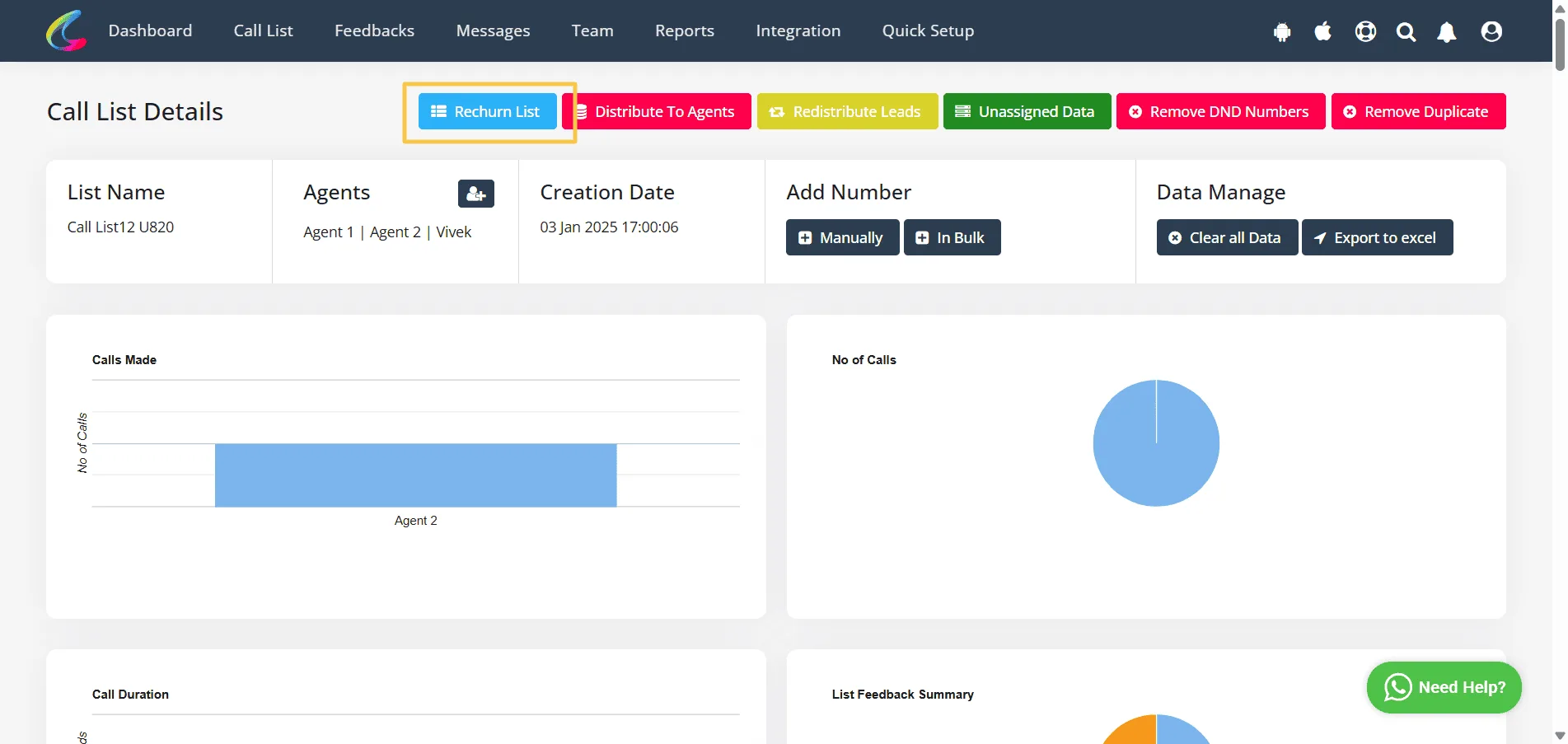
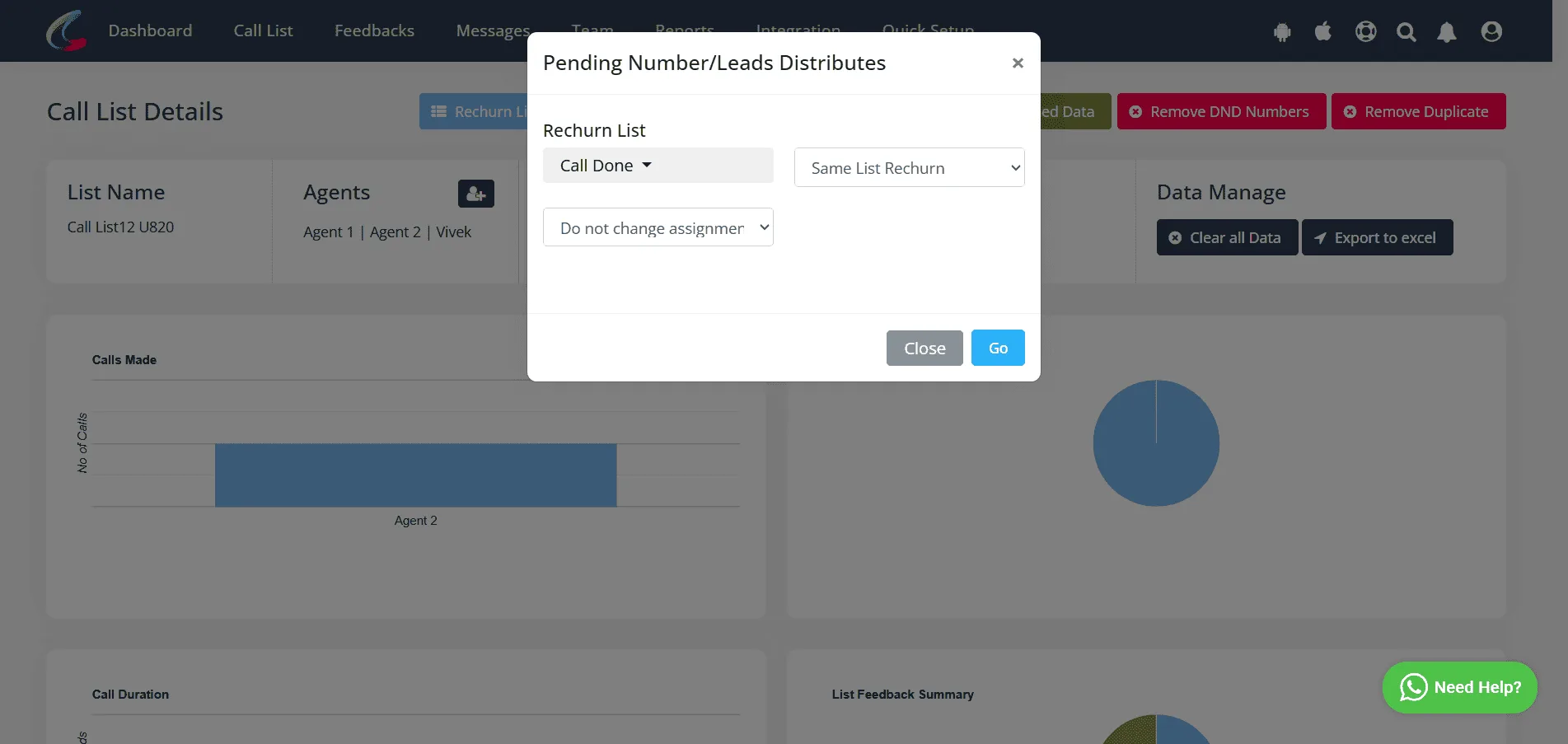
✓Select the Feedback you want to rechurn and select other details and Click on Go.
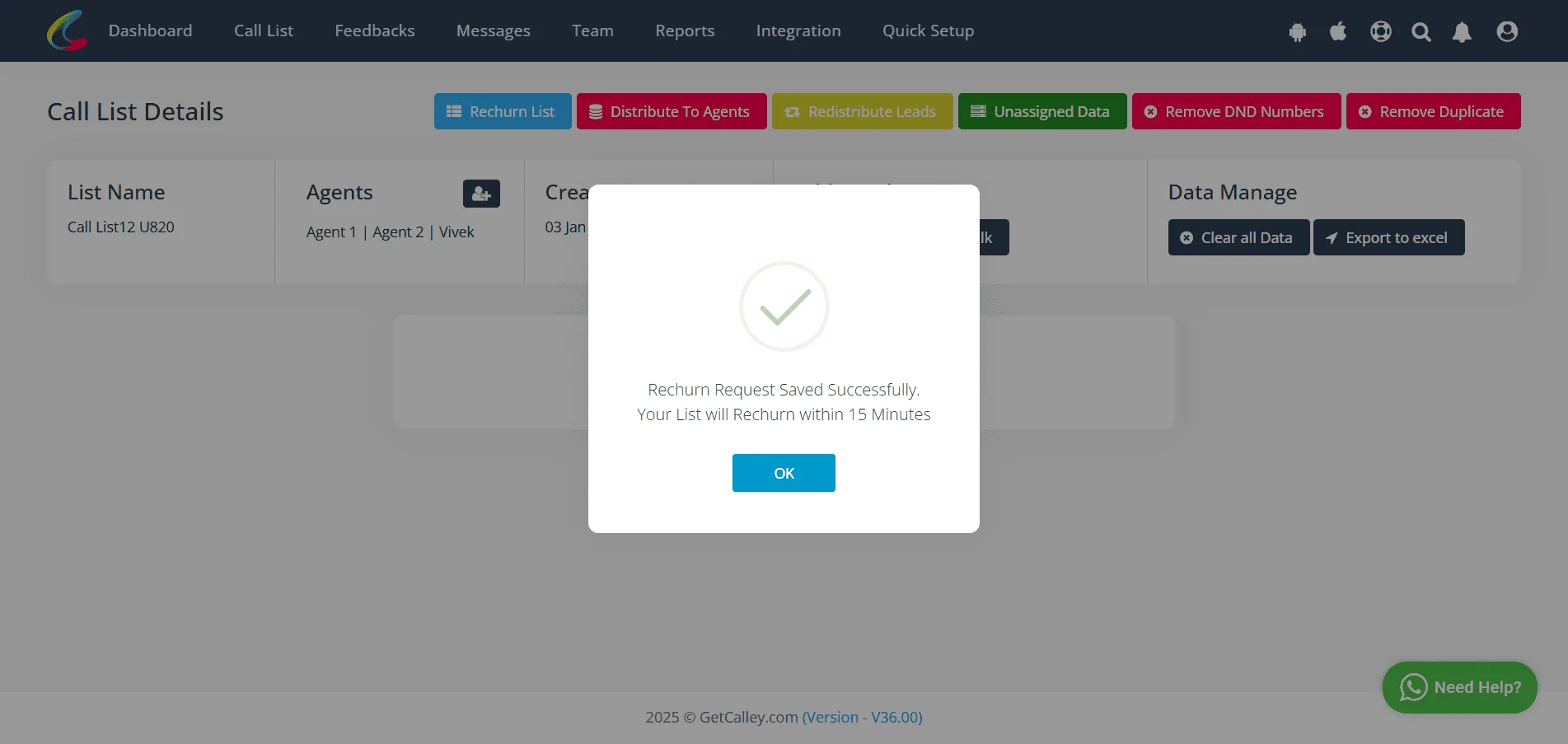
✓List will rechurn after 15min. Click on OK.
Refer for detail refer the below mentioned article link -
Pro > Rechurning Calls according to Call Dispositions
Teams > Rechurn a List in Calley Teams
Conclusion
Calley Teams provides multiple ways to distribute and manage leads, ensuring efficiency and better conversions. By utilizing Redistribution of Leads, Unassigned Data, Distribution to Agents, and Rechurn List, team admins can ensure that all leads are managed effectively, the workload is balanced, and no lead is left unattended. This enhances productivity and improves the overall success of your calling campaigns.
We know you will have questions.
We would love to answer all your questions to get you started with Autodialing using The Calley Auto Dialer app.