
Understanding Today’s Scheduled List in Calley
Understanding Today’s Scheduled List in Calley
Calley is a powerful calling tool designed to help individuals and teams stay organized and productive. It simplifies the calling process by allowing you to schedule and manage calls effortlessly. One of its most useful features is the “Today’s Scheduled List,” which provides a clear view of all the calls you need to make on a given day. In this article, we’ll explain what this feature is, who can use it, and how to make the most of it.
What is Today’s Scheduled List?
The Today’s Scheduled List is a feature in the Calley app that shows all the calls you have planned for today. It keeps track of calls that are still waiting to be made, so you don’t forget anything important.
Who Can Use Today’s Scheduled List?
Calley offers three subscription plans: Calley Personal, Calley Pro, and Calley Teams.
- ✓Calley Pro Users: If you have the Pro plan, you can use the Today’s Scheduled List feature on the app.
- ✓Calley Teams Users: If you’re part of a teams Plan, only team members who are called “Team Agents” can use the mobile app and access this feature. This means the people responsible for making calls can see and use the Today’s Scheduled List.
How Does It Work?
- ✓Schedule Calls: You can plan calls for the future by picking dates and times for each call.
- ✓Get Your List: On the day of the calls, the app organizes them into the Today’s Scheduled List. This way, you see all the calls you need to make for the day in one place.
- ✓Make Your Calls: As you make each call, the app updates the status, so you know which ones are done.
How to Access Today’s Scheduled List
Here’s a step-by-step guide to finding and using the Today’s Scheduled List on the Calley app:
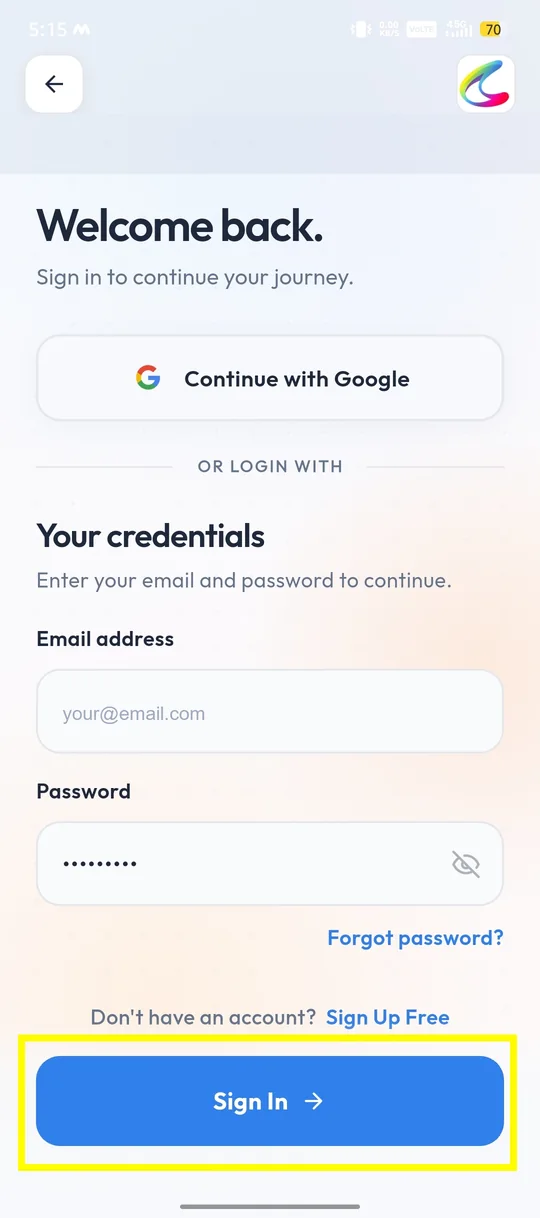
✓Login to Calley Mobile App.
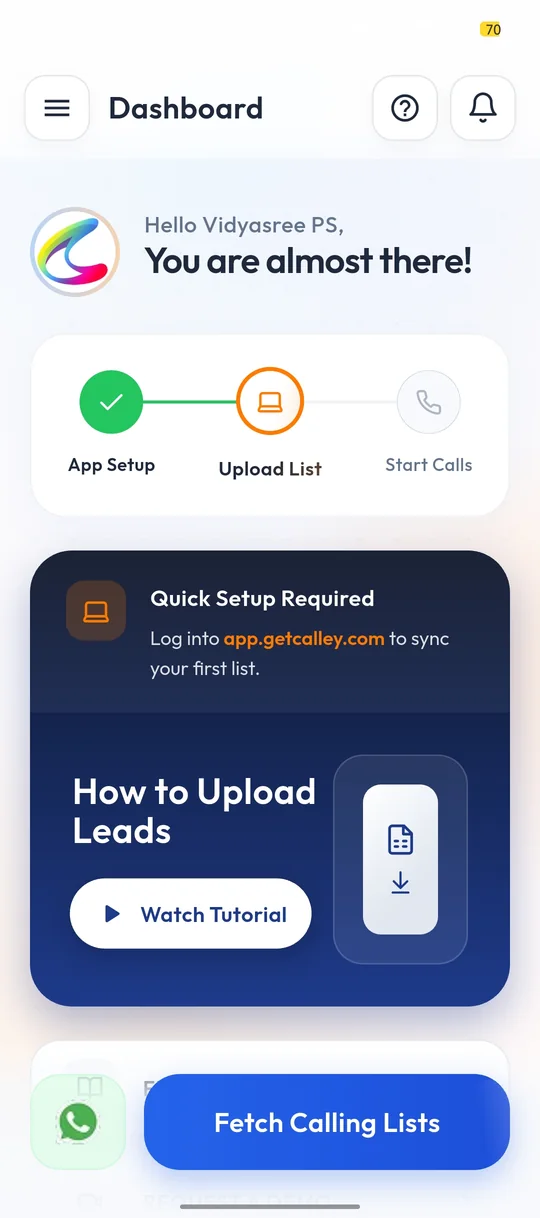
✓As you are on the Dashboard, and we believe you have already uploaded your calling list in the web panel, you can now start calling. Click on Fetch Calling Lists.
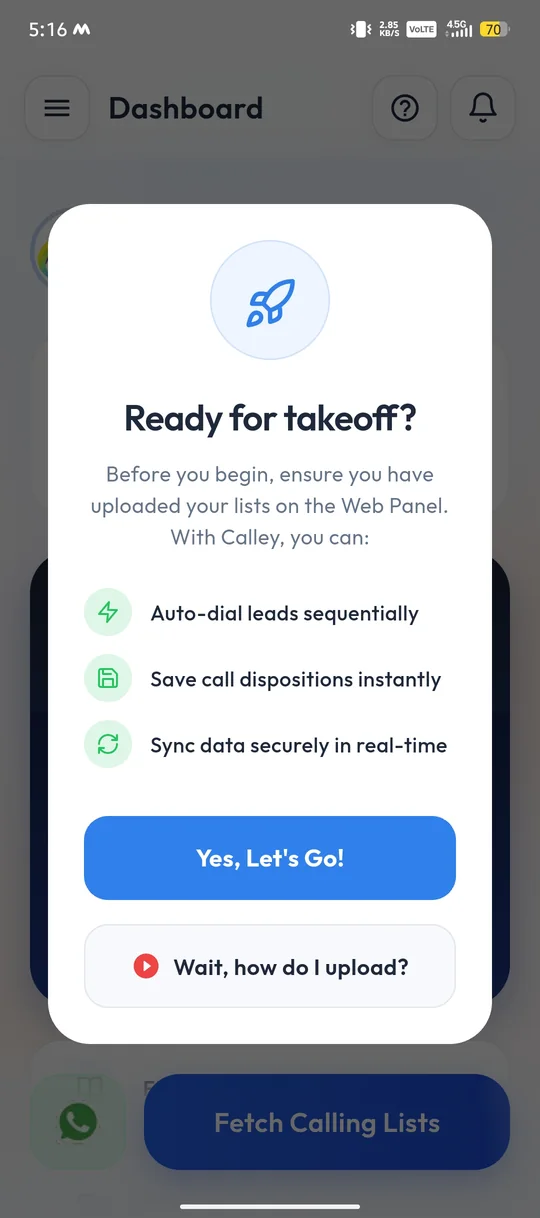
✓The app reminds you to upload your lists on the Web Panel before you begin. Click on Yes, Let’s Go!
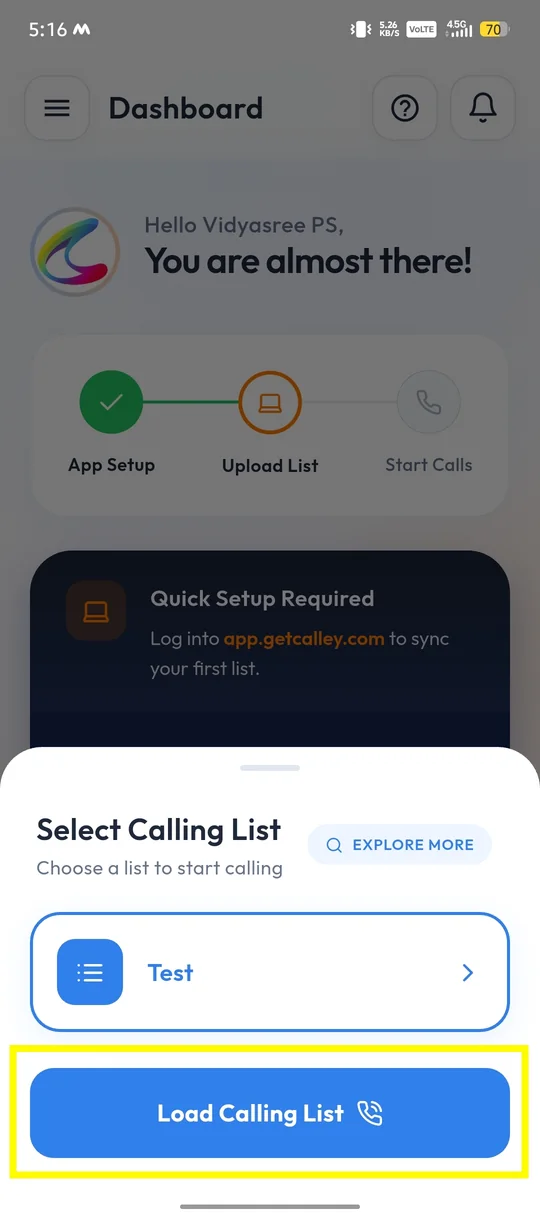
✓You can see the lists you have uploaded. If there are pending calls scheduled for the day, then you can see the Today’s Calls List. Select it and click on Load Calling List to Make a Call.
✓As the list is loaded successfully, you can now start AutoDialing by clicking on Start Calling Now Button.
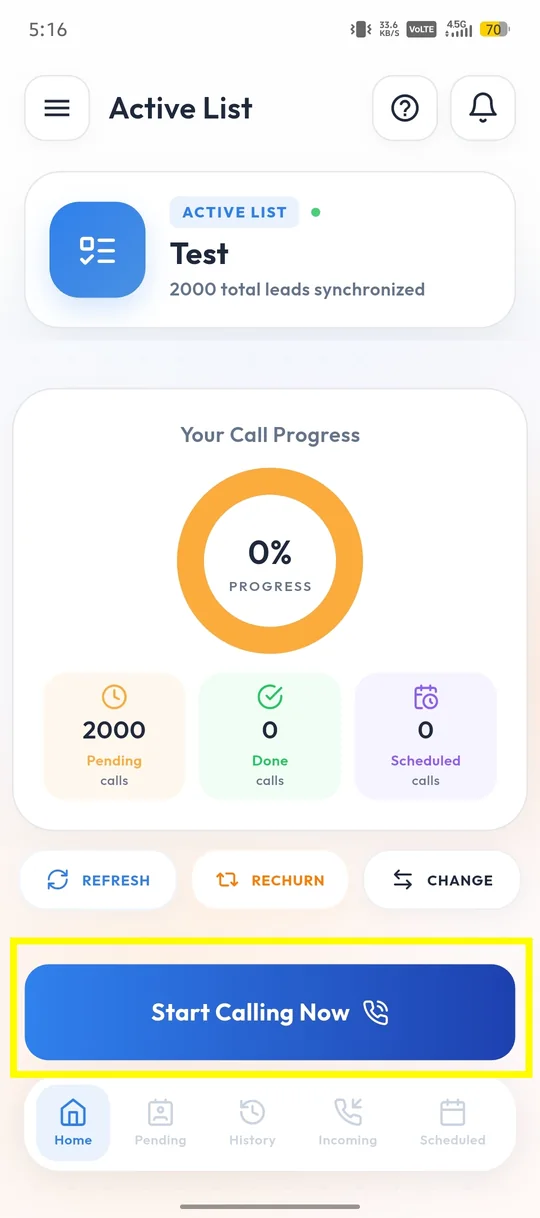
✓Calley offers you different calling modes to choose from when making calls from an android mobile phone. Standard Mode, Uninterrupted Mode, App Mode, WhatsApp Mode. For a guide I am using Standard Mode.
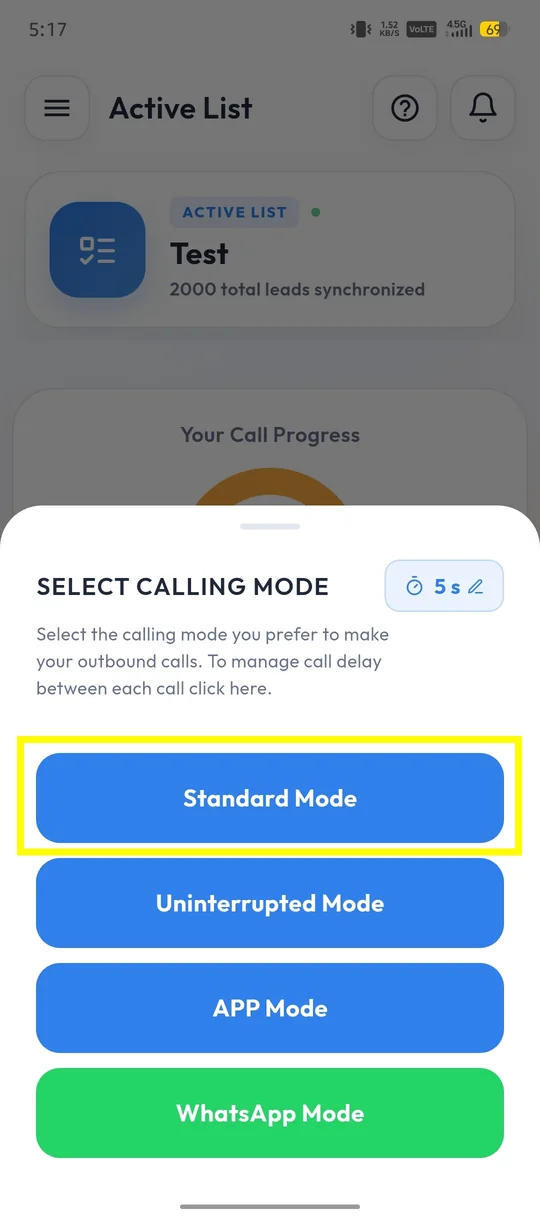
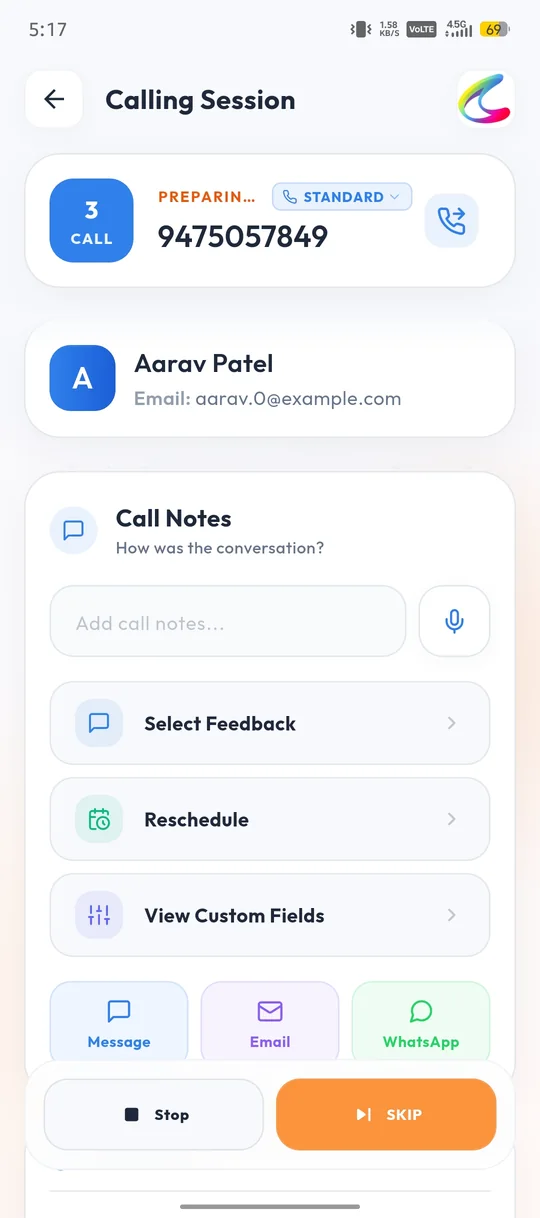
✓As the call is triggered you can see the details of the number being called. At this screen you can take 2 actions, you can click on Stop to pause the calling session, or you can click on Skip to skip this number and go to the next number in the list.
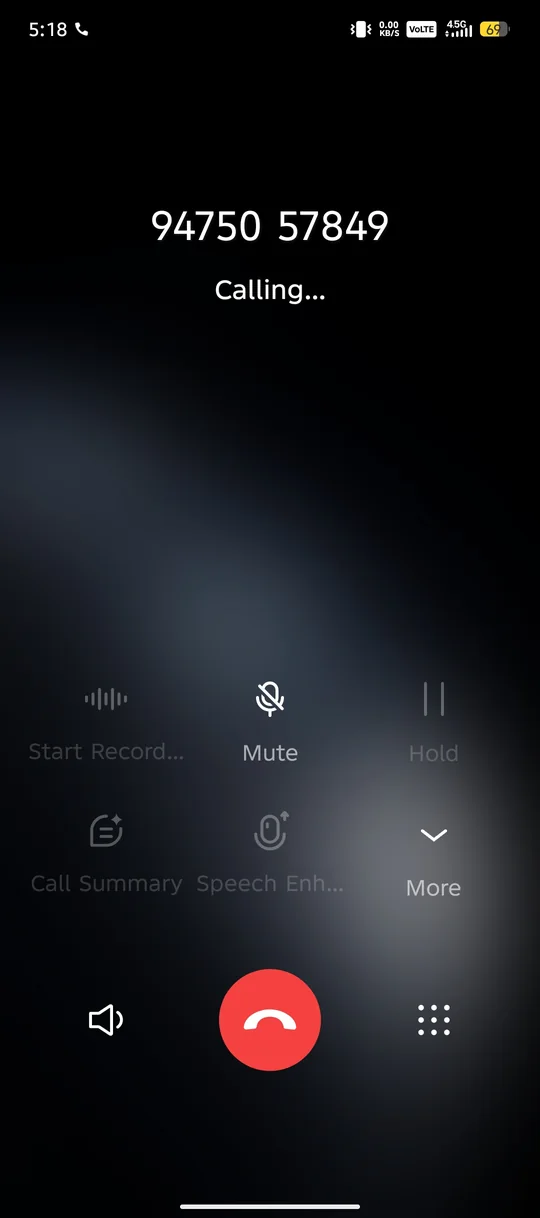
✓The Respective Phone Number is called from the Mobile Sim Card.
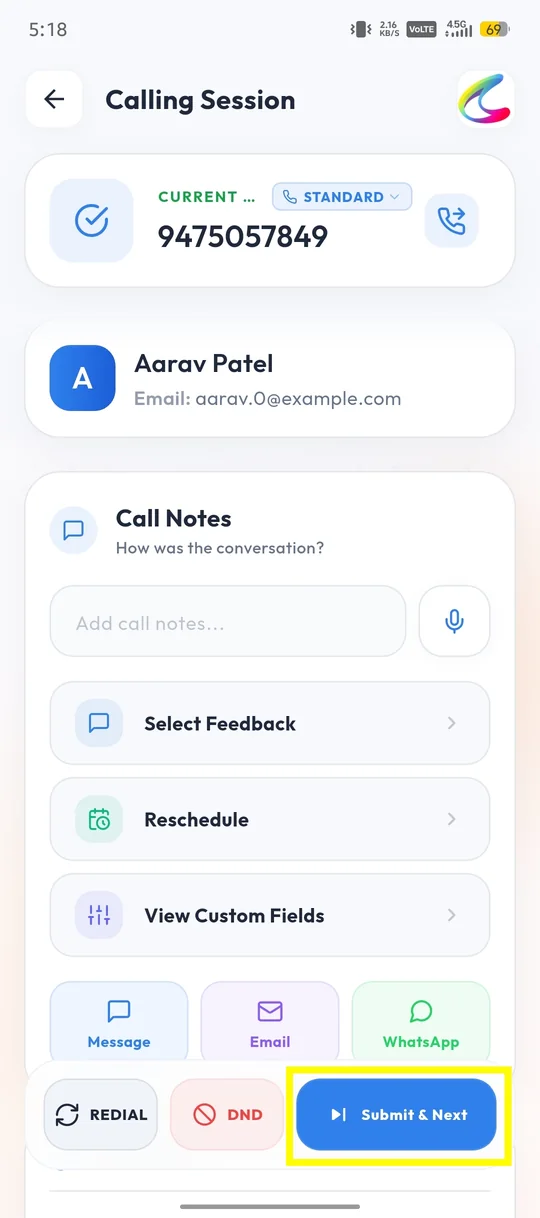
✓Once the call is finished the app will prompt you to the Call Notes page which gives you following options.
- ✓Call Notes - You can put notes for the call done for future reference.
- ✓Select Feedback - Here you can select for Call Dispositions.
- ✓Reschedule - You can setup a schedule for calling the lead again, the app will remind you of the same.
- ✓View Custom Fields - See the additional details saved for the lead.
- ✓Message, Email and WhatsApp - You can send an SMS, an email or a WhatsApp message to the lead at the end of the call using your templates.
Update the Feedback of the Call, then click on the Submit & Next button. You can also click on Redial to call the same number again or on DND to mark it as Do Not Disturb.
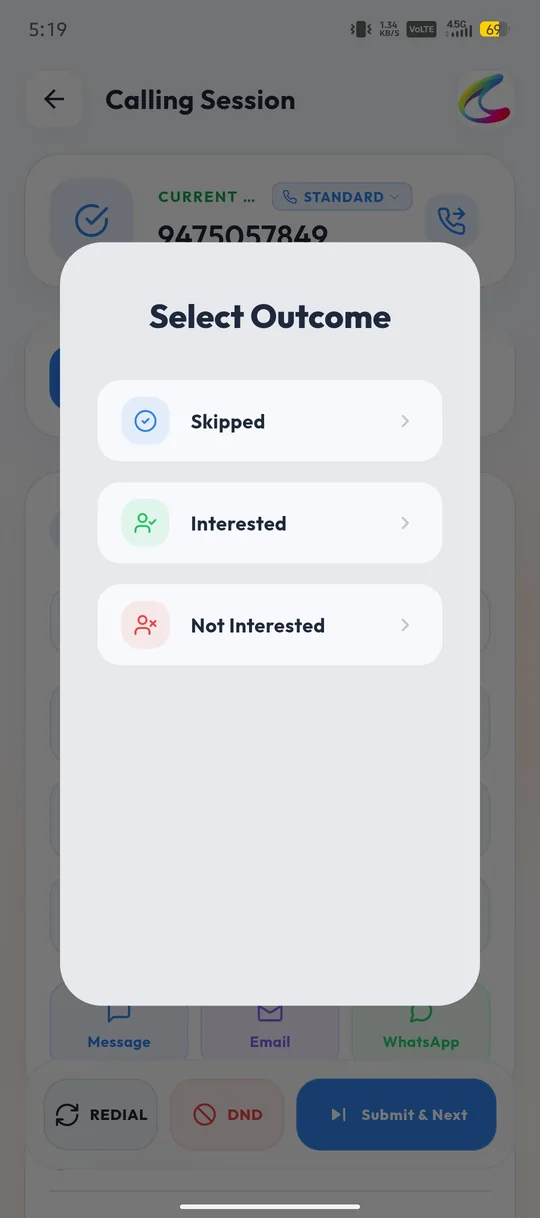
✓To update the feedback, click on Select Feedback and choose the call outcome, for example Interested or Not Interested.
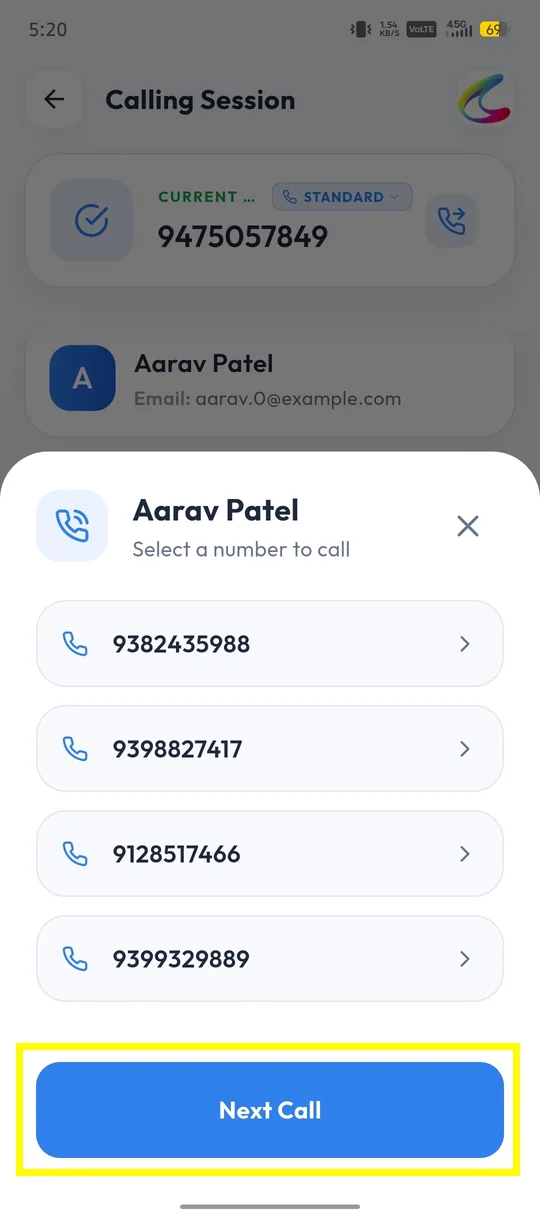
✓If a lead has more than one phone number, you can choose the number you want to call. Click on Next Call to dial the next number in the list.
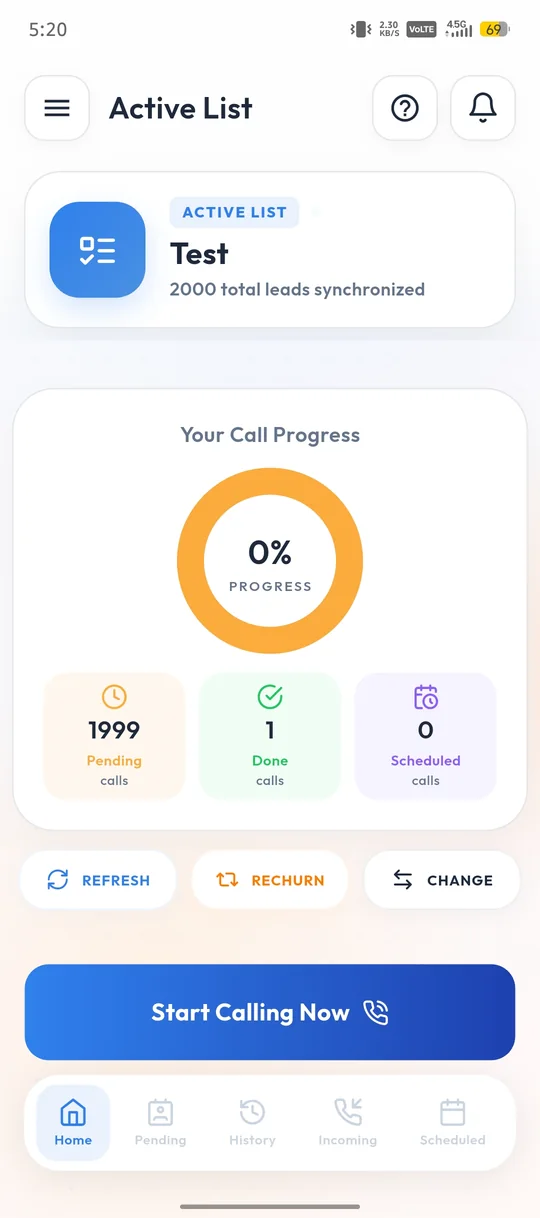
✓You can see the dashboard for the Calls done, Pending calls and Scheduled Calls.
Why Use Today’s Scheduled List?
- ✓Stay Organized: It keeps all your calls in one place, so you don’t forget anything.
- ✓Save Time: You don’t have to search for numbers or notes—it’s all ready to go.
- ✓Stay on Track: You can see what’s done and what still needs to be called.
Quick Tips
- ✓Do the Important Calls First: Handle the most important calls first to make sure they get done.
- ✓Take Notes: Use the app to write down important details about each call.
- ✓Set Reminders: Let the app remind you about calls so you don’t forget.
The Today’s Scheduled List in Calley is a simple yet powerful feature that helps you manage your calls efficiently. Whether you’re an individual user or part of a team, this feature ensures you never miss a scheduled call and stay on top of your daily tasks. By following the steps outlined above, you can easily access and use this feature to boost your productivity and maintain better communication with your contacts. If you’re looking for a way to stay organized and save time, Calley’s Today’s Scheduled List is the perfect solution.
Checkout here > Pricing Plans for Calley Auto Dialer App
Link to > Full Feature List of Calley AutoDialer
Do you want to Subscribe to a Free Auto Dialer with a limit of 25 calls per day?
We know you will have questions.
We would love to answer all your questions to get you started with Autodialing using The Calley Auto Dialer app.