
Understanding Calley Team Structure
Managing a team of calling agents can be challenging — especially when they’re spread across different locations. That’s where Calley TEAMS comes in. Designed for businesses with multiple agents, Calley TEAMS provides a streamlined way to manage, assign, and track calls across your organization.
With clear role-based access and powerful reporting tools, you can stay in control of your team’s performance while allowing your agents to focus on what matters most — making calls and closing conversations.
What is Calley TEAMS?
Calley TEAMS is an ideal solution for organizations that manage a group of agents making outbound calls. It enables a seamless calling workflow by assigning different roles with specific access and control privileges.
Whether you’re managing a sales team, a support unit, or a remote calling operation, Calley TEAMS ensures that everyone works in sync while giving the Team Admin full visibility into the team’s performance.
Team Admin
The Team Admin is the central figure in a Calley TEAMS setup. They are responsible for:
- Creating and managing the team structure.
- Adding or removing Team Leaders and Team Agents.
- Assigning call lists to agents.
- Viewing detailed call reports from the Web Panel.
- Managing subscription and plan settings.
The Team Admin cannot use the Calley Mobile App to make calls — their role is strictly administrative and strategic.
Create Team Leader
To add a Team Leader who will assist in supervising agents:
Login to Admin Panel with valid credentials. As you login you are redirected to Team Admin Dashboard.
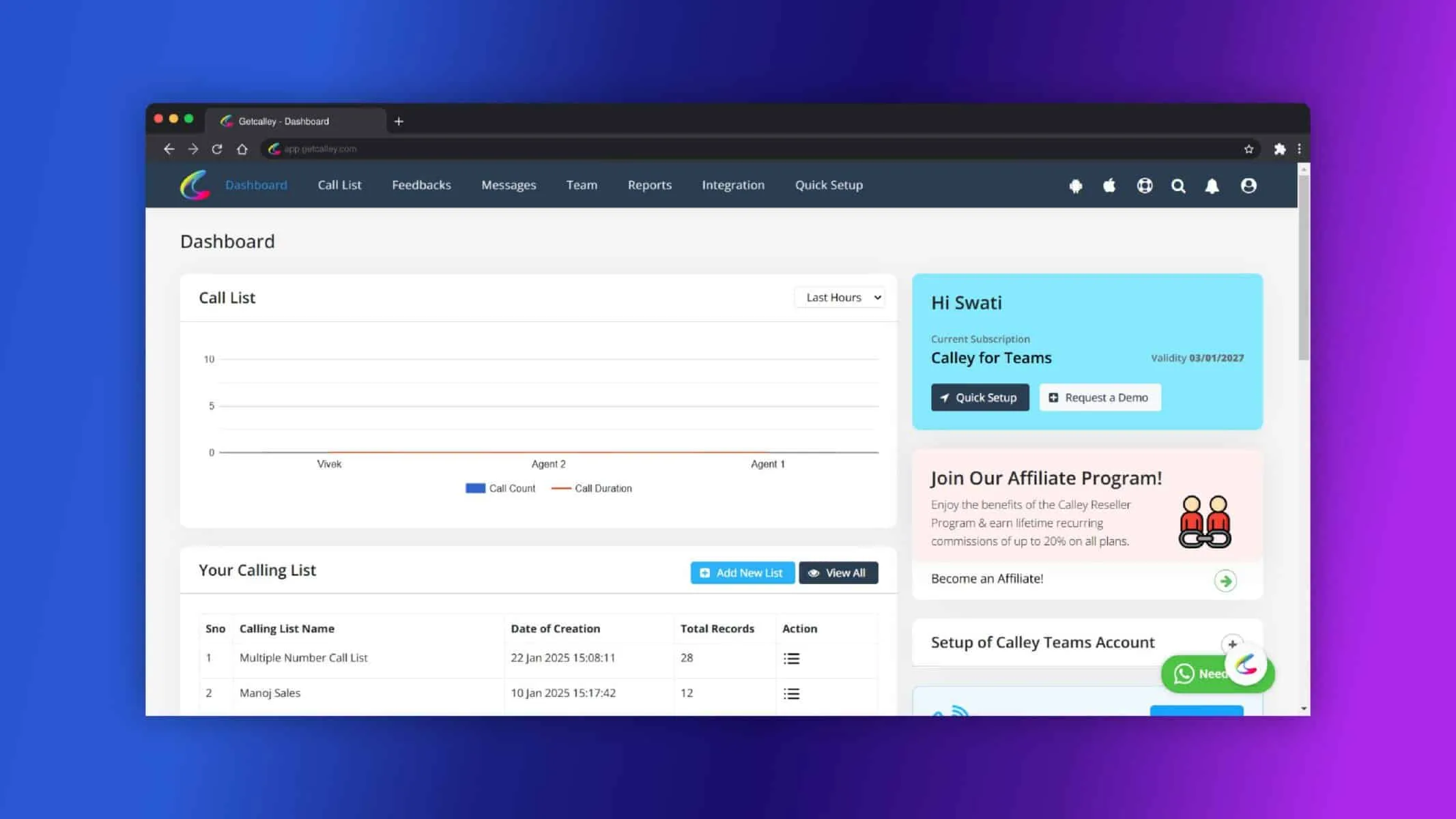
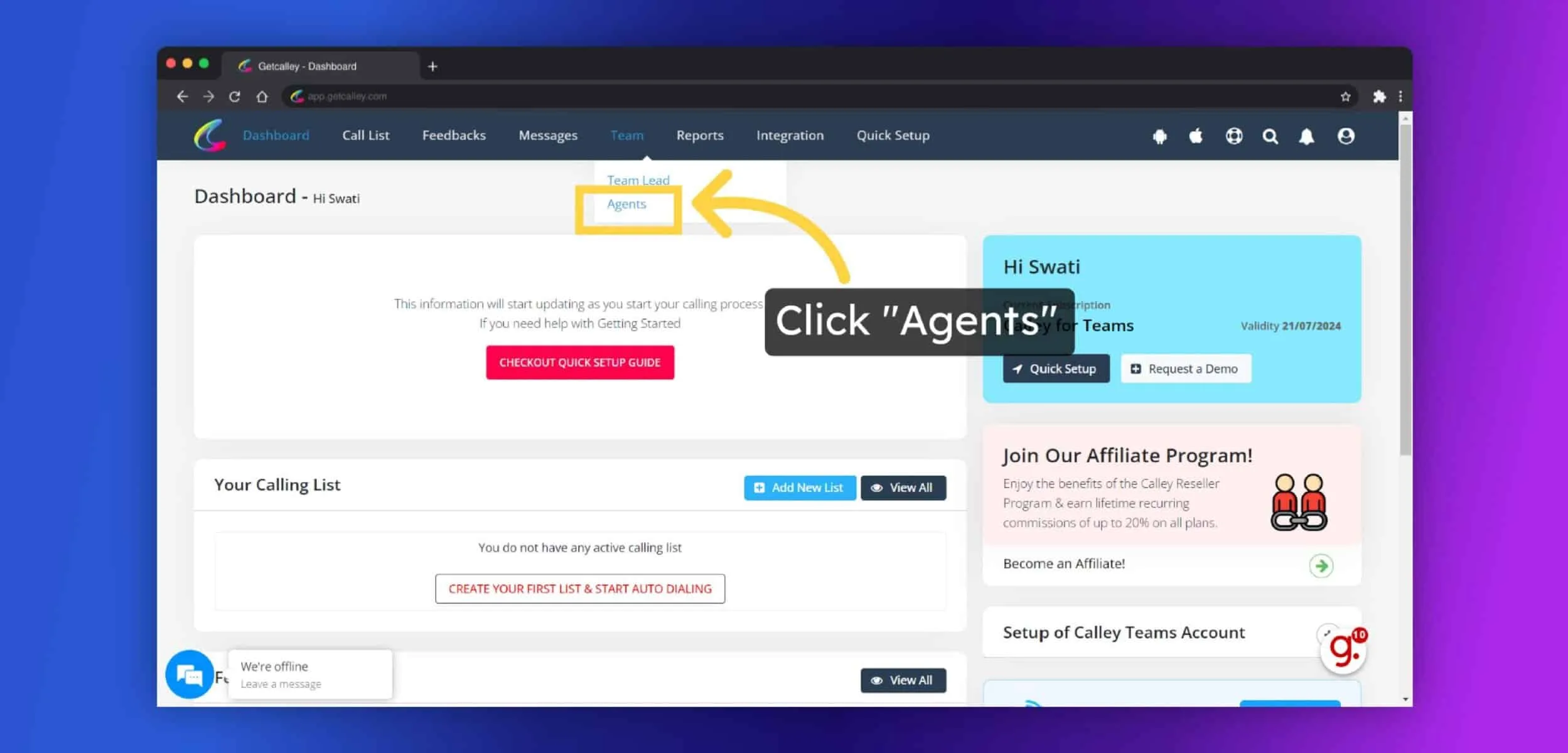
Go to the “Team” and Click on “Leader” section in the Admin Panel.
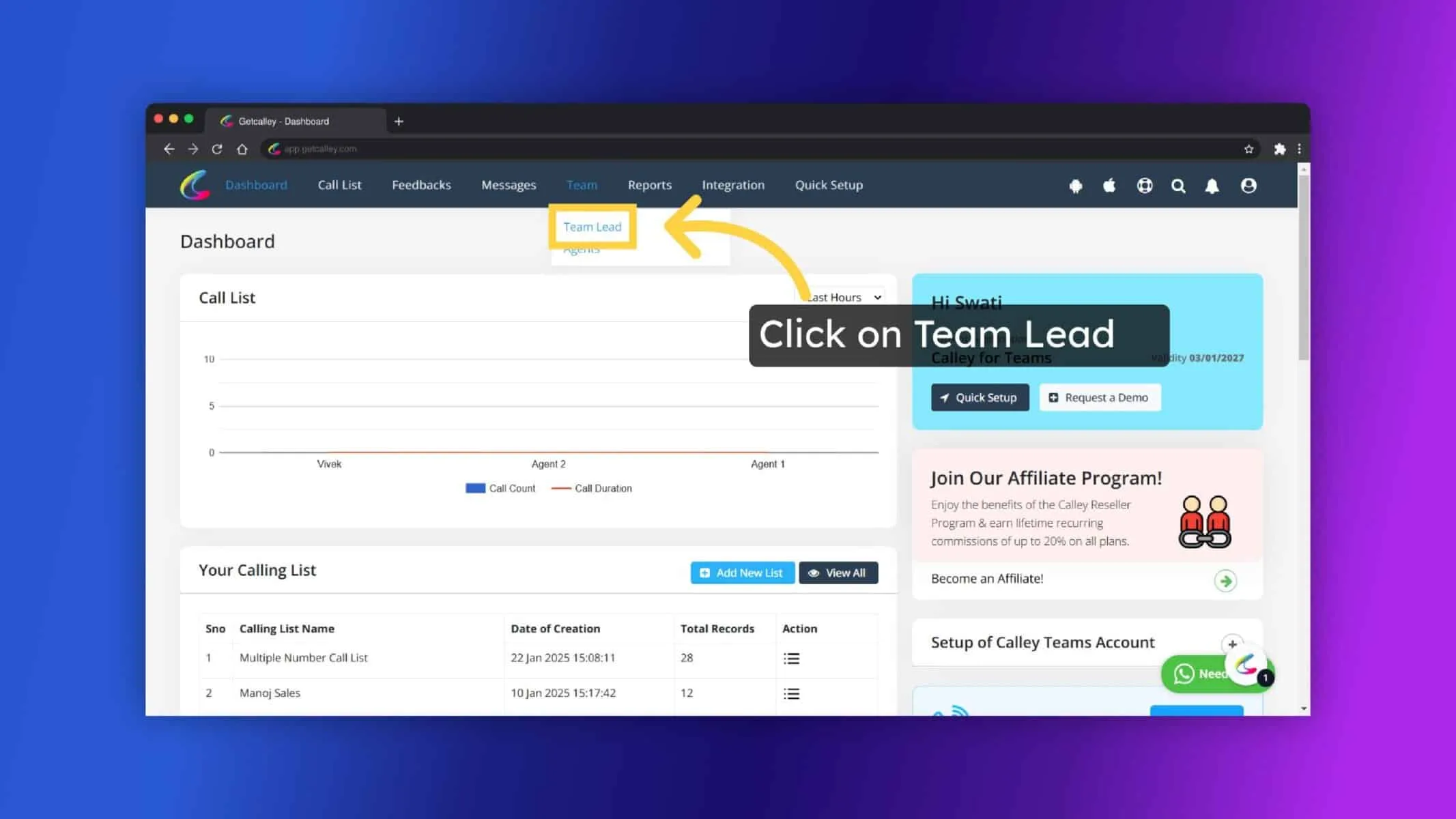
Enter the required details such as the Team Leader’s name, email, and phone number. Click on “Submit” to finalize the Team Leader account.
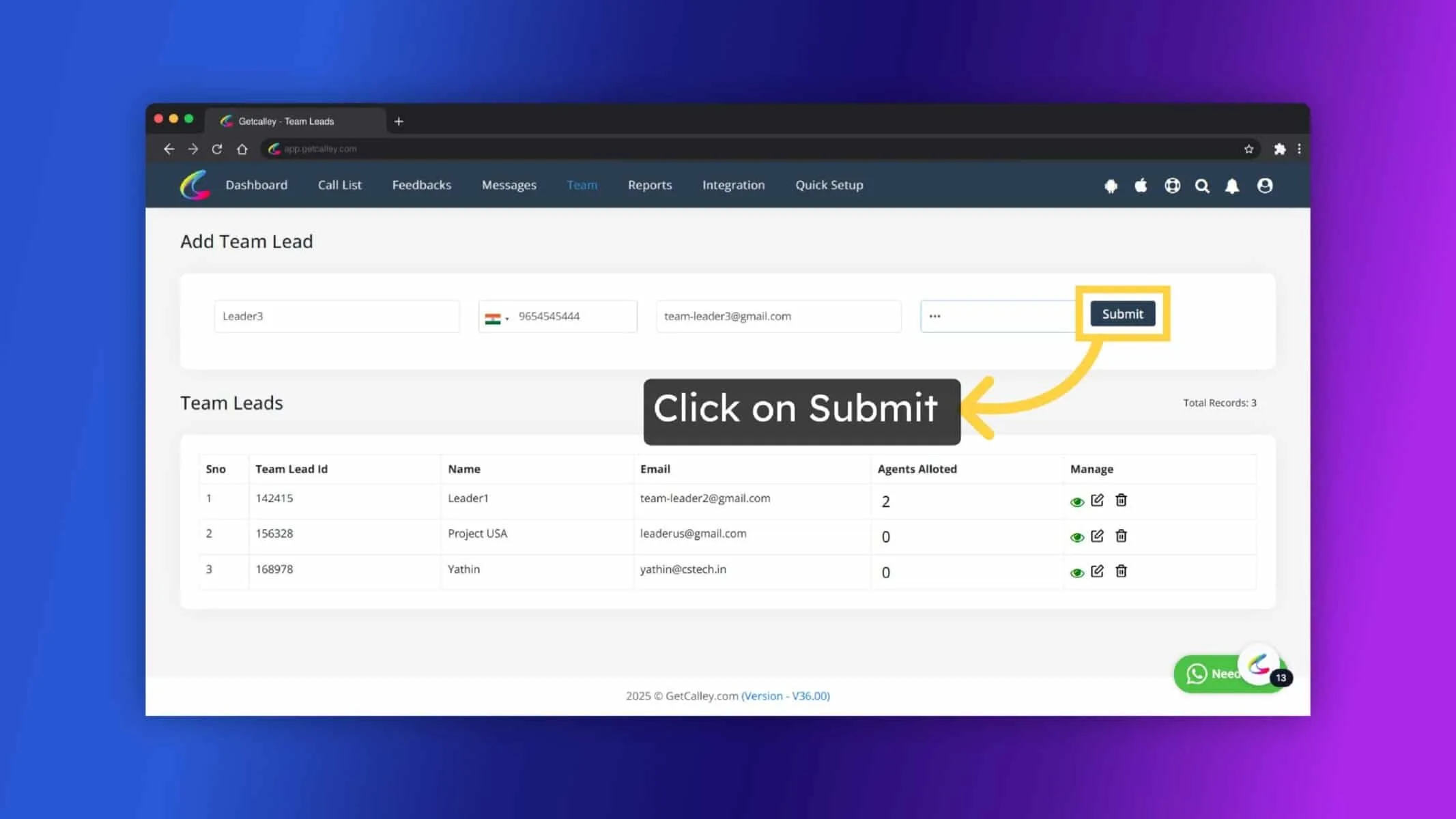
Team Leader Account is created. But there no agents assigned to him.
To assign agents go to Team Agents Listing. Click on edit which agent you want to assign.
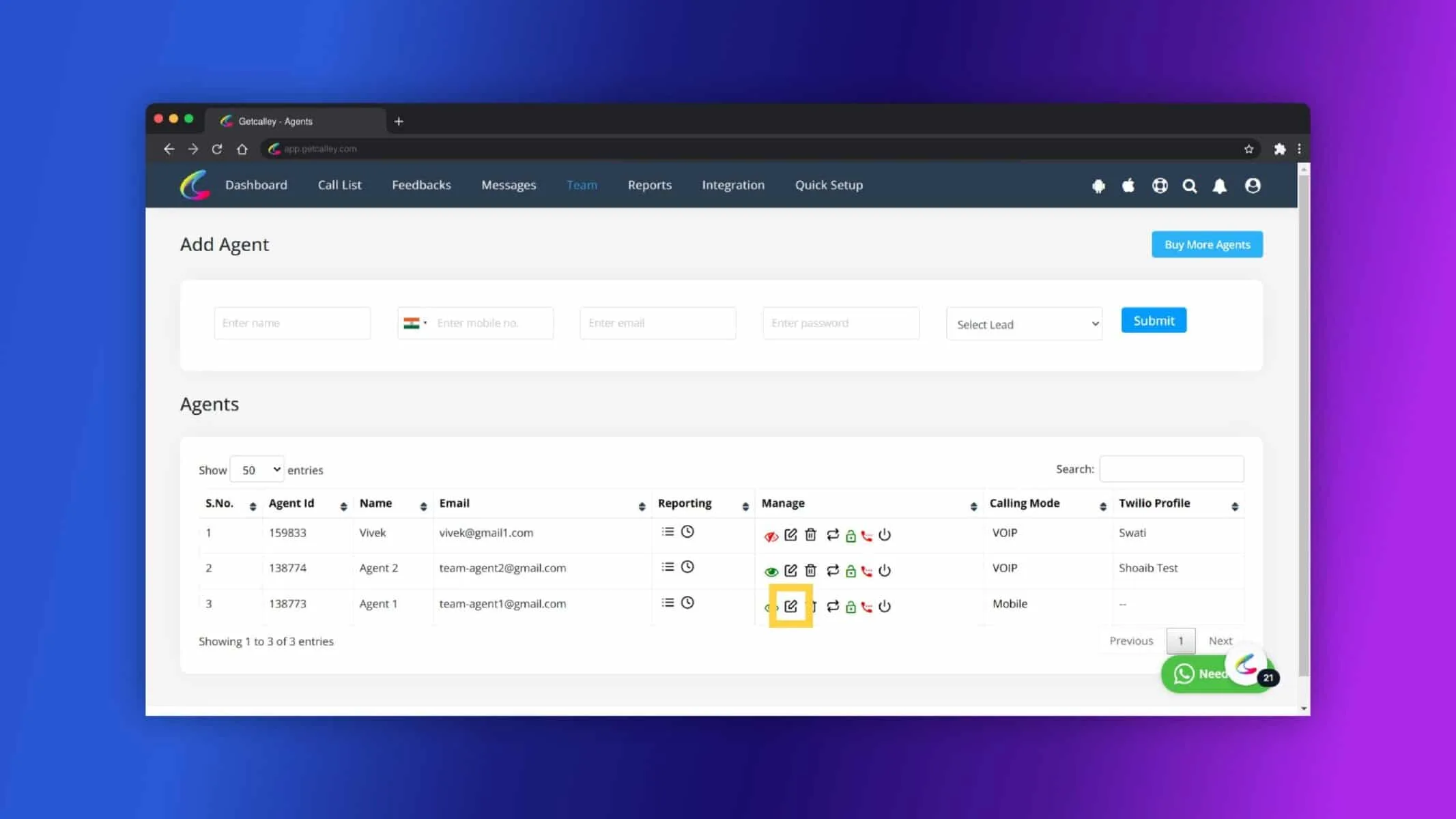
Select the Leader and Click on Save Changes.
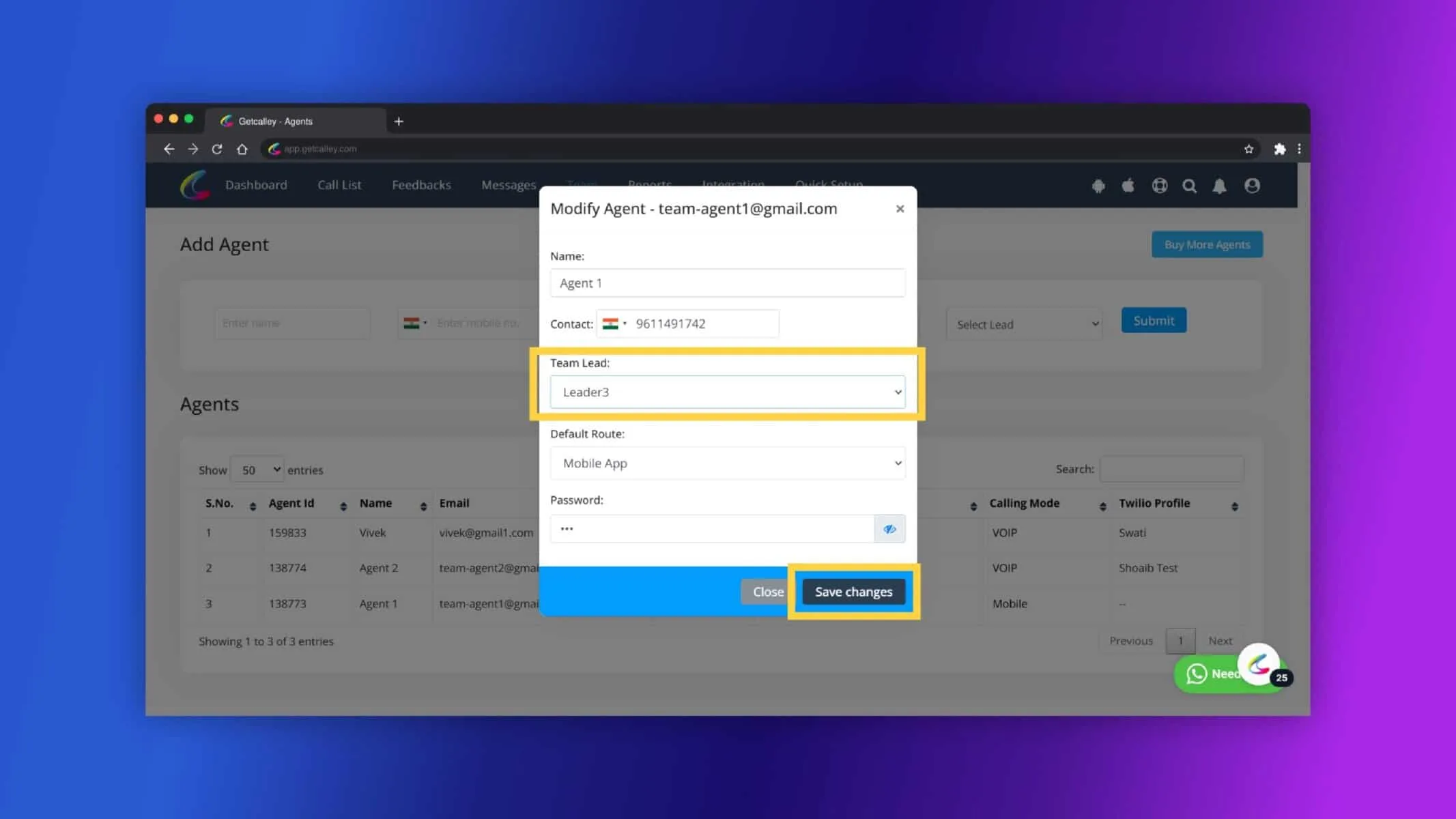
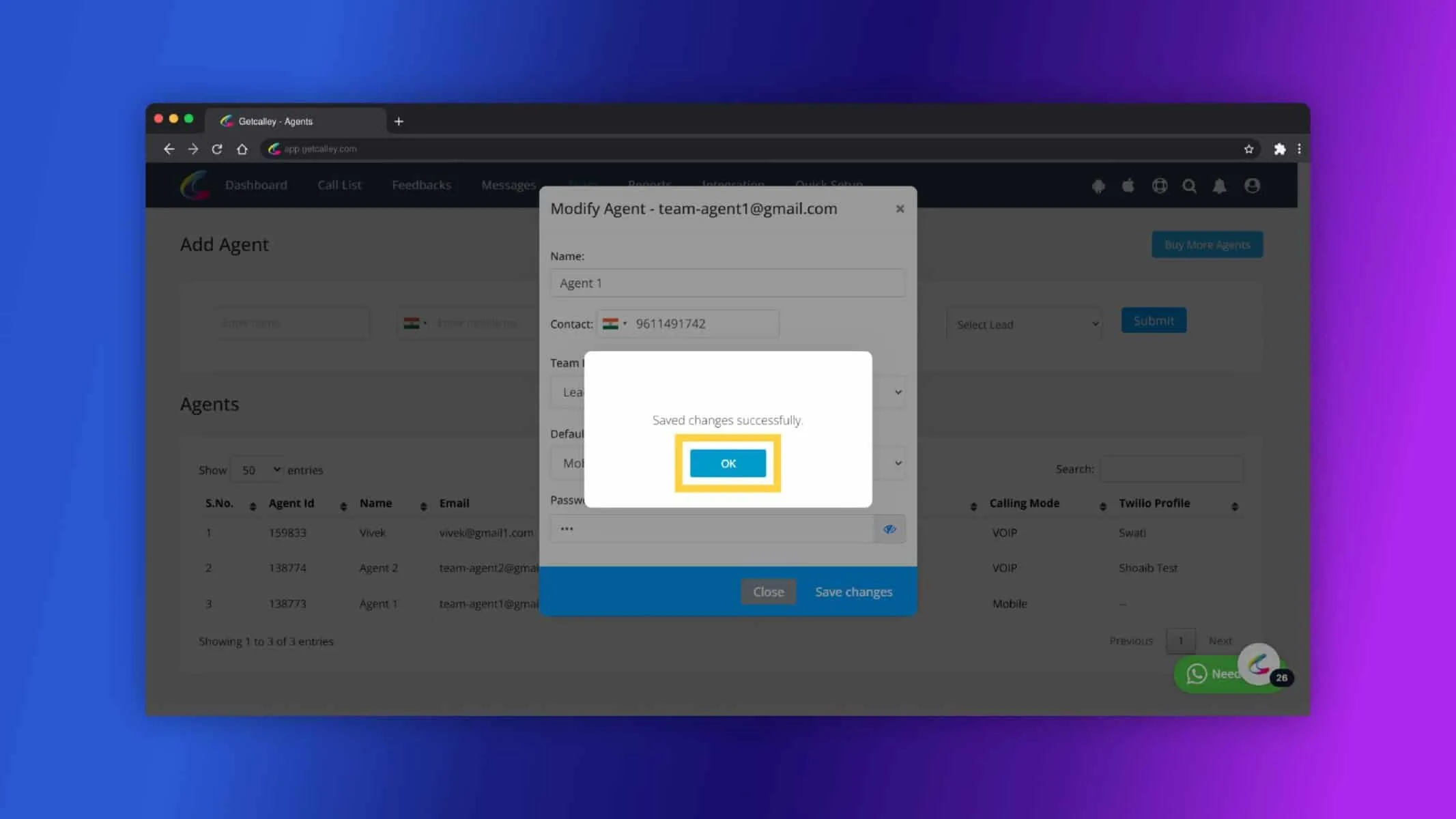
Click on Ok.
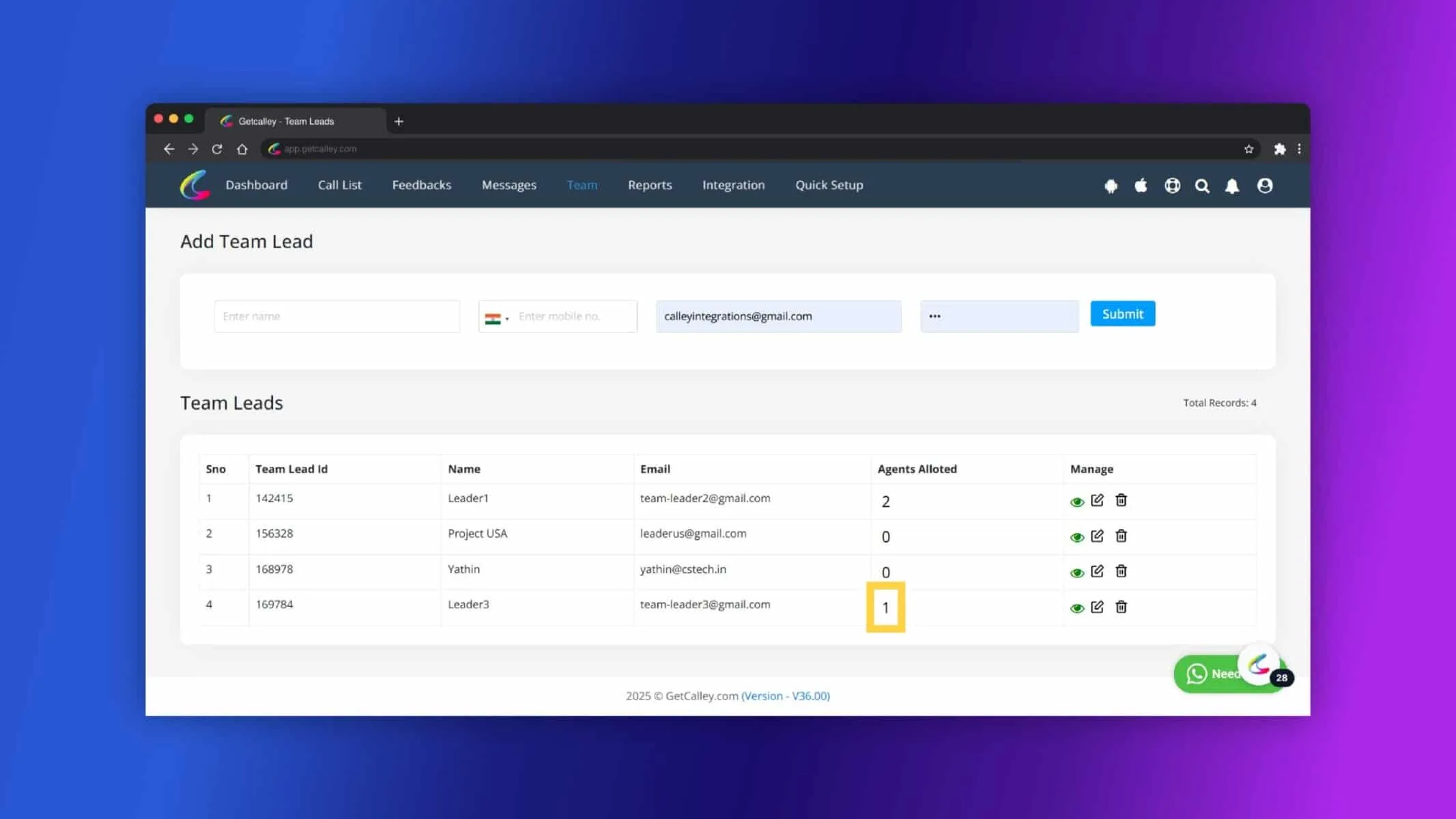
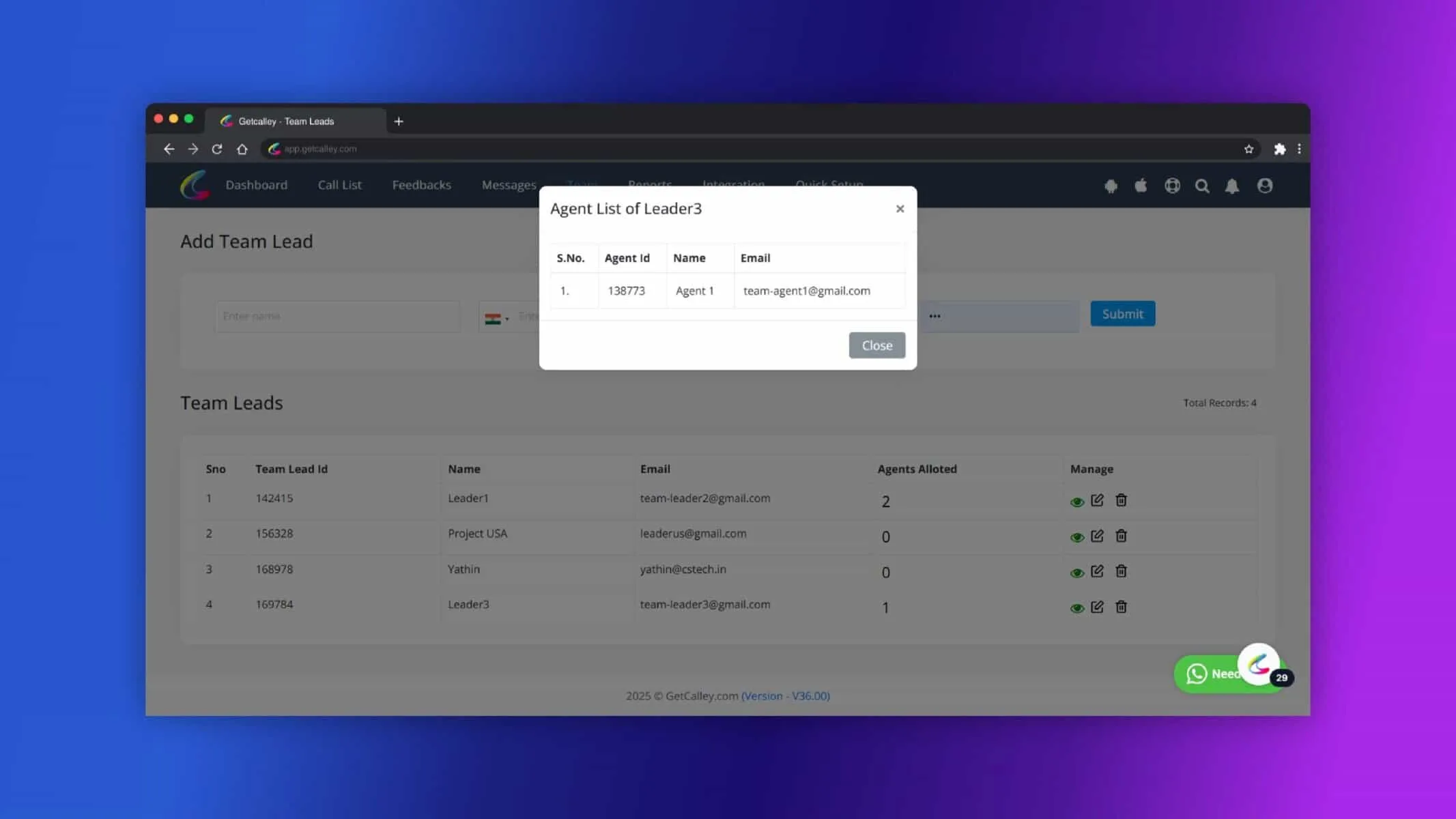
Go back to Team Leader Listing and you can see one Agent assigned its showing. Click on the counts.
Here You can see which agent assigned to the Leader.
Create Team Agent
To add a Team Agent who will be responsible for making calls:
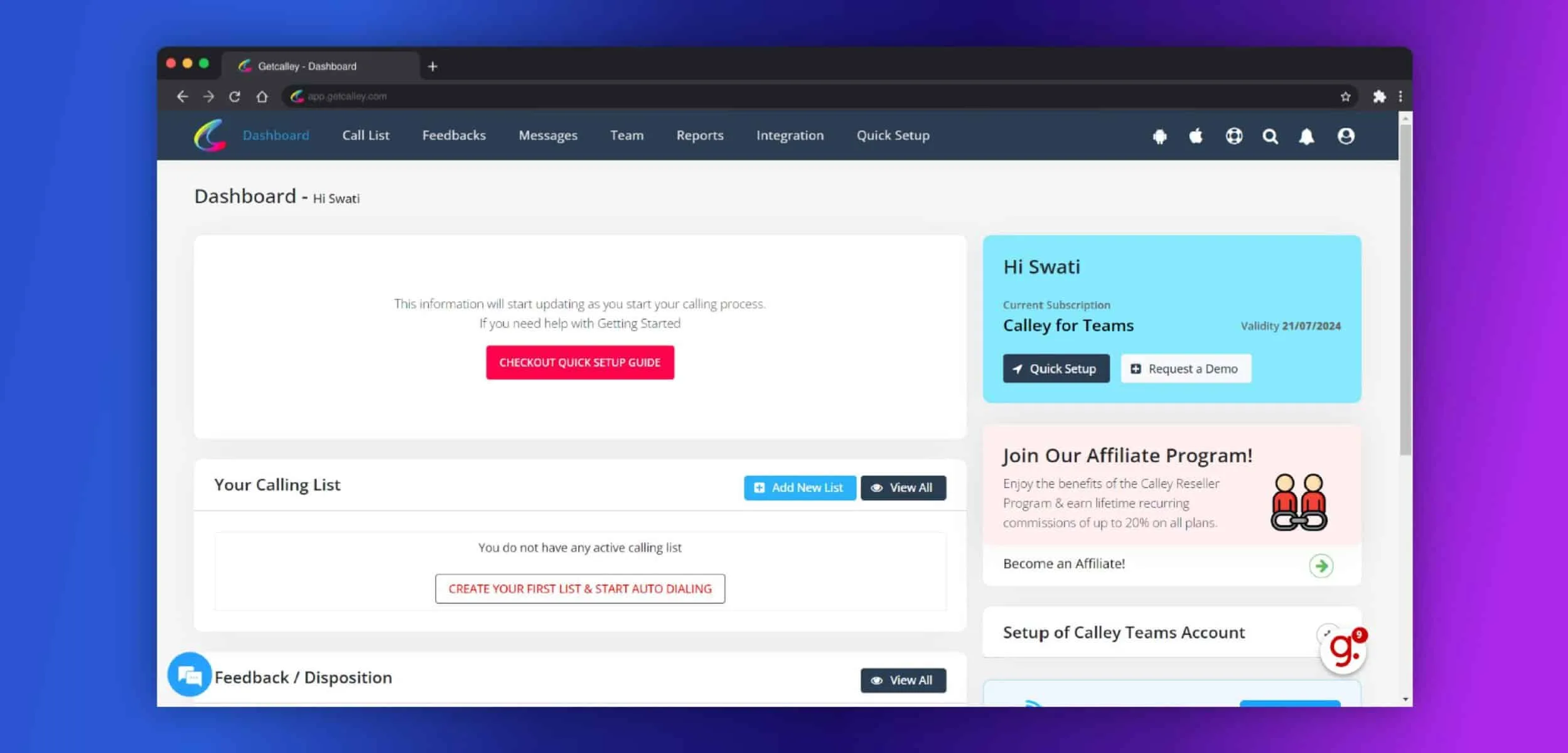
Login to Admin Panel with valid credentials. As you login you are redirected to Team Admin Dashboard.
Navigate to Team > Agents
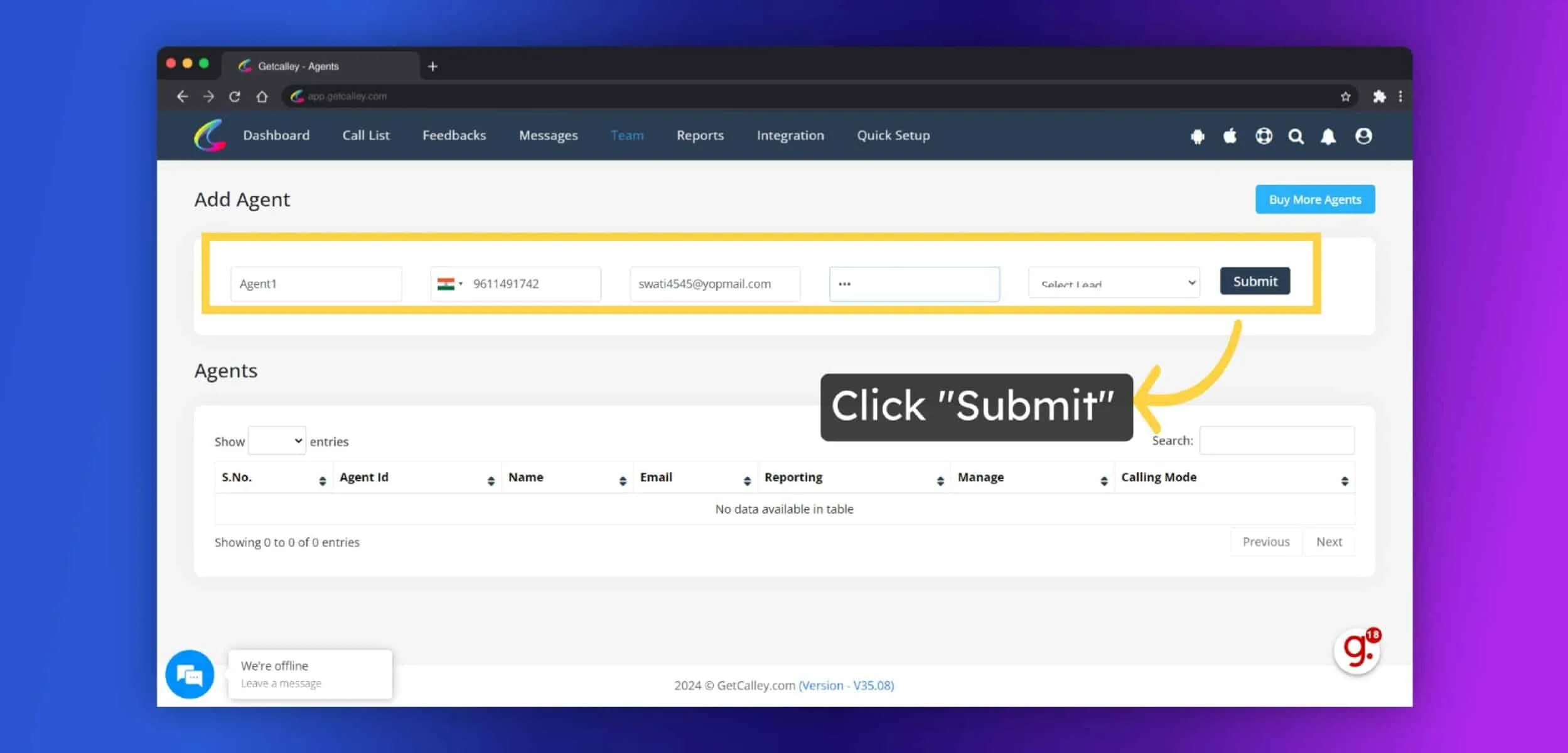
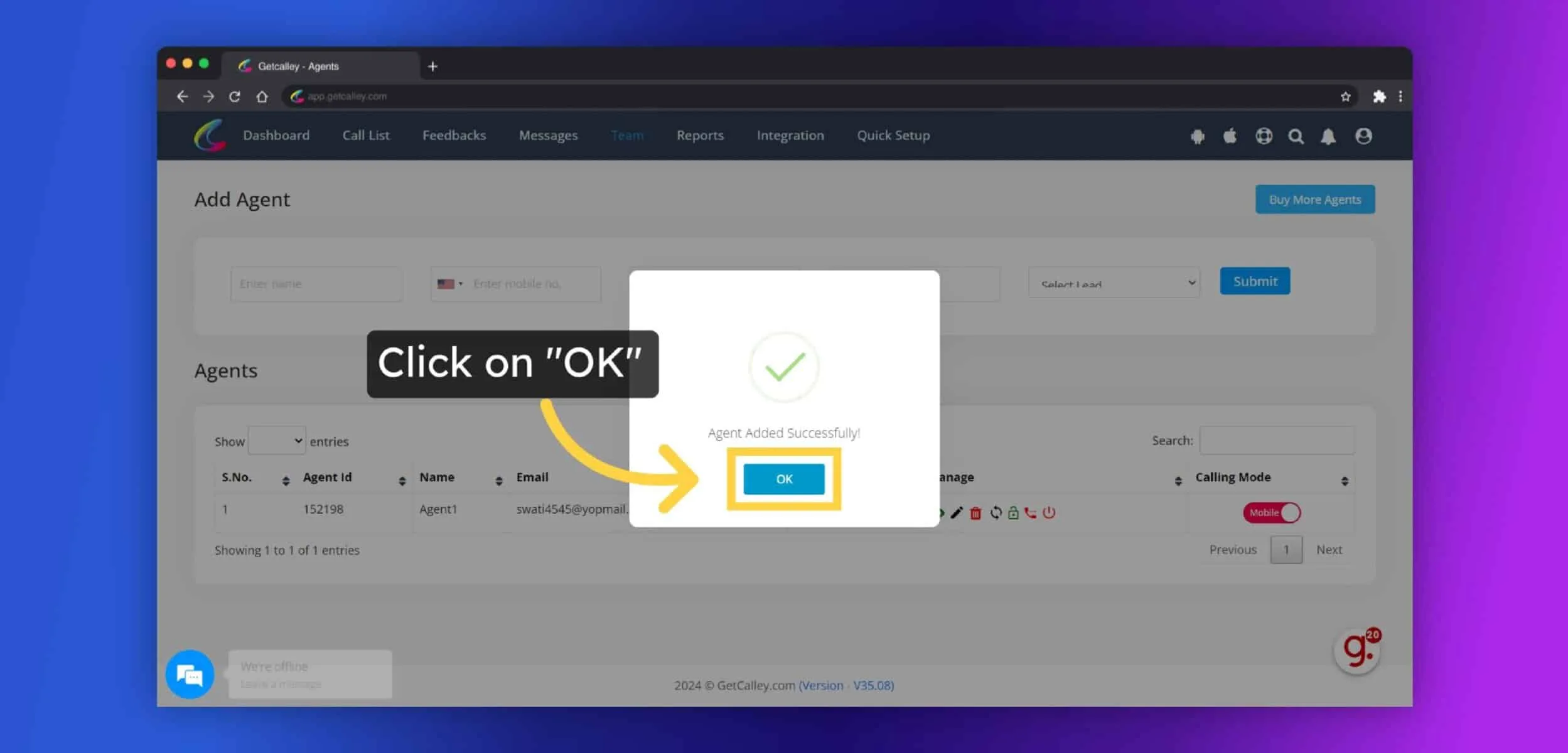
Enter the required details: Name, Email, Mobile Number, and Password. Click on Submit.
Click on OK.
Team Leader (Optional)
Team Leaders serve as supervisors or coordinators between the Team Admin and Team Agents. This role is optional but helpful for larger teams.
Responsibilities:
- Monitor agent performance.
- Help manage team workflows and call assignments.
- View group-level reports in the Web Panel.
Note: Team Leaders do not have access to the mobile app and cannot make calls.
Team Agent
Team Agents are the actual calling workforce in a Calley TEAMS setup. They are the only users who can use the Calley Mobile App.
Responsibilities:
- Make outbound calls via the Calley Mobile App.
- Receive call lists assigned by the Team Admin.
- Record call outcomes and follow-ups.
- Ensure campaign execution as per assigned lists.
Only Team Agents can log in to the Calley Mobile App and make calls.
How Calley TEAMS Helps Your Business
- Centralized Team Management
Manage all agents, leaders, and call activities from one unified web panel — whether your team is local or remote. - Improved Performance Tracking
Monitor every call, track agent productivity, and review detailed calling reports to stay in control of your operations. - Actionable Insights
Generate reports on call status, agent efficiency, and list performance to make smarter business decisions. - Remote-Ready Calling Setup
Empower your team to work from anywhere with the Calley Mobile App — perfect for remote or hybrid teams. - Clear Role-Based Access
Assign roles with defined access: Admins manage, Leaders supervise, and Agents call — no confusion, just focus. - Easy to Scale
Start small and grow at your own pace. Add more agents and leaders as your business expands without overhauling your system.
Calley TEAMS provides a clear, organized structure for managing calling operations — from assigning roles to tracking performance. Whether you’re a growing business or an established enterprise, having a well-defined team setup ensures accountability, efficiency, and better results.
By understanding the distinct responsibilities of Team Admins, Team Leaders, and Team Agents, you can unlock the full potential of Calley and empower your calling team to perform at their best.
Checkout here > Pricing Plans for Calley Auto Dialer App
Link to > Full Feature List of Calley AutoDialer
Do you want to Subscribe to a Free Auto Dialer with a limit of 25 calls per day?
We know you will have questions.
We would love to answer all your questions to get you started with Autodialing using The Calley Auto Dialer app.