
Agent Wise Call Reporting for Calley Teams
Calley Teams is a powerful solution for businesses that require efficient call automation and reporting. Within a Calley Teams subscription, the Team Admin creates agent accounts for team members responsible for making calls. To ensure productivity and monitor call performance, the Team Admin has access to Agent Wise Call Reporting, which provides valuable insights into call activities.
Calley Teams offers multiple ways for the Team Admin to track and analyze call reports from the Admin Panel:
- Agents Performance Report
- Agent Pivot Graph Report
Let’s explore each method in detail.
Agents Performance Report
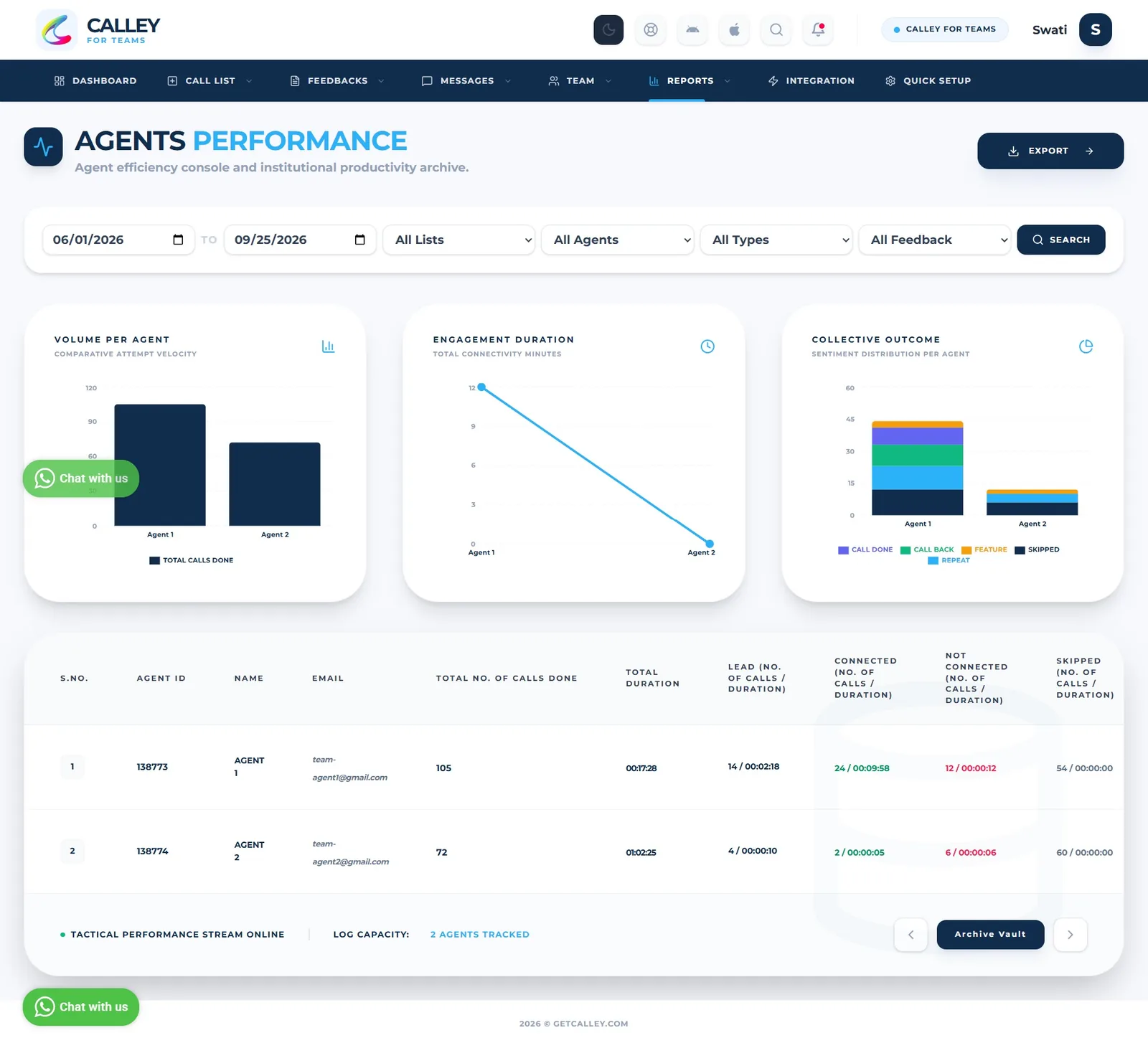
The Agents Performance Report is a feedback-wise agents report that provides the count of calls made and the total duration of calls for each agent against different feedback categories. This report helps sales teams to evaluate the conversion rate effectively.
How This Report Helps in Sales
- Analyze Feedback Trends: Focus on categories that indicate successful conversions to refine strategies. By examining feedback trends, sales teams can identify which approaches resonate most with potential customers and adjust their sales pitches accordingly.
- Compare Performance: Use the data to benchmark agent performance and set realistic sales targets. Comparing call metrics across agents helps in recognizing top performers, setting performance goals, and encouraging healthy competition within the team.
- Actionable Insights: Implement changes in sales tactics based on the insights gained from call durations and feedback patterns. This allows teams to adjust their communication style, improve call handling techniques, and ultimately increase conversion rates.
To access the Agents Performance Report:
Log in to the Calley Teams Admin Panel.
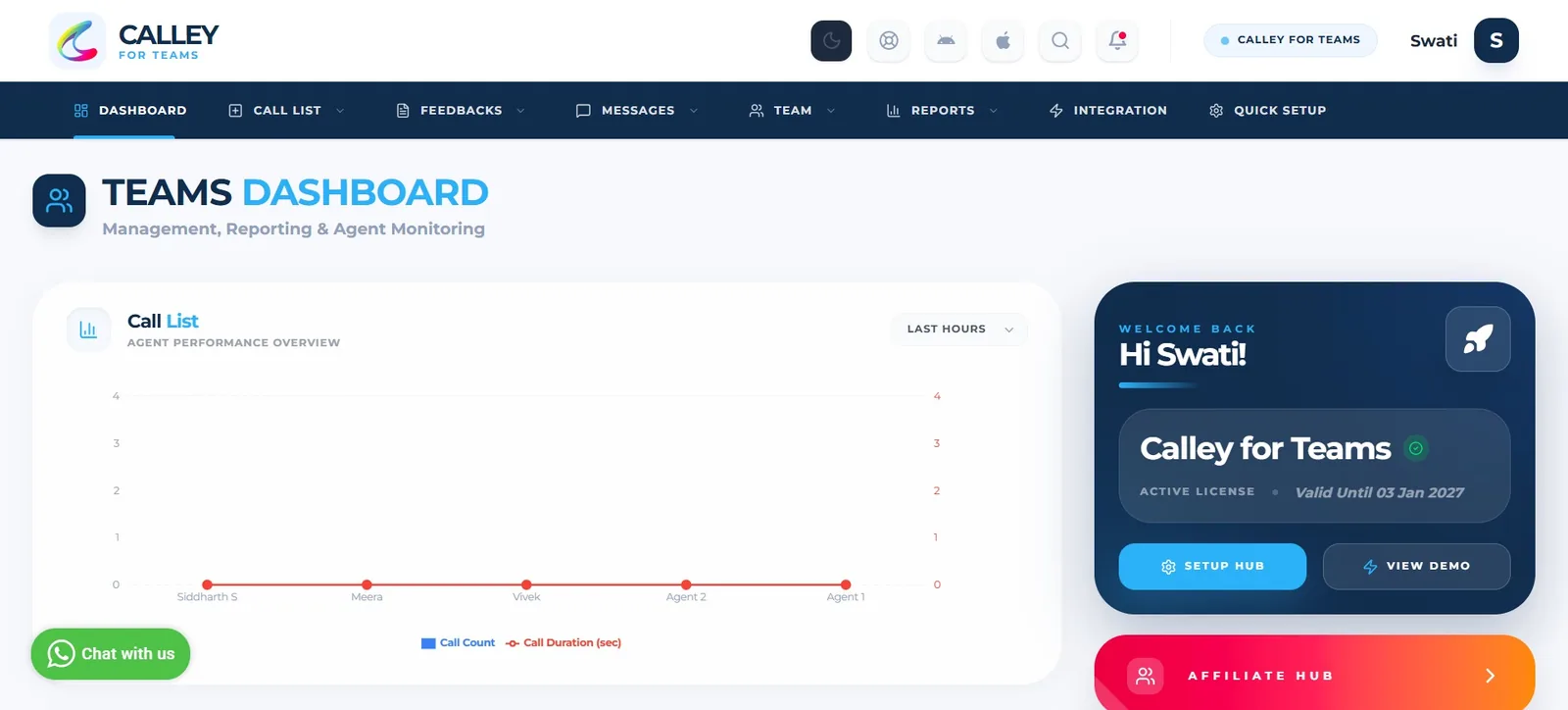
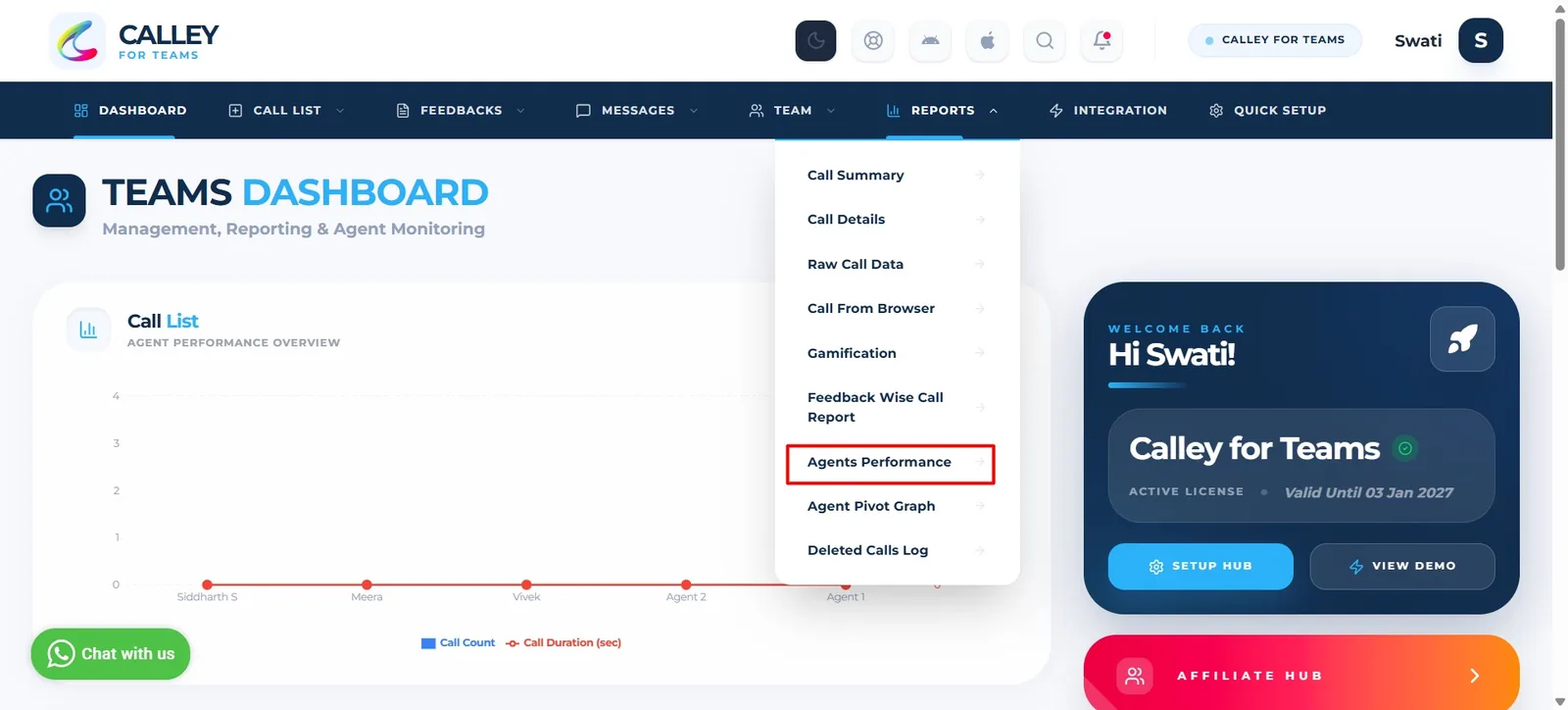
Navigate to the Reports section, Click on Agent Performance Report.
You can see the Agent Performance Report, Customize report by applying the filter as per your need.
Agent Pivot Graph Report
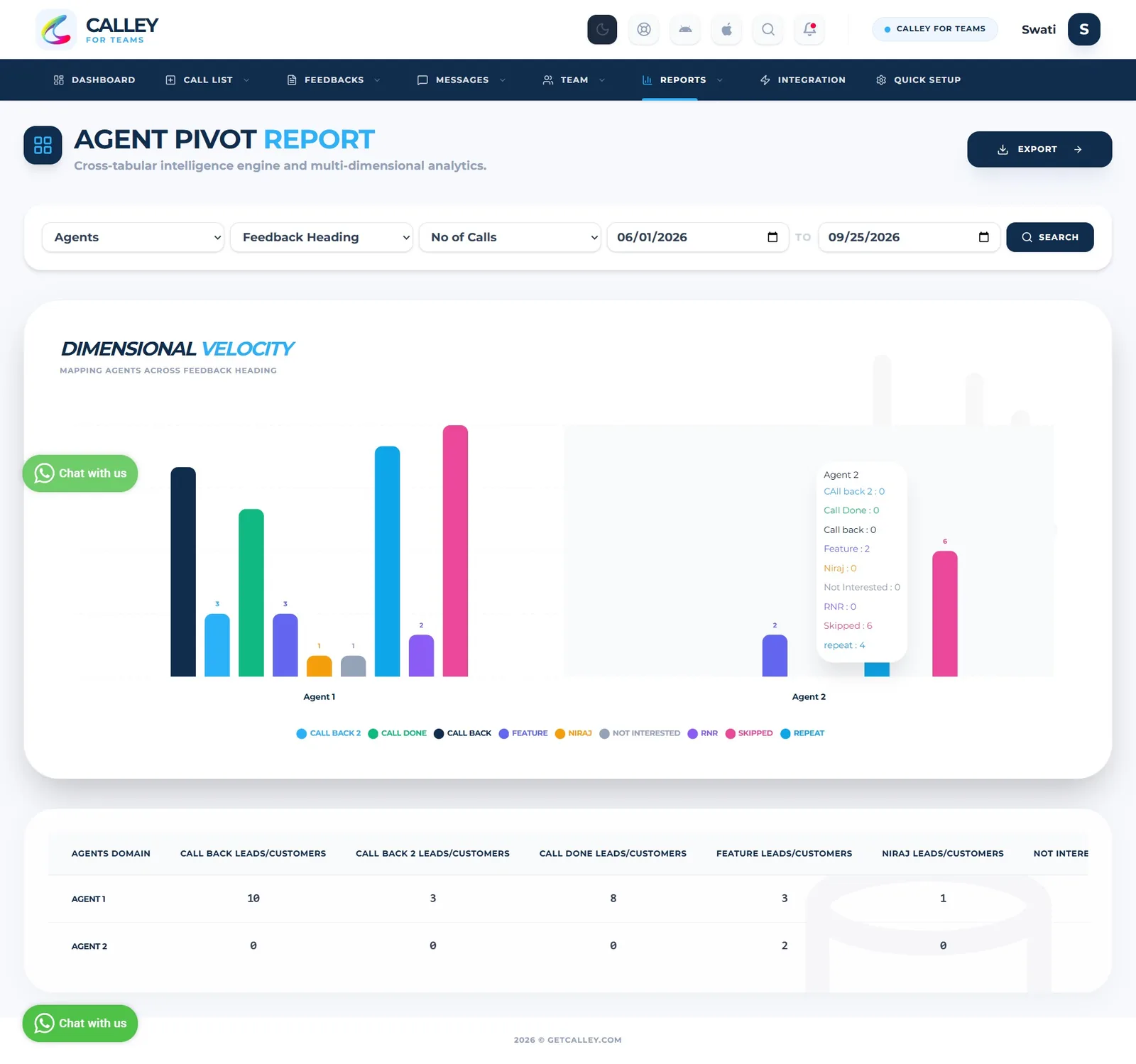
The Agent Pivot Graph Report is a custom report that allows you to customize the reporting of agents. You can view the report based on feedback type or feedback heading and analyze the number of calls made or the total call duration. This report is especially helpful for team admins to validate the reporting of calls made by agents using both graphical and tabular data.
How This Report Helps in Sales
- Analyze Feedback Trends: Focus on categories that indicate successful conversions to refine strategies. By examining feedback trends, sales teams can identify which approaches resonate most with potential customers and adjust their sales pitches accordingly.
- Compare Performance: Use the data to benchmark agent performance and set realistic sales targets. Comparing call metrics across agents helps in recognizing top performers, setting performance goals, and encouraging healthy competition within the team.
- Actionable Insights: Implement changes in sales tactics based on the insights gained from call durations and feedback patterns. This allows teams to adjust their communication style, improve call handling techniques, and ultimately increase conversion rates.
To access the Agent Pivot Graph Report:
Log in to the Calley Teams Admin Panel.
Navigate to the Reports section, Click on Agent Pivot Graph Report
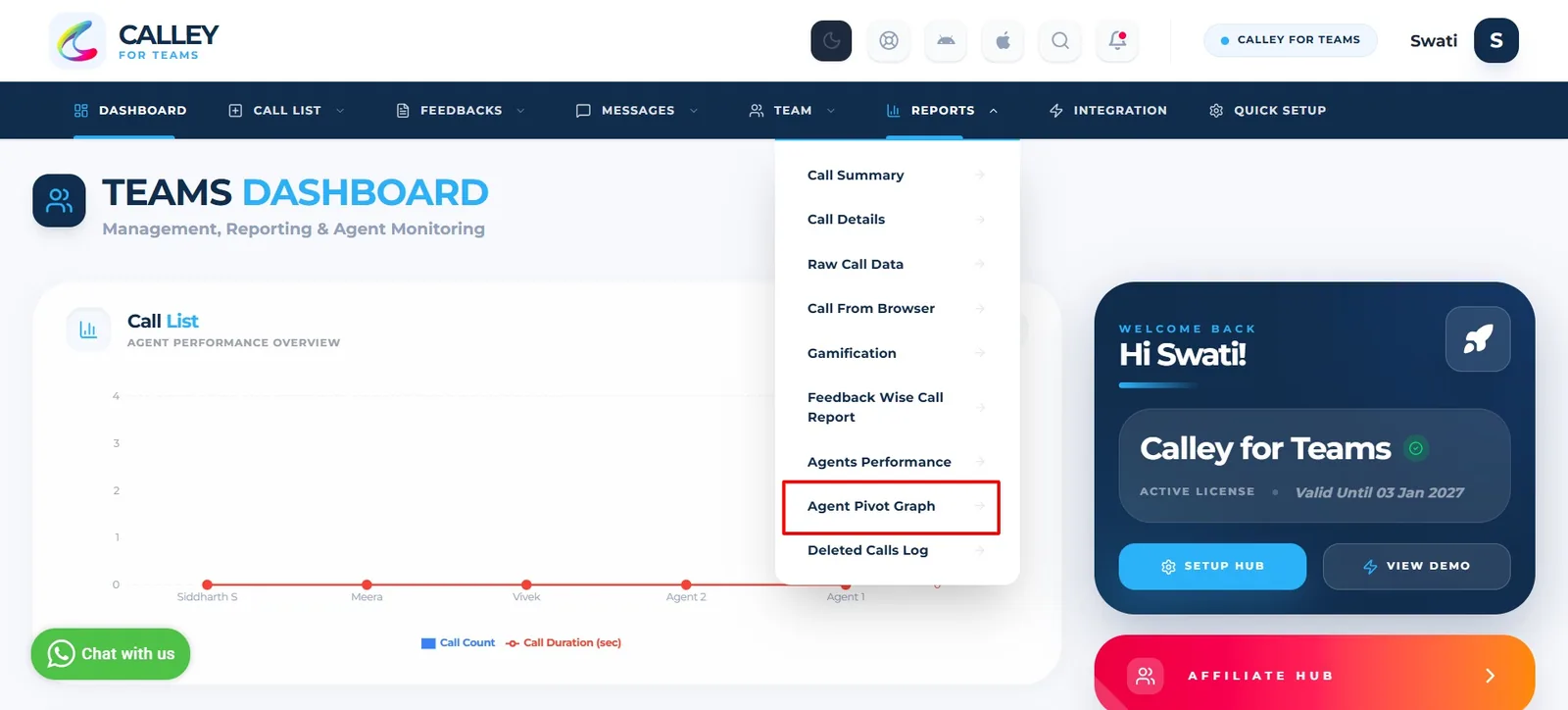
To customize and view detailed agent reports, apply filters as per your need.
Agent Wise Call Reporting in Calley Teams enables businesses to monitor and enhance agent performance effectively. With multiple reporting options, Team Admins can leverage call insights to optimize workflows, improve conversion rates, and ensure better customer engagement. Whether using performance reports or pivot graphs, Calley Teams provides the necessary tools to track call activities seamlessly.
By utilizing these reporting features, teams can stay informed, make data-backed decisions, and drive business success through effective call management.
Checkout here > Pricing Plans for Calley Auto Dialer App
Link to > Full Feature List of Calley AutoDialer
Do you want to Subscribe to a Free Auto Dialer with a limit of 25 calls per day?
We know you will have questions.
We would love to answer all your questions to get you started with Autodialing using The Calley Auto Dialer app.