
Auto Assignment of Leads in Calley Teams
The feature of Automatic Lead Assignment in Calley Teams is meant to facilitate easy handling of leads while enhancing the sales process. As a result, hot leads in your pipeline are automatically assigned to senior agents for closure, ensuring that leads with maximum potential are acted upon.. Lead assignments are thus made on the feedback from tele-callers, so as to reduce lag time and ensure that an agent follows up on a lead worth pursuing.
For instance, when leads are marked as interested after an initial telephone call, such high-potential leads can be automatically assigned to a senior agent specializing in the conversion of such prospects. This further aids in the efficiency of closing the deal without letting any precious lead slip through the cracks.
How Does Auto Assignment of Leads Work?
With this feature, the system automatically reassigns leads to senior agents based on feedback categories such as “Interested” or “Follow-Up Needed” provided by tele-callers. These feedback types help identify leads that are more likely to convert and need prompt follow-up from an experienced agent.
The automated process eliminates the need for manual reassignment, ensuring that hot leads are quickly directed to the appropriate agent for closure.
How to Set Up Auto Assignment of Leads
Step-by-Step Guide:
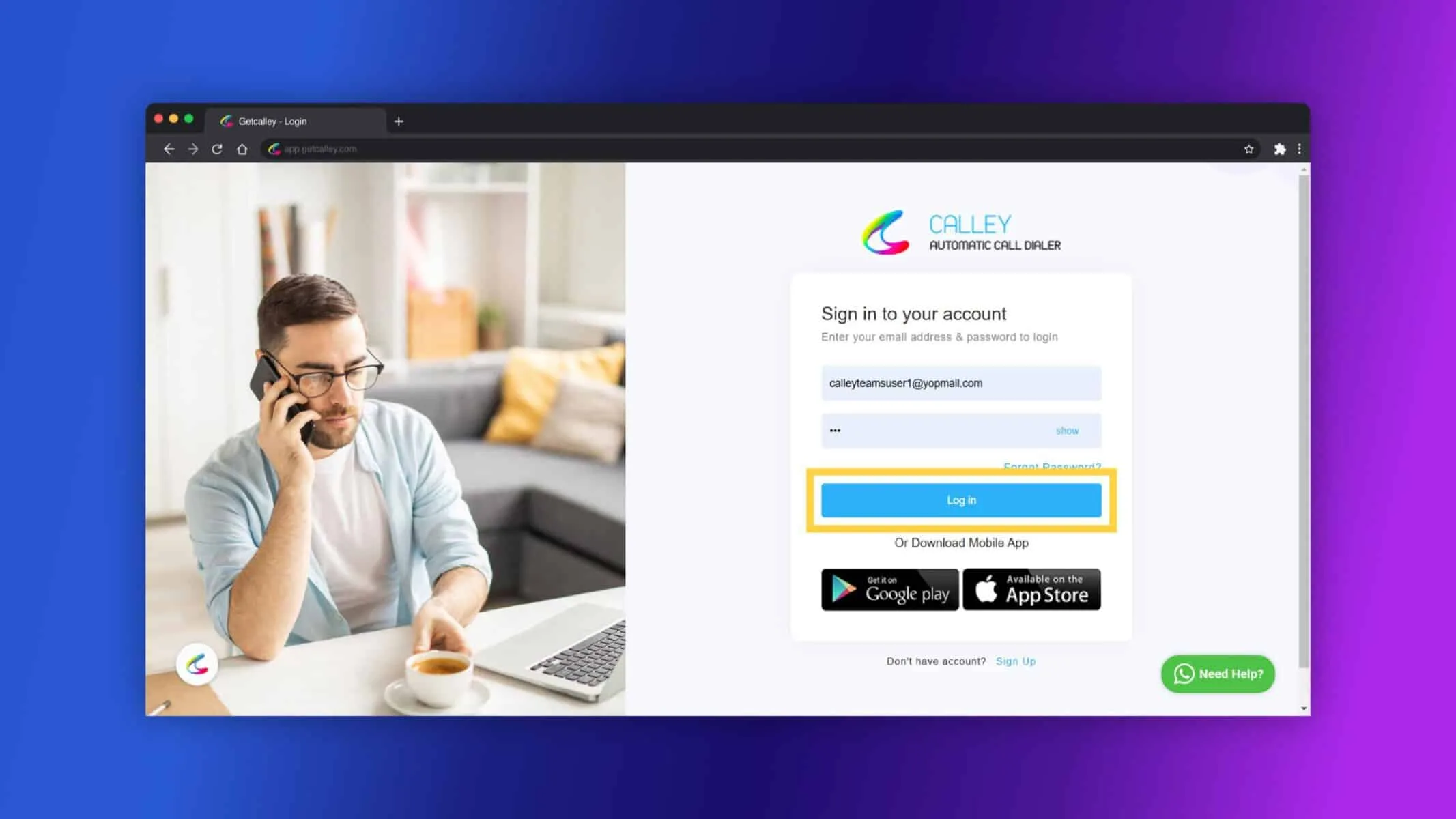
✓Login to Team Admin Dashboard.
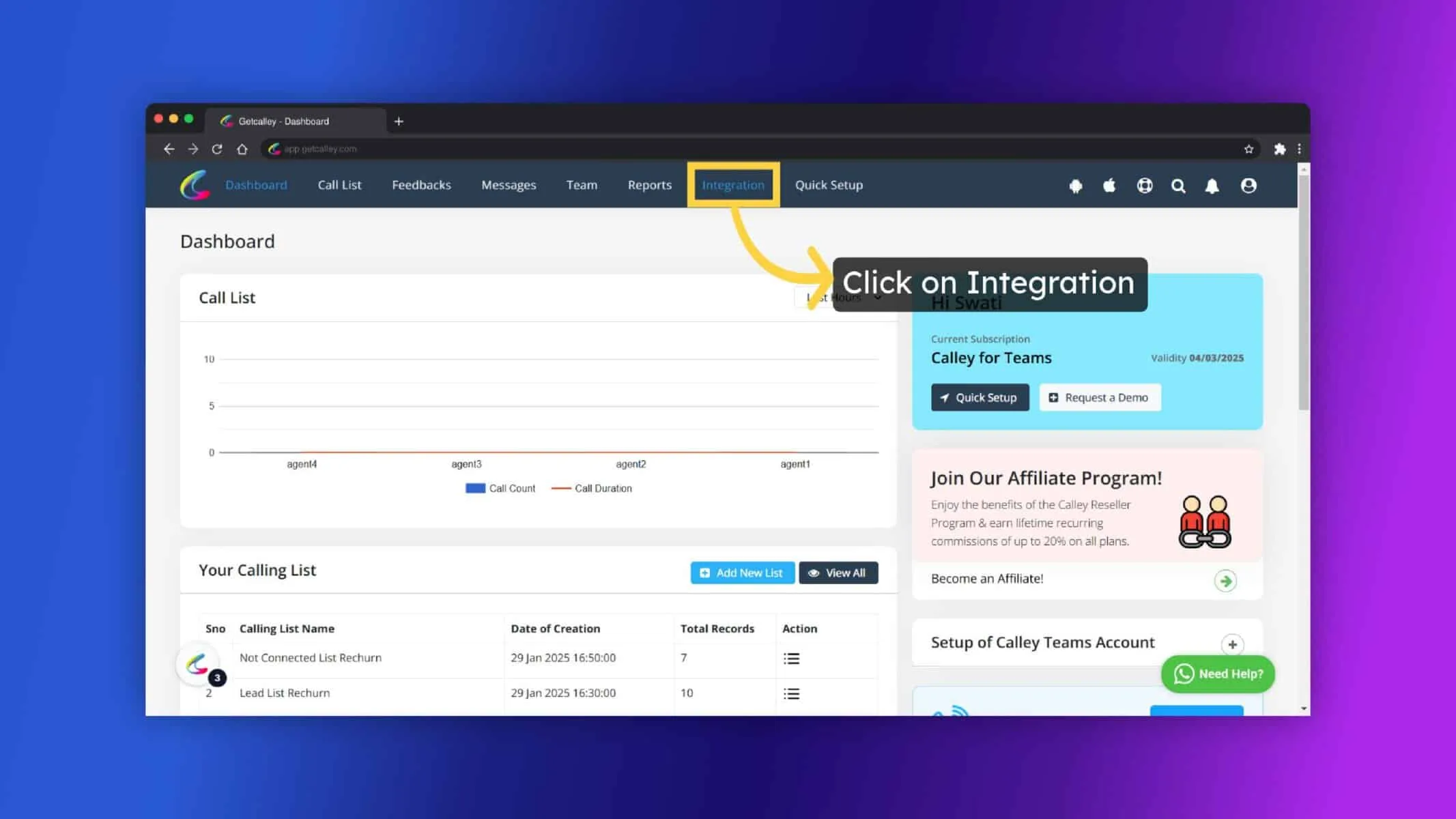
✓Navigate to the “Integrations” section.
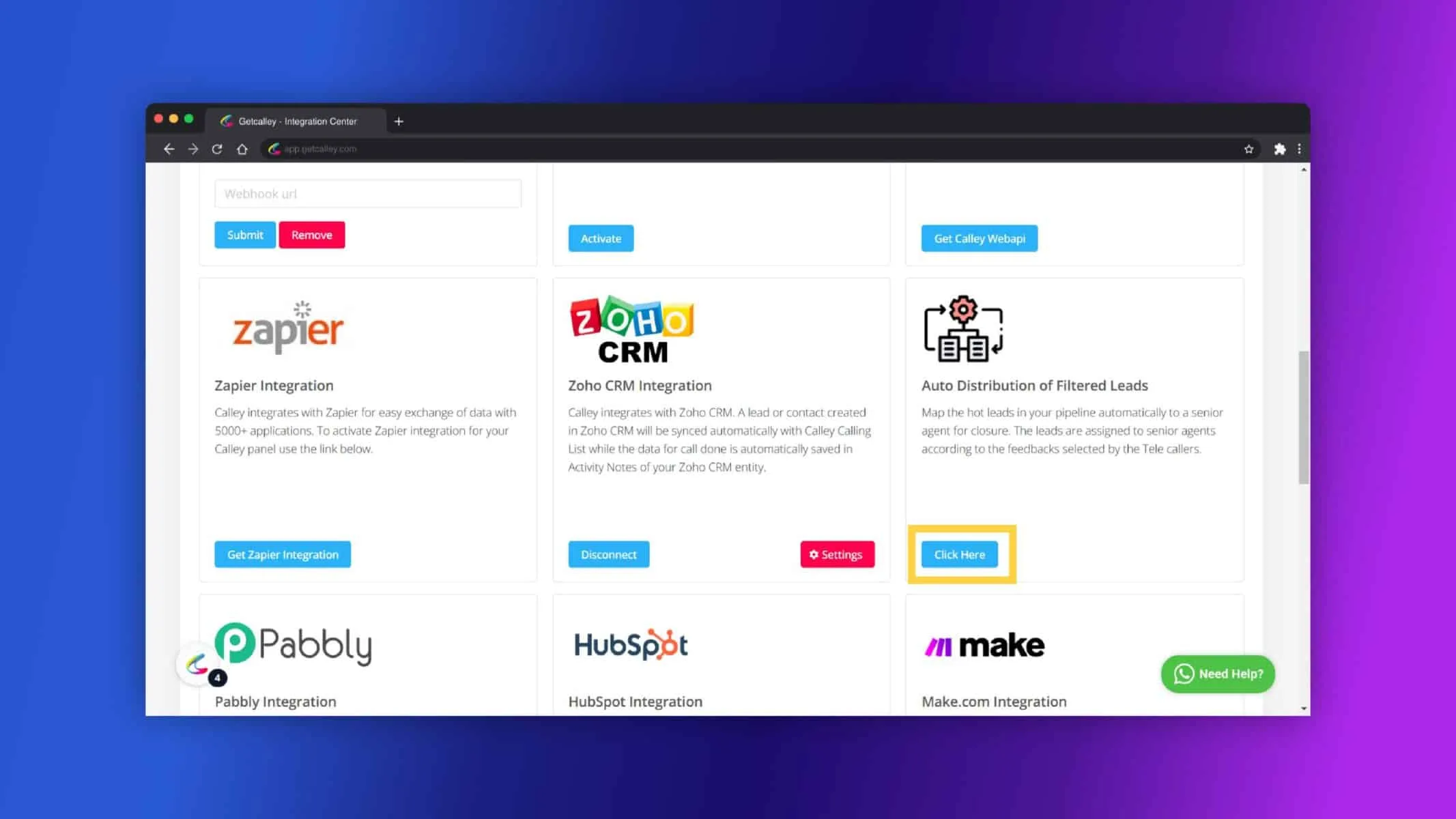
✓Scroll down until you reach the “Auto Distribution of Filtered Leads” section. Click on Click Here Button.
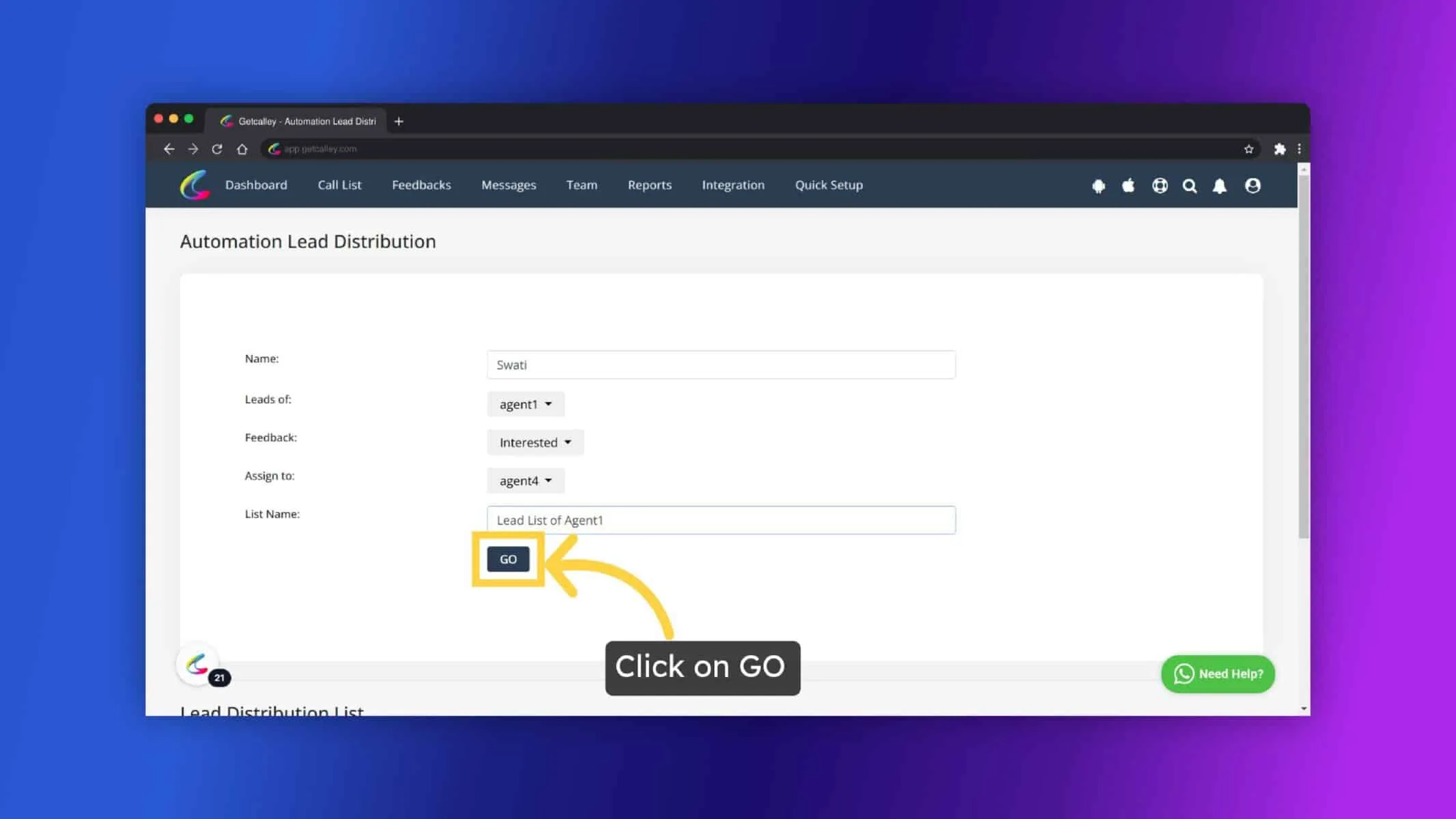
✓This will open the configuration page for auto-distribution. Enter the Name, Select the Agent, Feedback, and Assign Agents:
- ✓Enter the Name for the distribution rule.
- ✓Select the Agent whose leads you want to distribute.
- ✓Choose the feedback type (e.g., “Interested”, “Follow-Up”).
- ✓Select the senior agents to whom you want to assign the leads.
✓This will open the Configuration page for auto- distribution. Enter the Name, Select the Agent, Feedback, and Assign Agents.
- ✓Enter the Name for the distribution rule.
- ✓Select the Agent whose leads you want to distribute.
- ✓Choose the feedback type (e.g., “Interested”, “Follow-Up”).
- ✓Select the senior agents to whom you want to assign the leads.
- ✓Provide a name for the new list that will be created for the leads.
- ✓Click on Go: Clicking Go will create the new list and set up the auto-assignment process.
✓Click on OK.
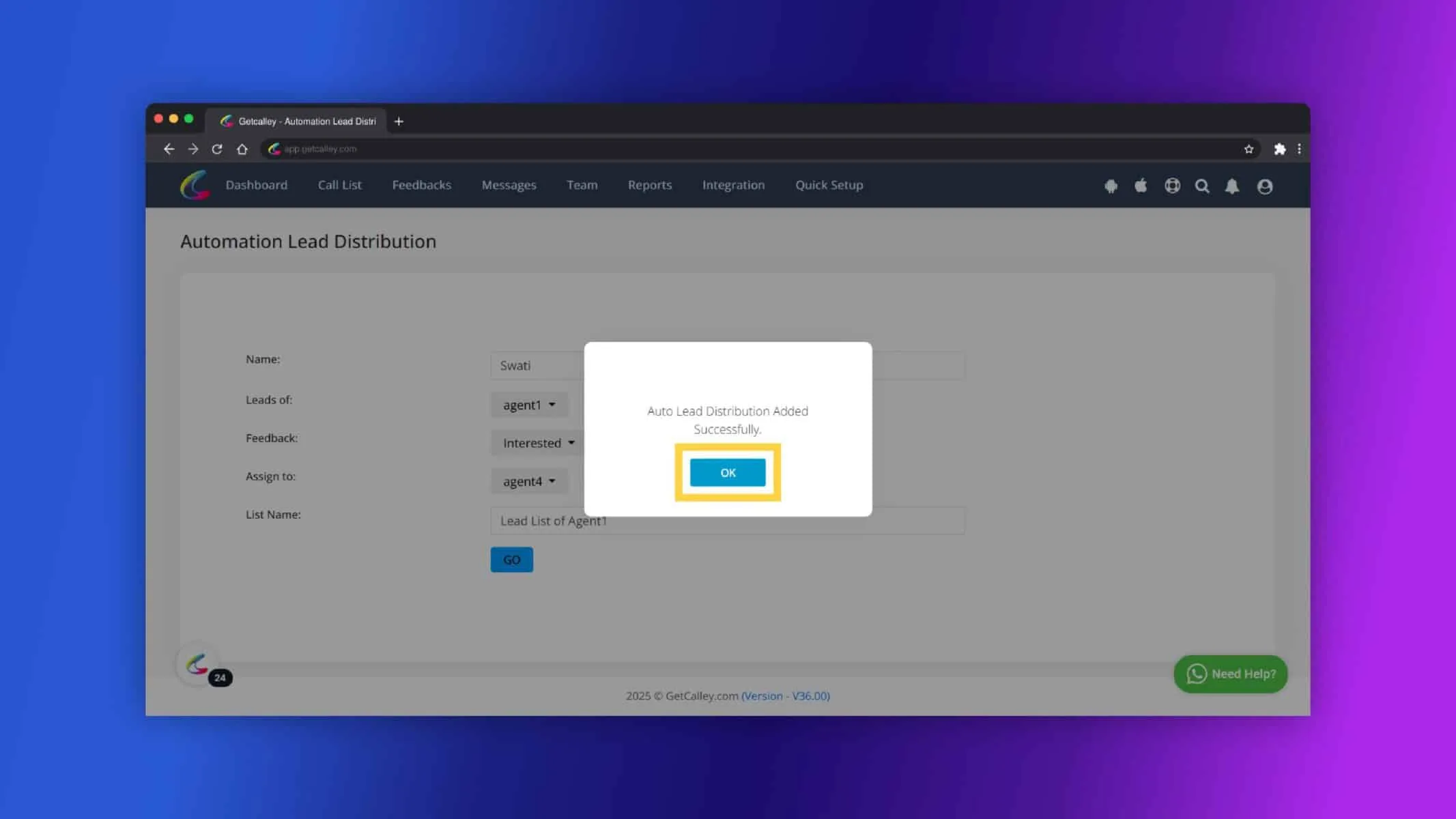
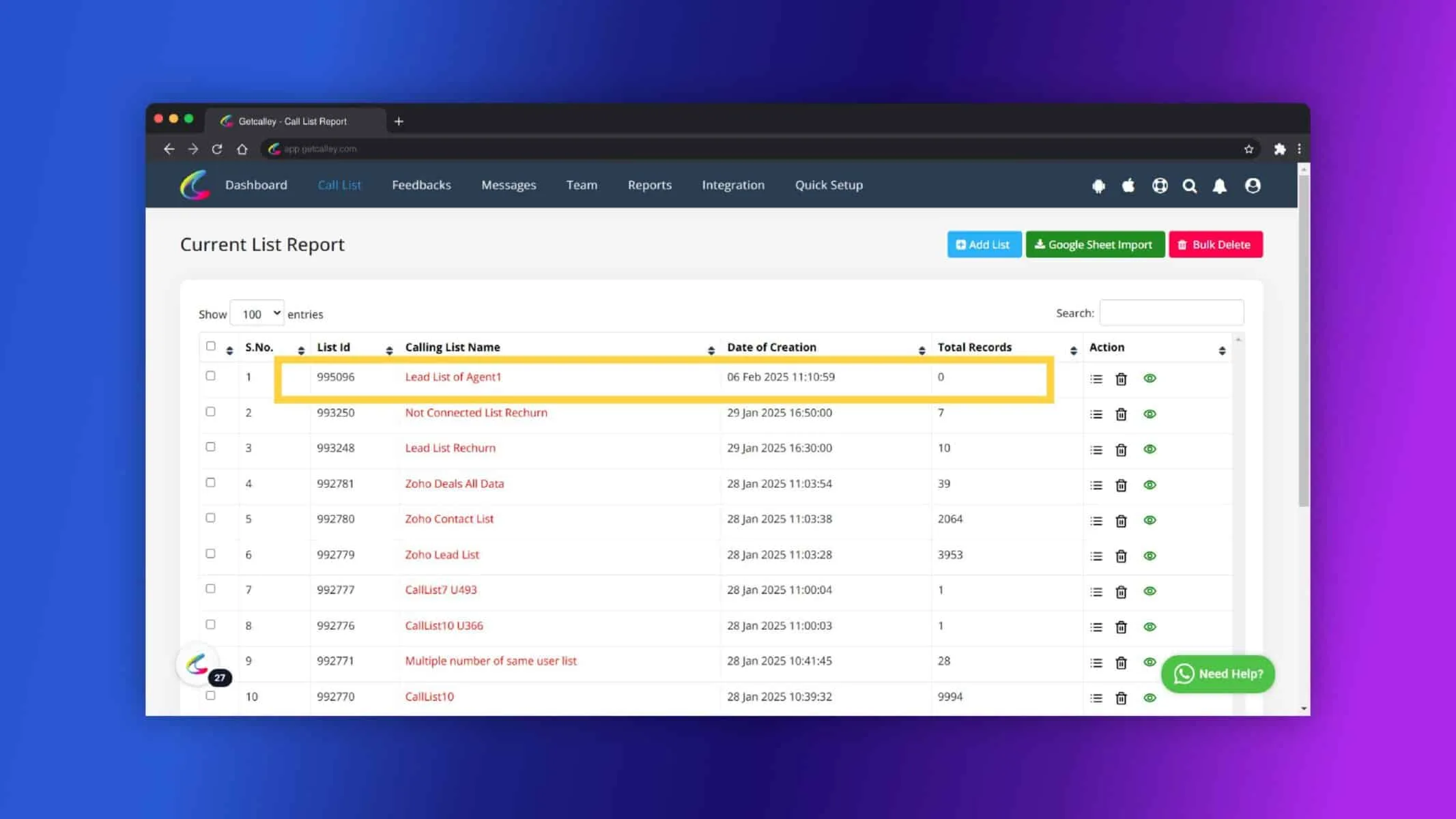
✓Lead distribution list created, you can see it on Configuration Page also.
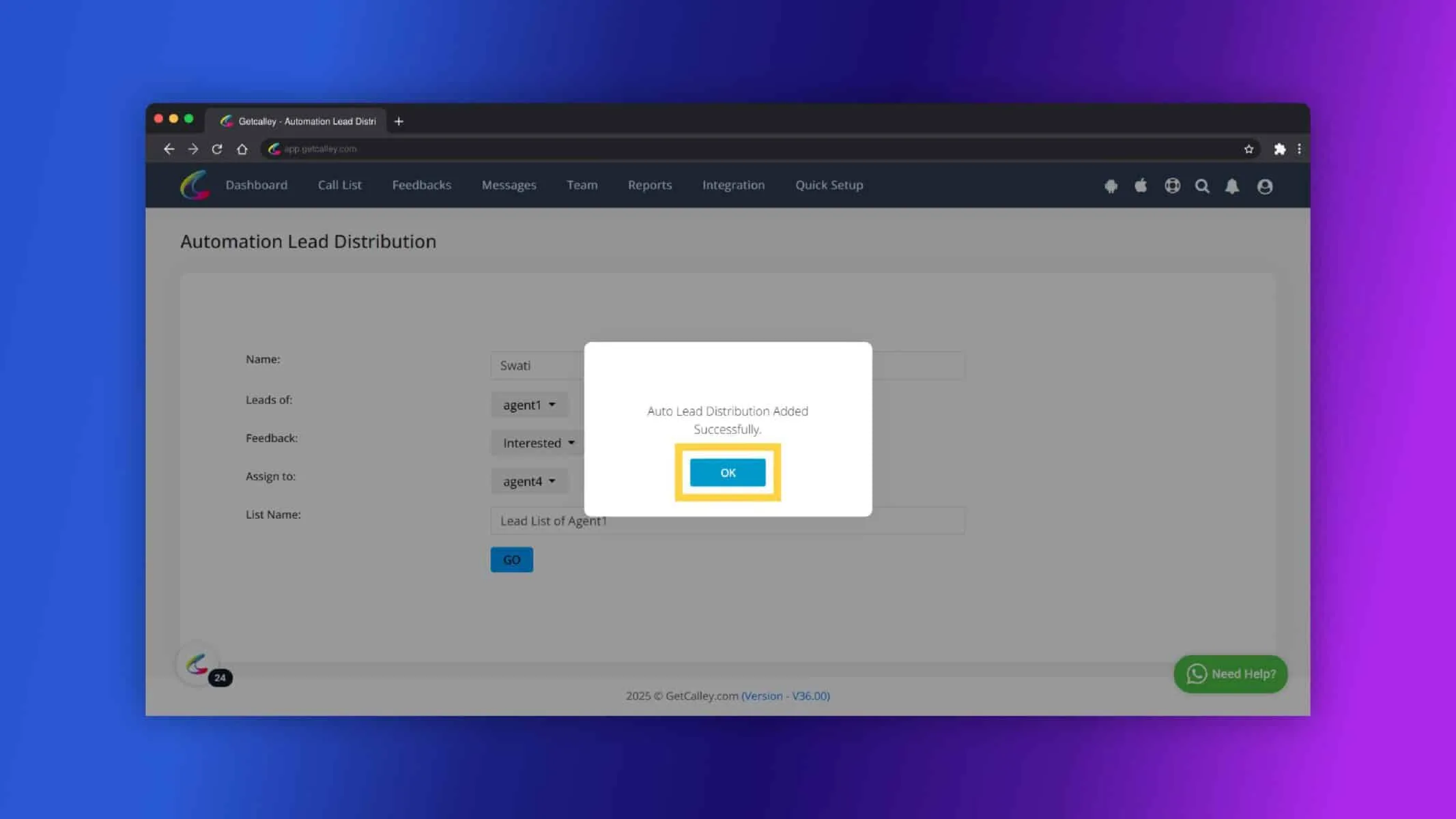
✓The new list will be created and updated on an hourly basis.
✓As tele-callers update feedback on leads, the system will automatically shift those leads to the newly created list and assign them to the senior agents you selected.
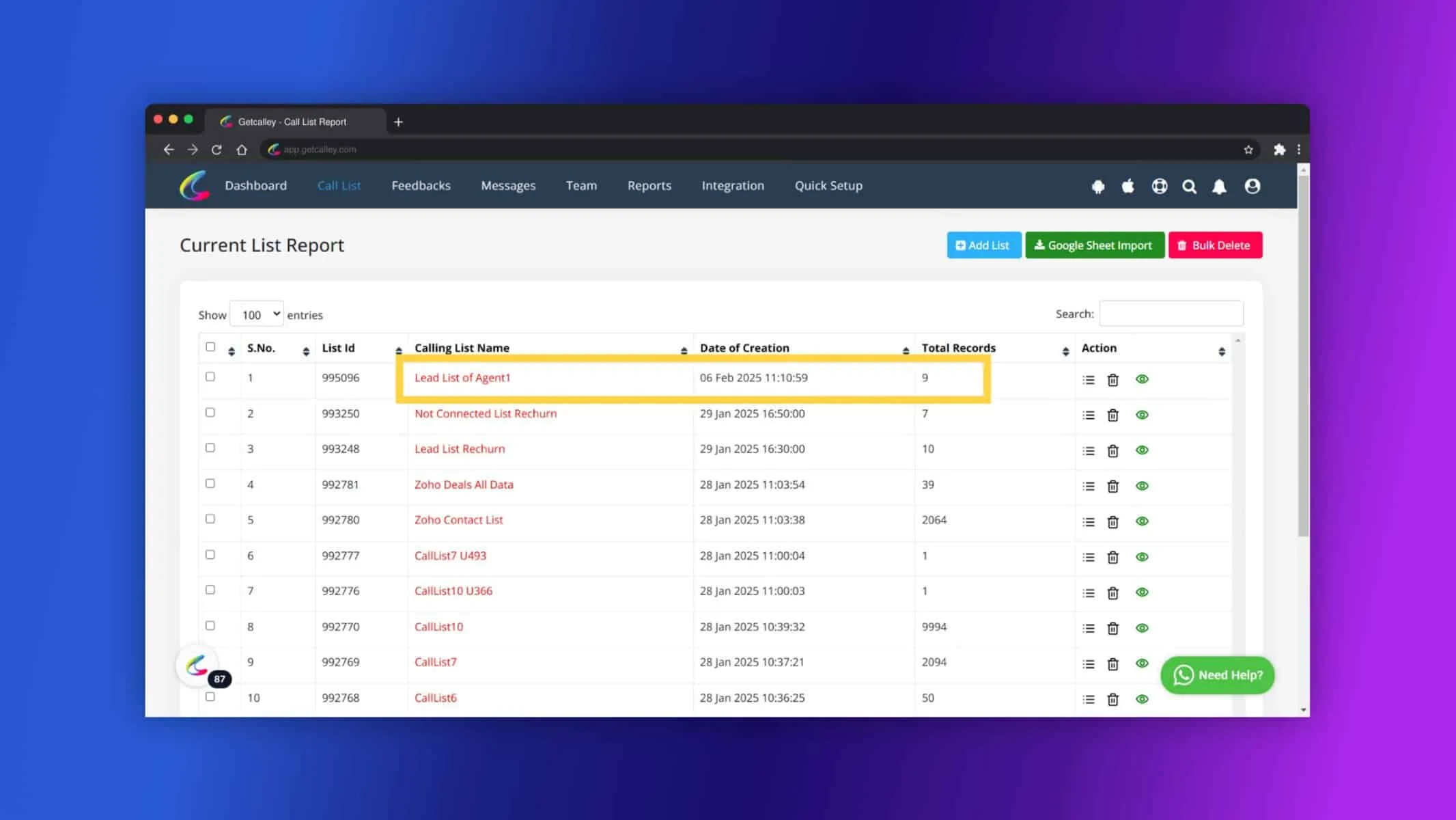
✓Open the List and check, the leads imported are in Pending status with old updated feedback and call notes for Reference.
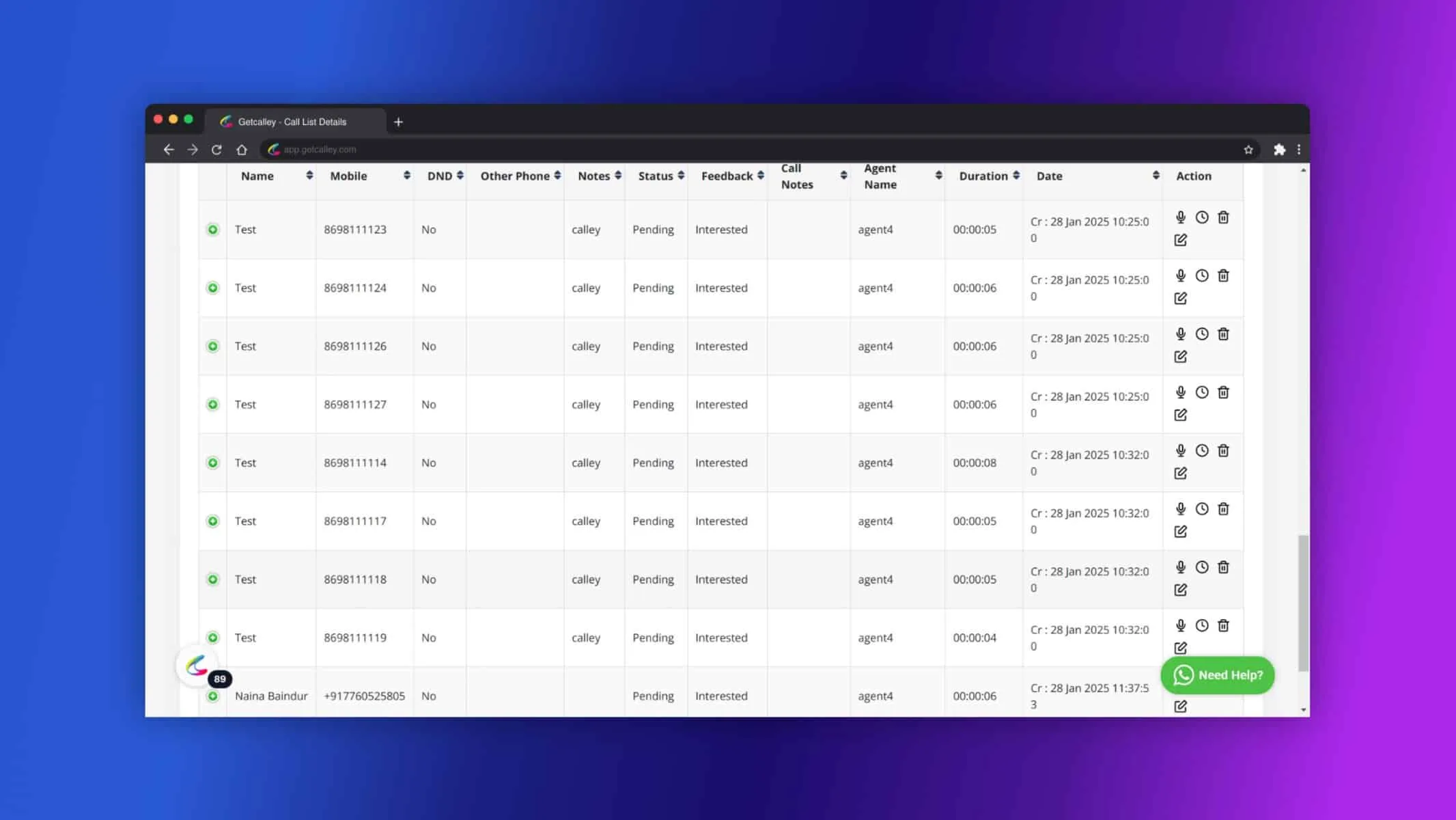
✓Monitor the New List created to track leads that have been reassigned automatically.
Key Features of Auto Assignment of Leads
- ✓Automated Lead Distribution: Automatically assigns high-potential leads to senior agents based on feedback, ensuring timely follow-up.
- ✓Faster Response Times: Reduces the delay between lead interest and follow-up, increasing conversion chances.
- ✓Optimized Sales Pipeline: Helps manage leads efficiently, reducing the risk of missed opportunities.
- ✓Role-Specific Assignments: Ensures that senior agents are assigned leads based on feedback categories, allowing for more targeted follow-ups.
- ✓Time-Saving Automation: Eliminates the need for manual lead reassignment, freeing up admin time.
The Auto Assignment of Leads feature in Calley Teams helps businesses manage their sales pipeline more effectively by automatically mapping hot leads to senior agents for closure. By automating the reassignment process based on feedback, it ensures that high-potential leads receive the attention they need from experienced agents, ultimately boosting conversion rates and sales performance.
For any additional support, feel free to reach out to the Calley support team!
Checkout here > Pricing Plans for Calley Auto Dialer App
Link to > Full Feature List of Calley AutoDialer
Do you want to Subscribe to a Free Auto Dialer with a limit of 25 calls per day?
We know you will have questions.
We would love to answer all your questions to get you started with Autodialing using The Calley Auto Dialer app.