
What are Call Dispositions, & How can you create them in the Calley Autodialer App?
Start tracking calls made by using Call Dispositions or Call Feedback. A perfect way to segregate your leads, ensuring you take correct and desired actions
Have you ever wondered what happens to your leads after a call campaign?
With Calley’s Call Dispositions feature, you can categorize your call outcomes into valuable information. This blog explains Call Dispositions and how Calley can help you maximize your sales and marketing efficiency.
Let us tell you about Call Dispositions / Call Feedback.
- 1.Start tracking calls made by using Call Dispositions or Call Feedback. a perfect way to segregate your leads, ensuring you take correct and desired actions
- 1.1.What are Call DIspositions - Intro Video
- 1.2.Signup for a Calley Account
- 1.3.Go to Dashboard to Configure call dispositions
- 1.4.Create Call Feedback or Dispositions
- 1.5.How to find leads by disposition?
- 1.6.How do you generate Disposition Reports in the Calley Web Panel?
- 2.Are you ready to take your lead management to the next level?
- 3.WE KNOW YOU WILL HAVE QUESTIONS.
Call Dispositions are available to both Calley PRO and Calley TEAMS subscribers
What are Call DIspositions - Intro Video
Do you wonder if your calls are connecting and what the next steps should be? Calley’s Call Dispositions help you understand your outreach. This video explains Call Dispositions and how they can turn your autodialer software into a lead-generation machine. Learn how to categorize your calls, gain valuable insights, and maximize your sales success now!
Signup for a Calley Account
If you are an existing user, you can log in to your account on Calley by visiting the URL - https://portal.getcalley.com, while if you are a new user, you can register yourself for a Calley Account using the URL - https://app.getcalley.com/registration.aspx
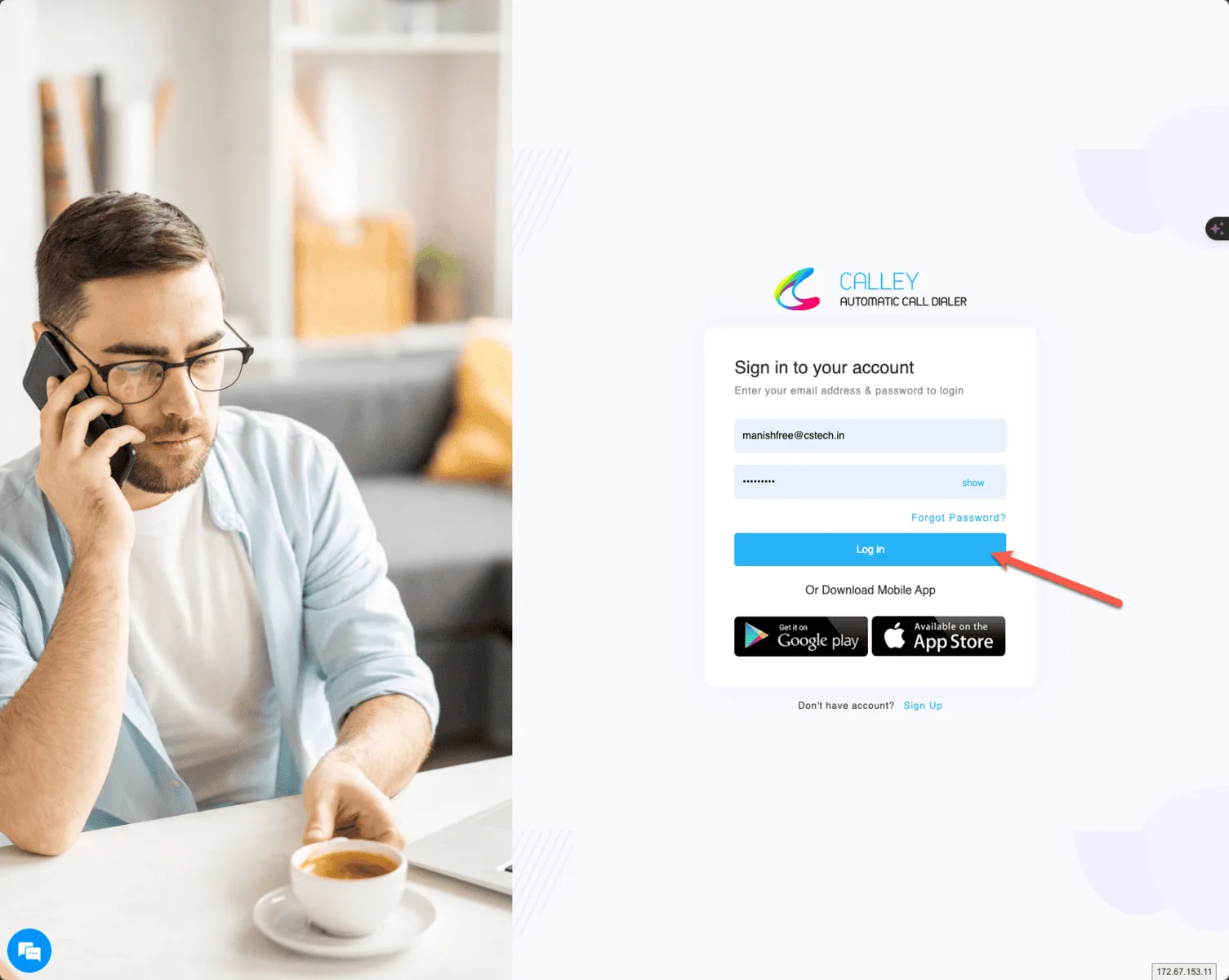
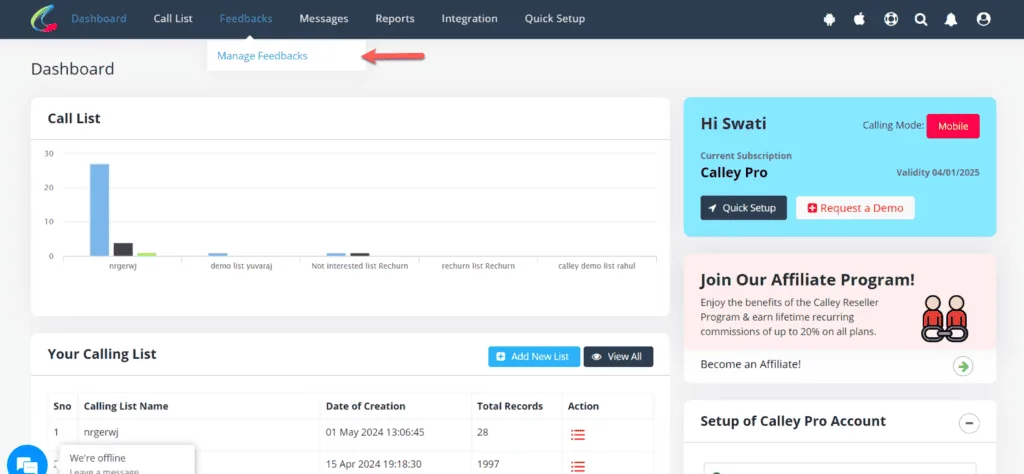
Go to Dashboard to Configure call dispositions
Once you log in go to the top bar and click on Feedbacks > Manage Feedbacks to create and manage feedback (Call Dispositions).
Create Call Feedback or Dispositions
As a Calley PRO / Teams user, you can create unlimited dispositions, but they are categorized into 4 major types.
- Lead - Hot lead interested in your offering.
- Connected - Call was connected but the lead is still not qualified as a Hot Lead.
- Not Connected - Call did not connect.
- Not Interested - Call was connected and the user is not interested in the offering.
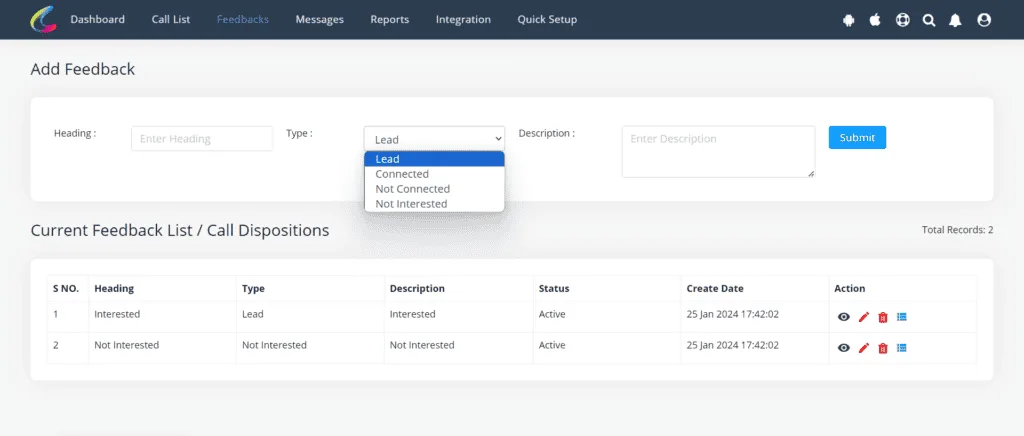
Dispositions are created and available to users making calls. They must select them at the end of each call. Dispositions can be used for PC Dialing, SIM-based autodialing, and VoIP Autodialing.
How to find leads by disposition?
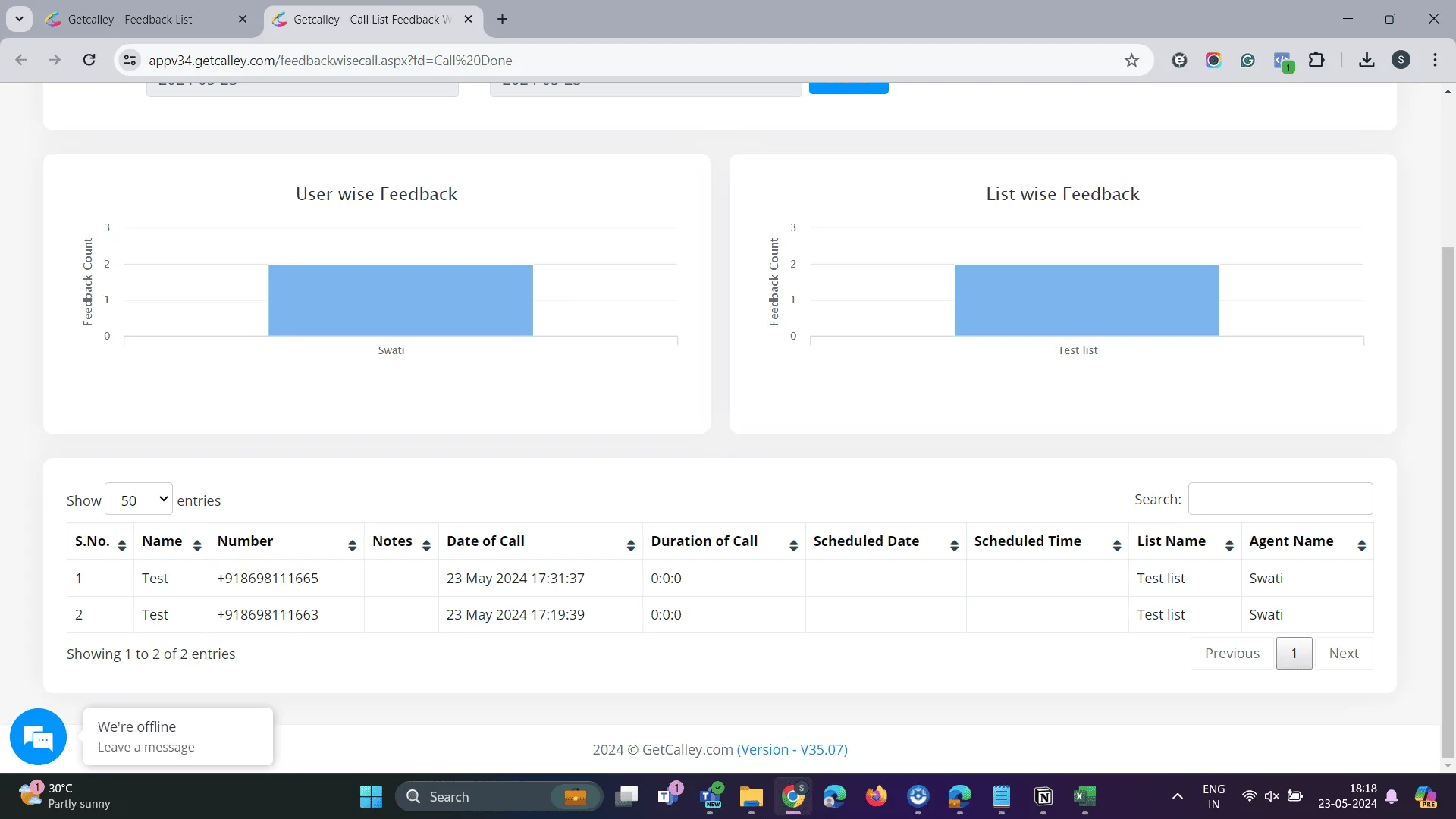
As the agents make calls and segregate the leads according to dispositions, Calley offers the functionality to see the list of all the leads grouped in a single Call Feedback or Disposition. To view that go to Feedbacks > Manage Feedbacks on the dashboard.
and then click on the icon as shown below
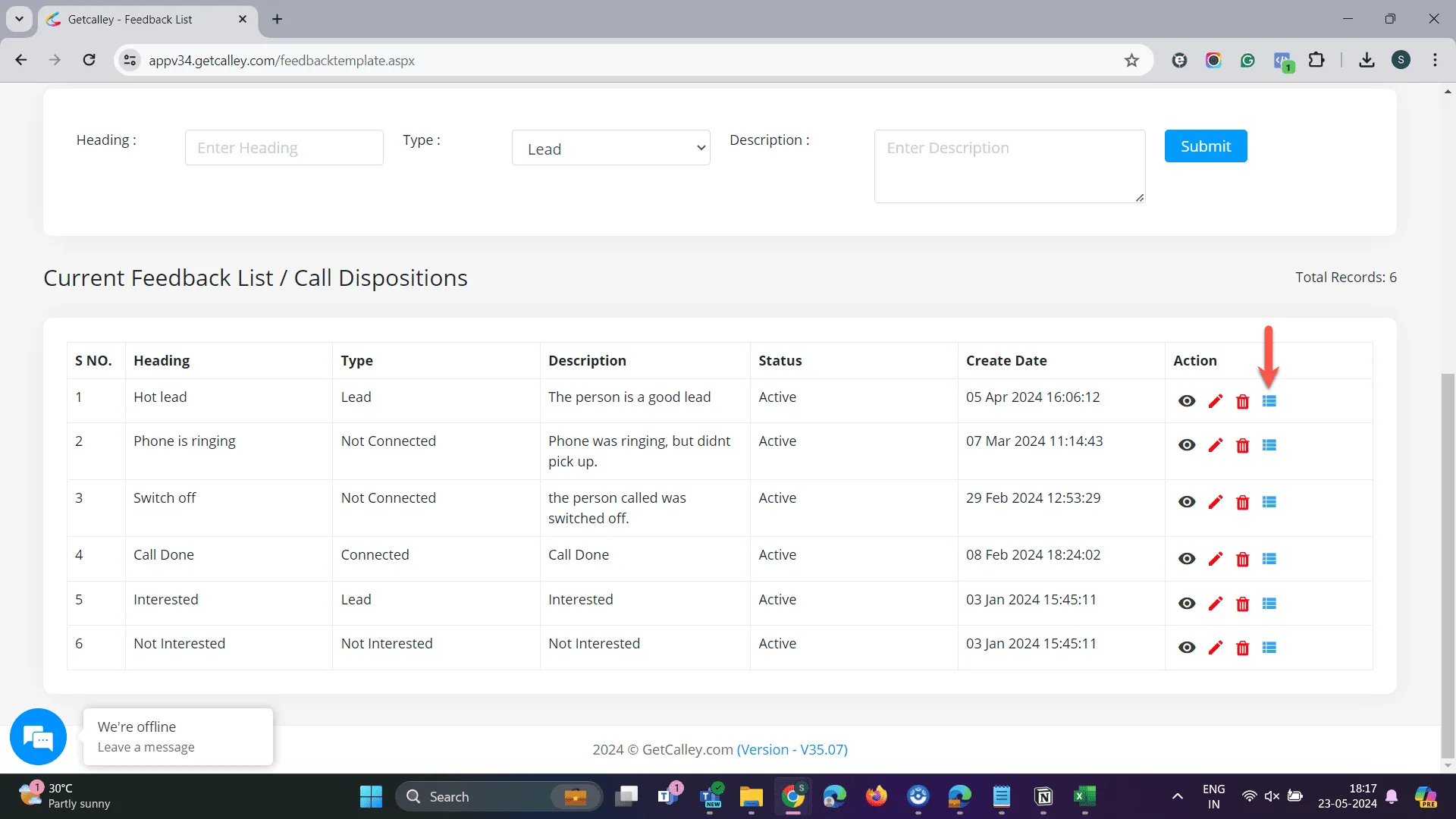
You can see list of all the leads marked in this disposition.
How do you generate Disposition Reports in the Calley Web Panel?
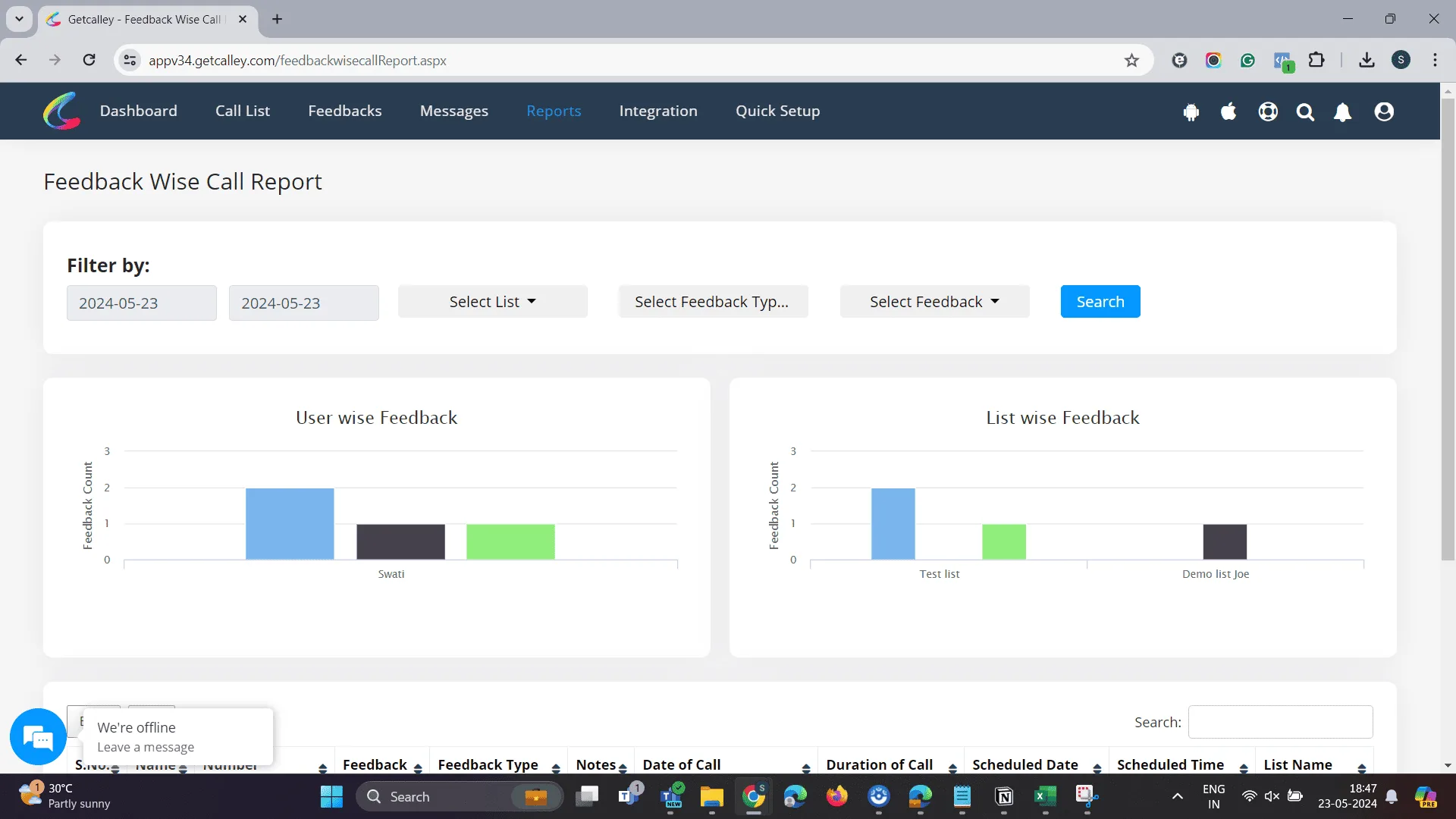
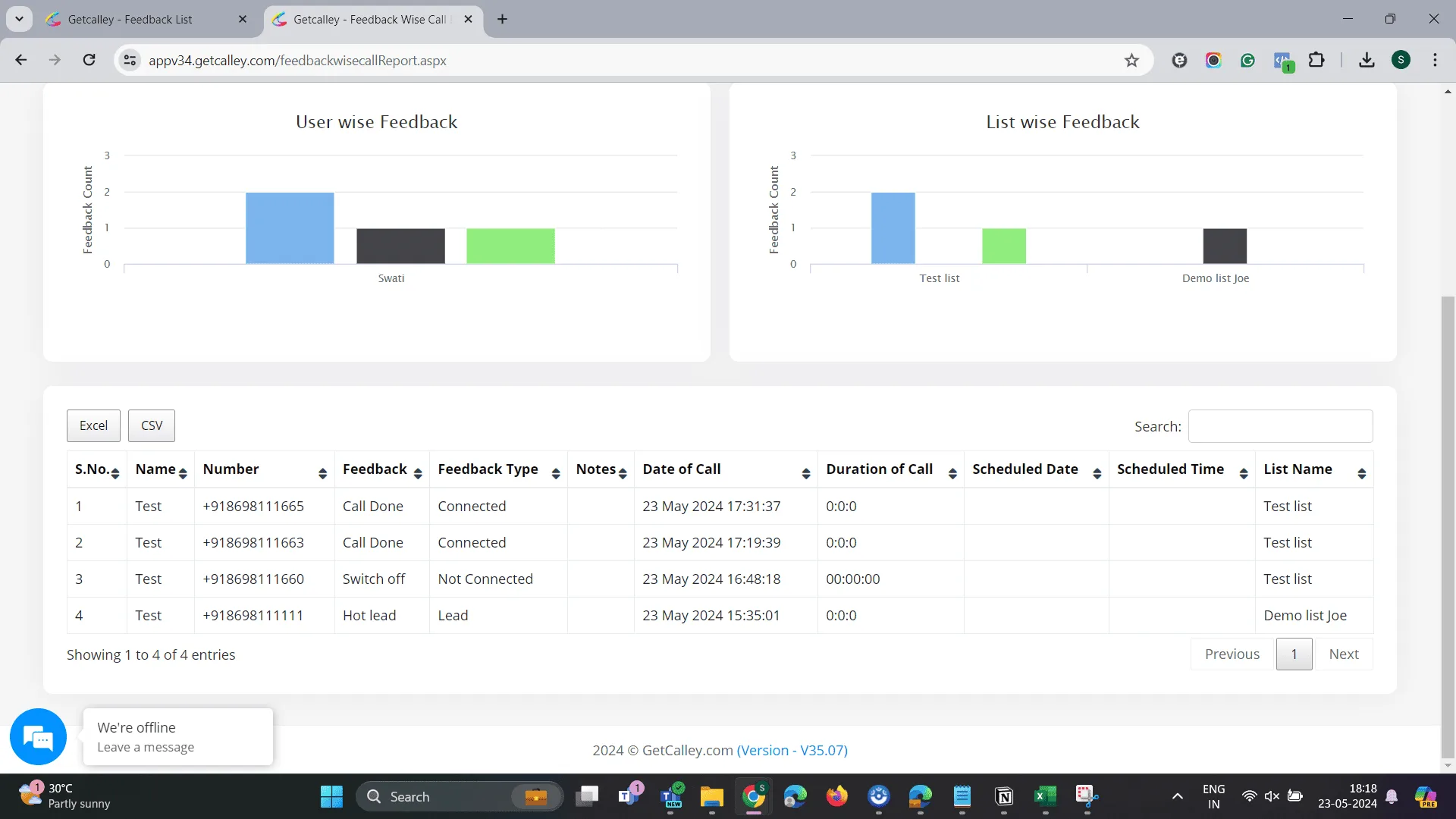
Let’s say you want a feedback-wise call report. We have you covered.
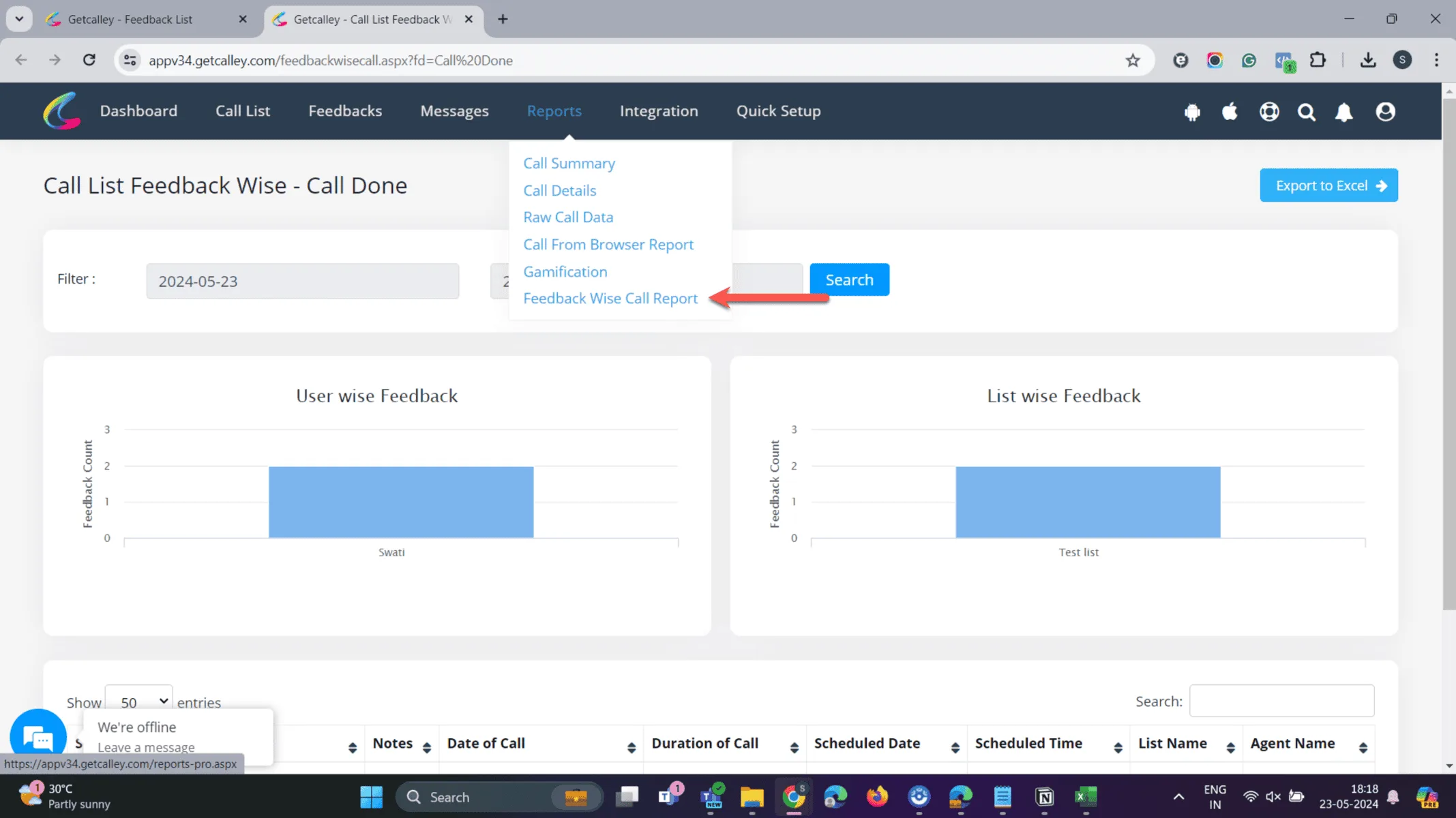
Go to Reports > Feedback Wise Call Report
You can see a list of all the leads called and the last disposition or feedback selected against them in the system.
Are you ready to take your lead management to the next level?
Once you categorize your interactions, your lead pipeline will become clearer. With this data, you can segment your leads effectively and take targeted actions that drive conversions. Unlock the power of call dispositions to make your sales and marketing efforts more successful.
Start Tracking your calls with call dispositions today!
Start your Autodialing Campaign with Calley Auto Dialer Software.
Checkout here > Pricing Plans for Calley Auto Dialer App
Link to > Full Feature List of Calley AutoDialer
Do you want to Subscribe to a Free Auto Dialer with a limit of 25 calls per day? Or do you want to Auto-Dial Unlimited Leads using the Calley Auto Dialer App?
We know you will have questions.
We would love to answer all your questions to get you started with Autodialing using The Calley Auto Dialer app.