
Sync Google Calendar with Calley for Better Scheduling and Follow-Ups
Sync Google Calendar with Calley for Better Scheduling and Follow-Ups
Connecting Calley to your Google Calendar helps streamline your call scheduling. By syncing your Google Calendar with Calley, any scheduled calls are automatically updated in both platforms, reducing scheduling conflicts and ensuring you never miss a follow-up. This feature is especially helpful for keeping your calls organized and ensuring smooth coordination between your scheduling and your call list.
Please note that this feature is available for Calley Pro and Calley Teams users, but Calley Personal users do not have access to this integration.
- 1.Sync Google Calendar with Calley for Better Scheduling and Follow-Ups
- 1.1.Connecting Google Calendar with Calley
- 1.2.How Google Calendar Sync Helps Your Business
- 1.2.1.1. Efficient Call Scheduling and Conflict-Free Calendar
- 1.2.2.2. Seamless Follow-Ups with Automated Reminders
- 1.2.3.3. Improved Coordination with Your Team
- 1.2.4.4. Increased Productivity
- 1.2.5.5. Simplified Workflow
- 1.2.6.6. Better Customer Experience
- 1.3.Key Features of Google Calendar Sync with Calley
- 2.WE KNOW YOU WILL HAVE QUESTIONS.
Connecting Google Calendar with Calley
To sync your Google Calendar with Calley, follow these simple steps:
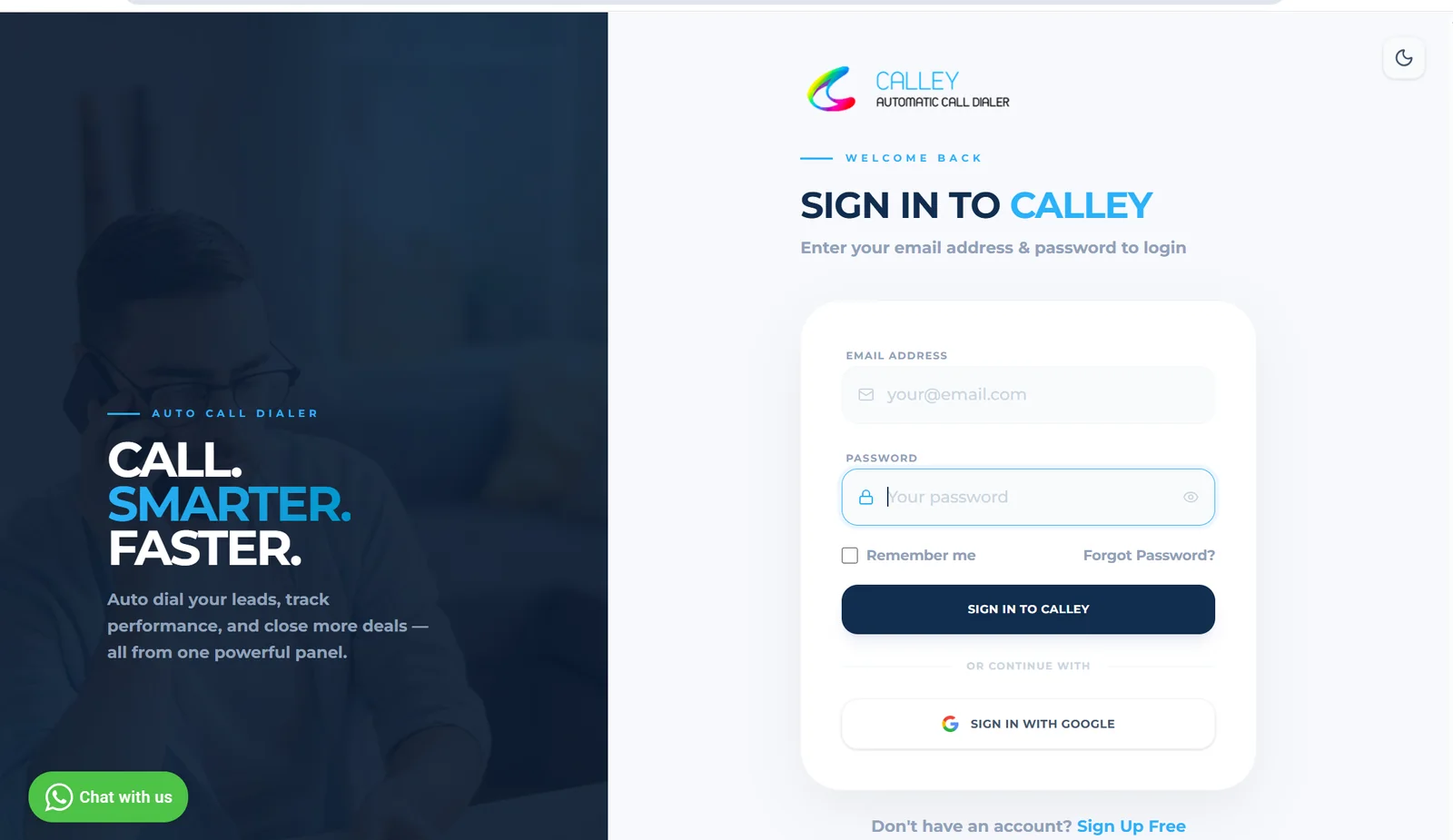
✓Login to Web panel.
✓As you Login, you are on Dashboard.
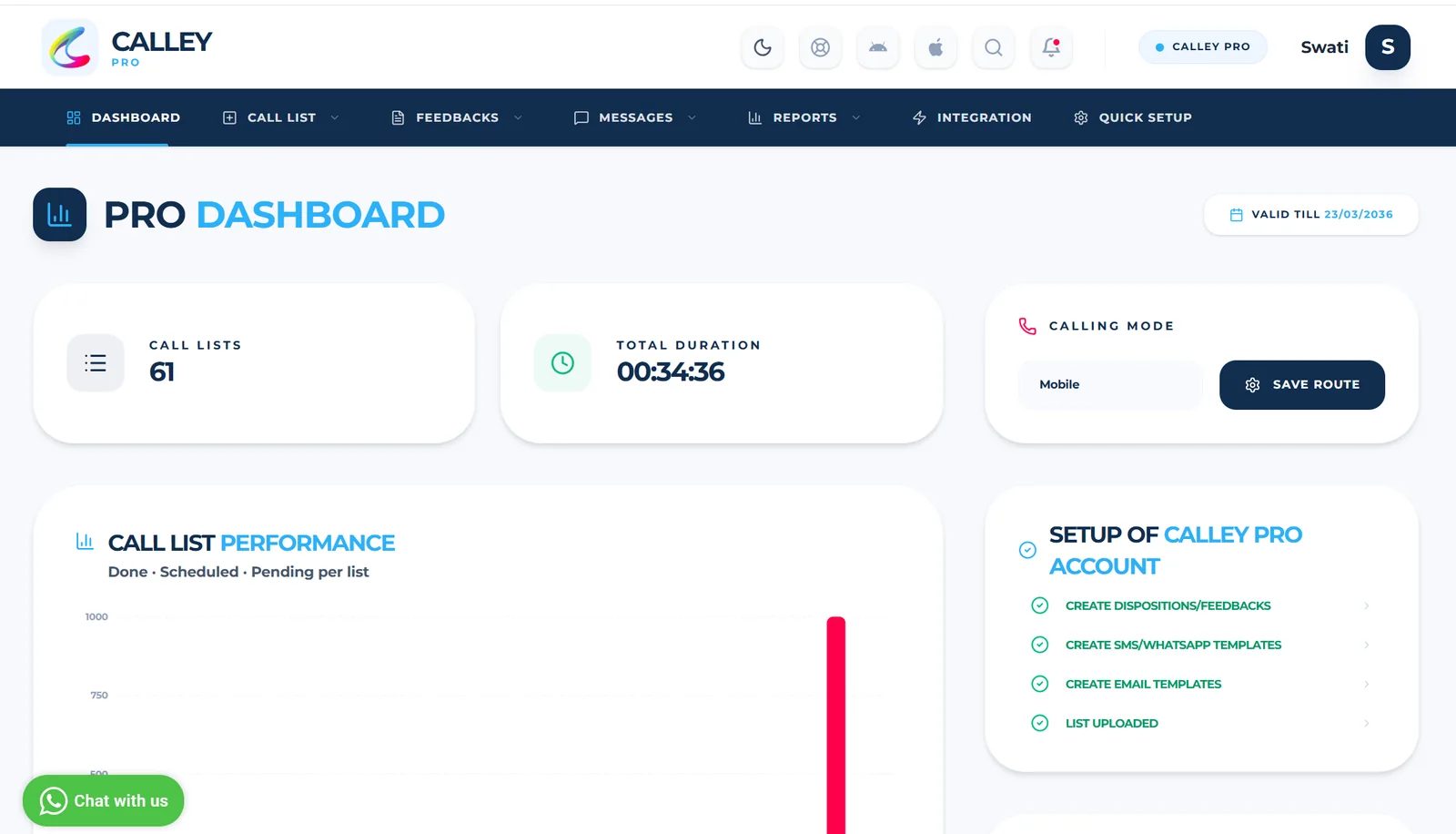
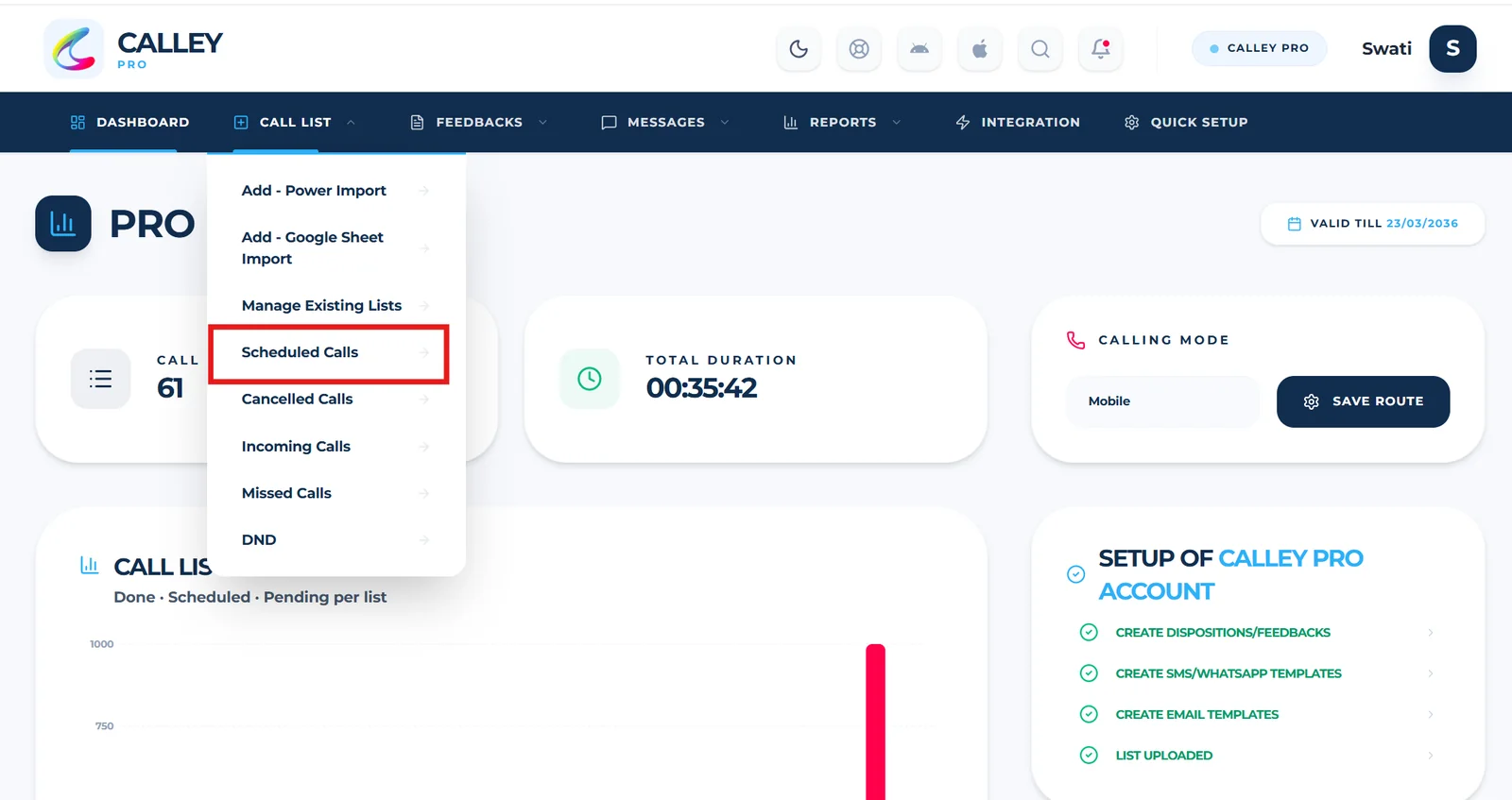
✓To check the calls scheduled, go to Call List and Click on Scheduled Calls.
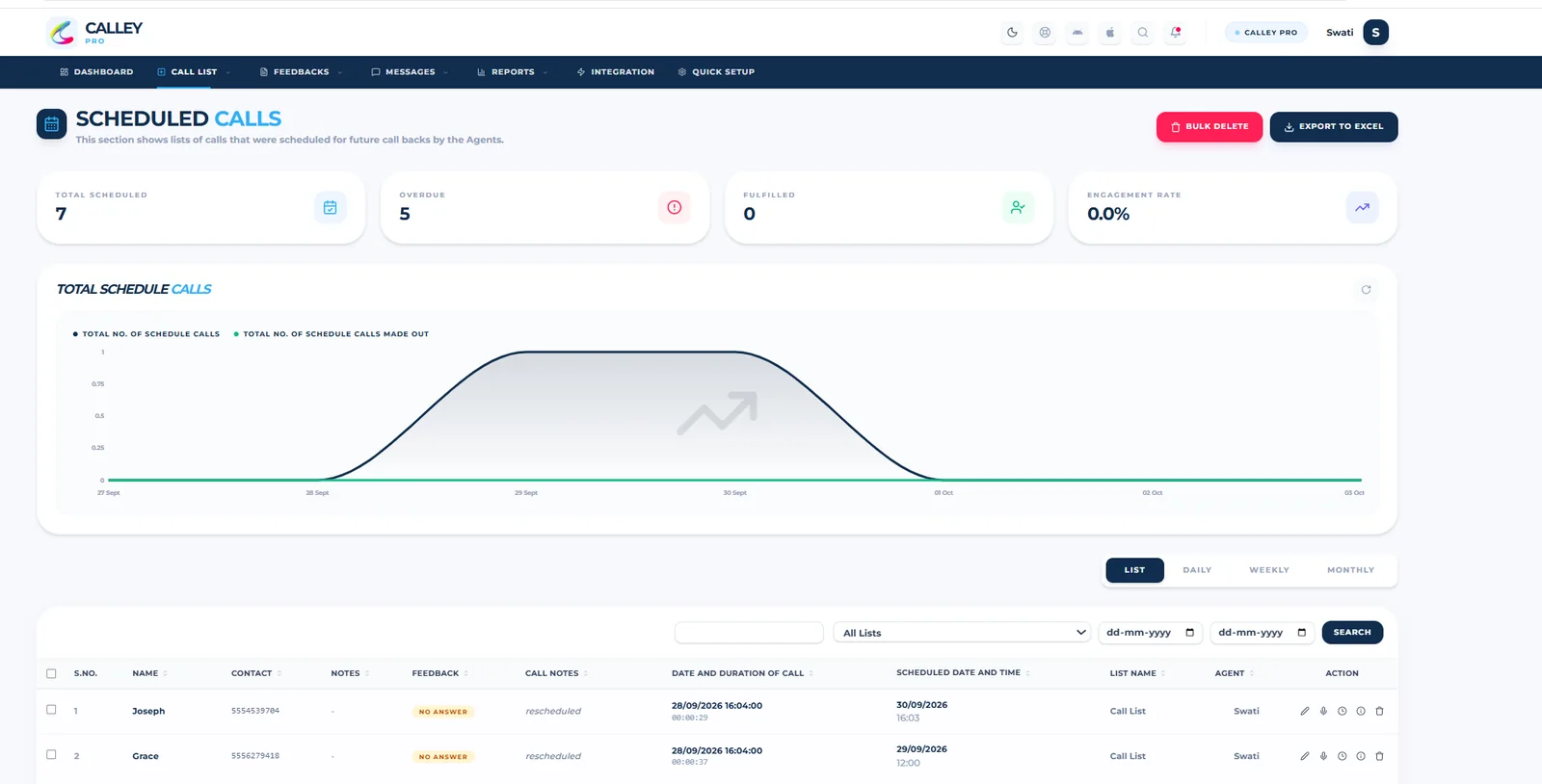
✓You can see the Call Scheduled on this page.
✓To Connect Google Calendar with Calley, Go to Integrations section.
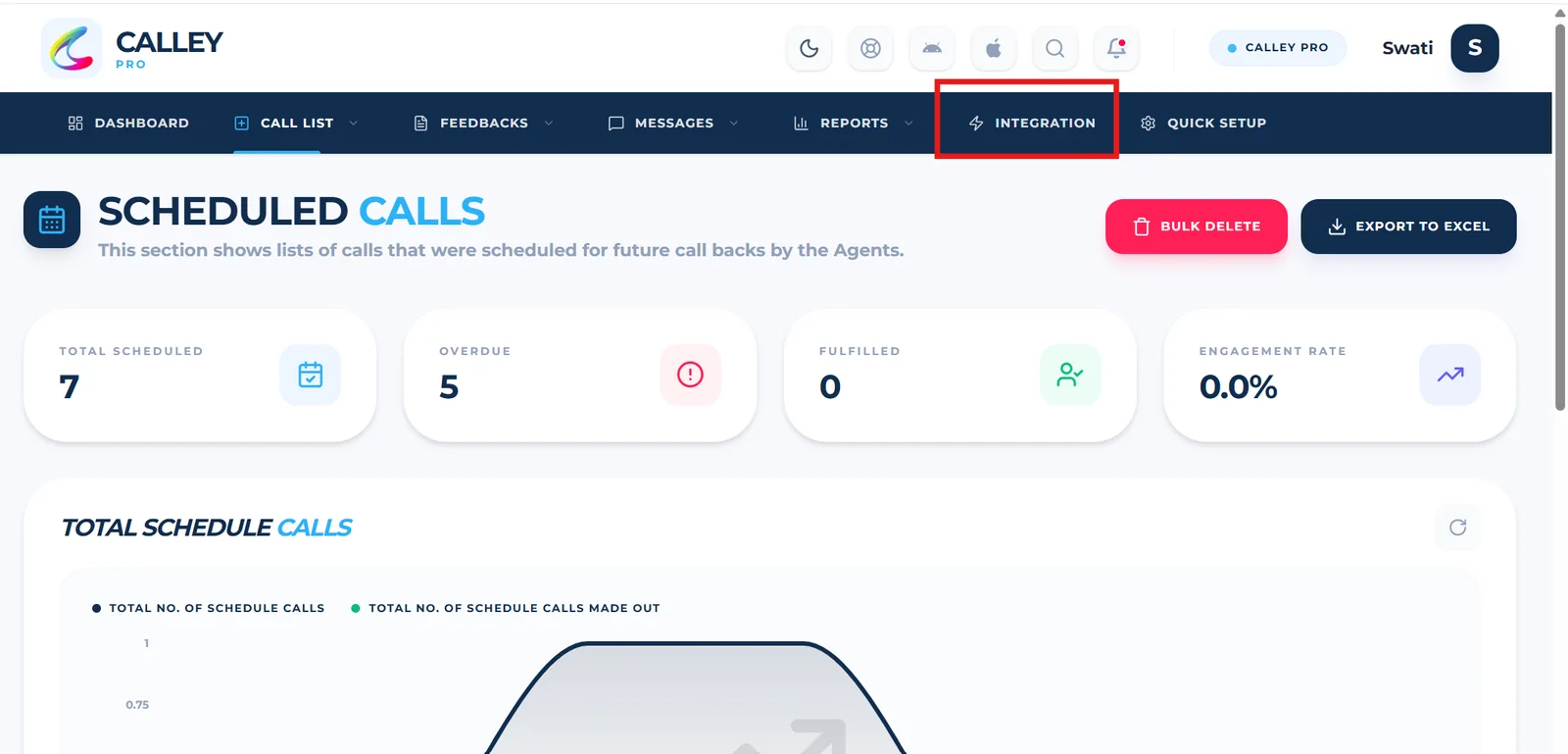
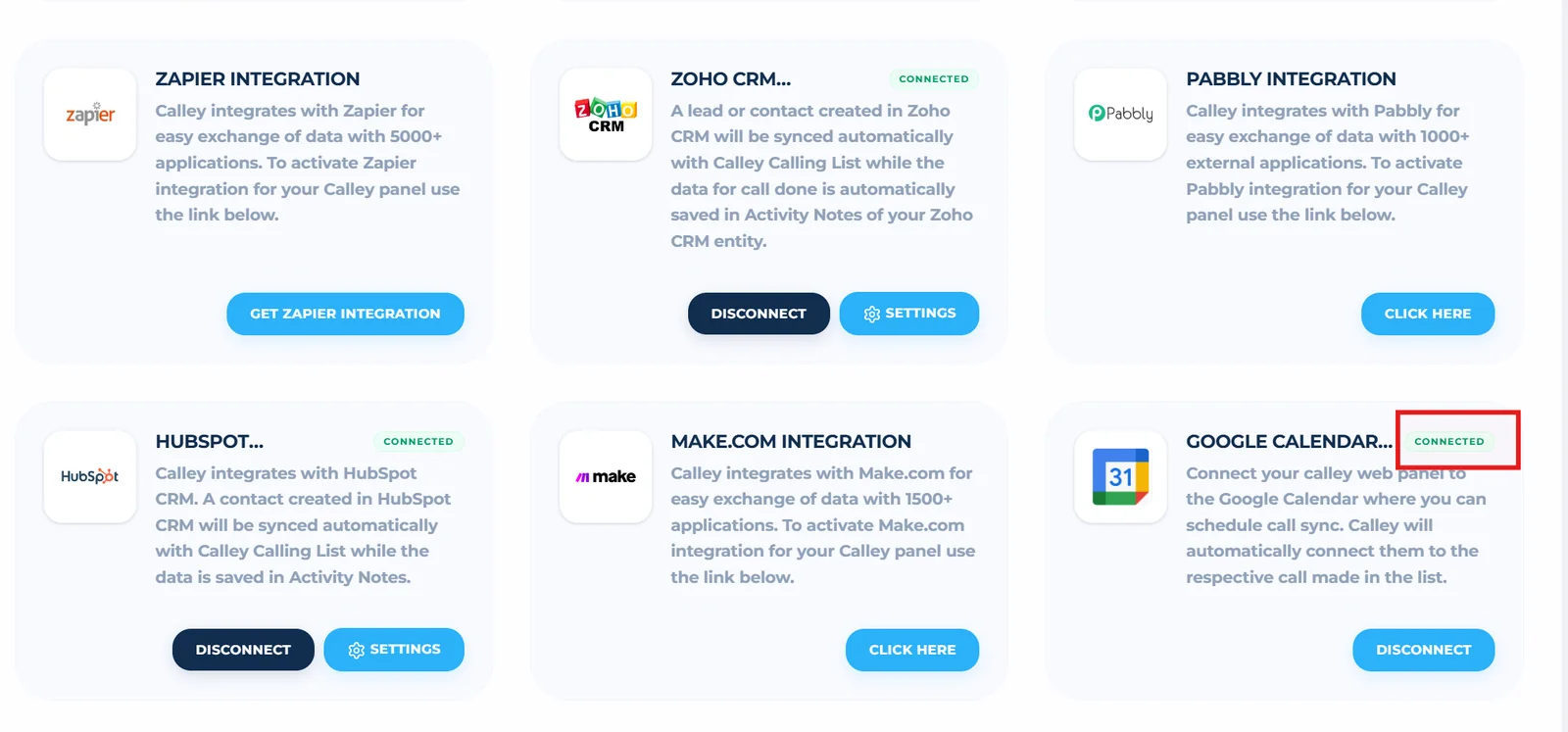
✓Scroll Down till the Google Calendar Sync, Click on Connect Button.
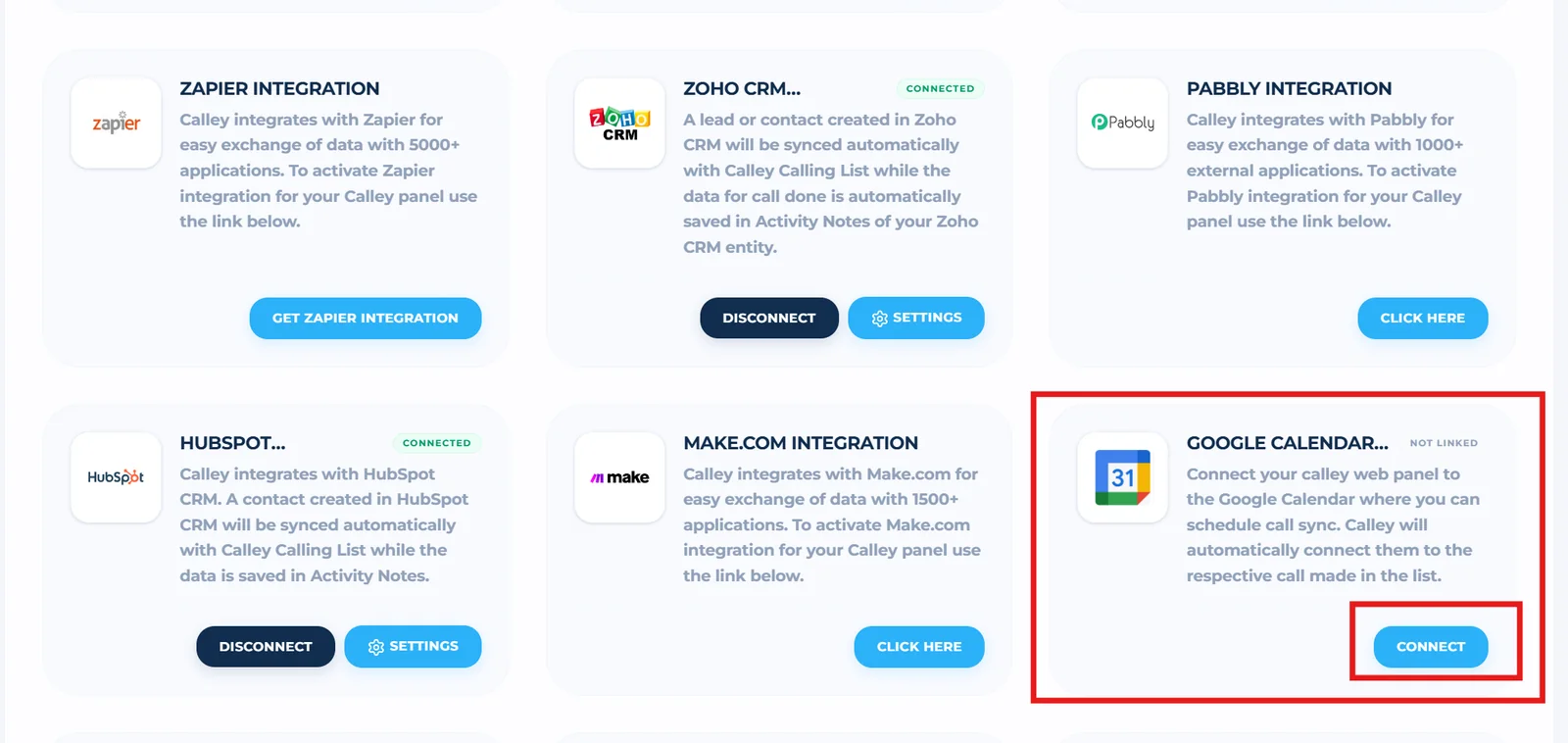
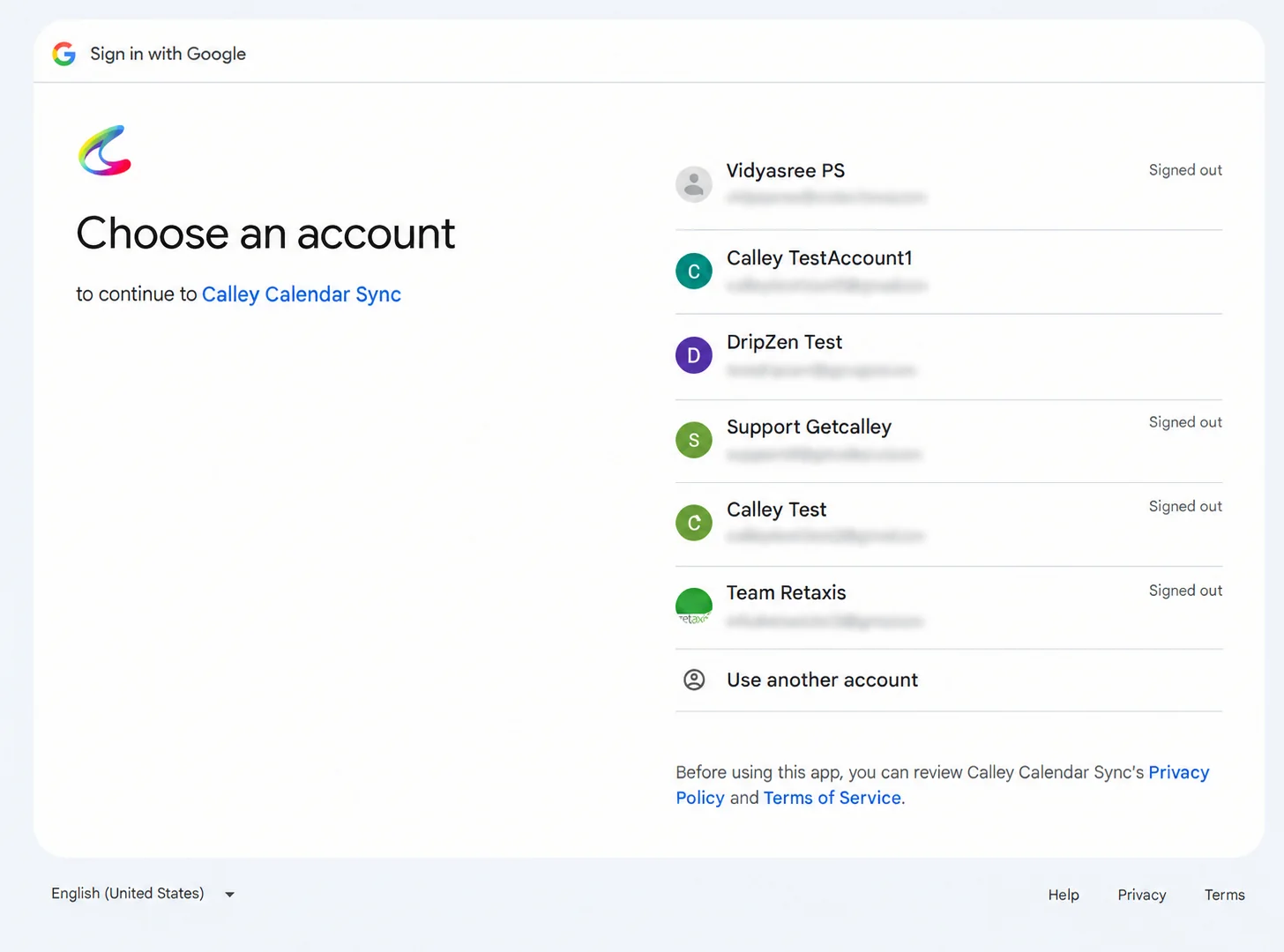
✓Select the Google Account you want to Connect.
✓Grant Calley permission to access your calendar events and click on Continue.
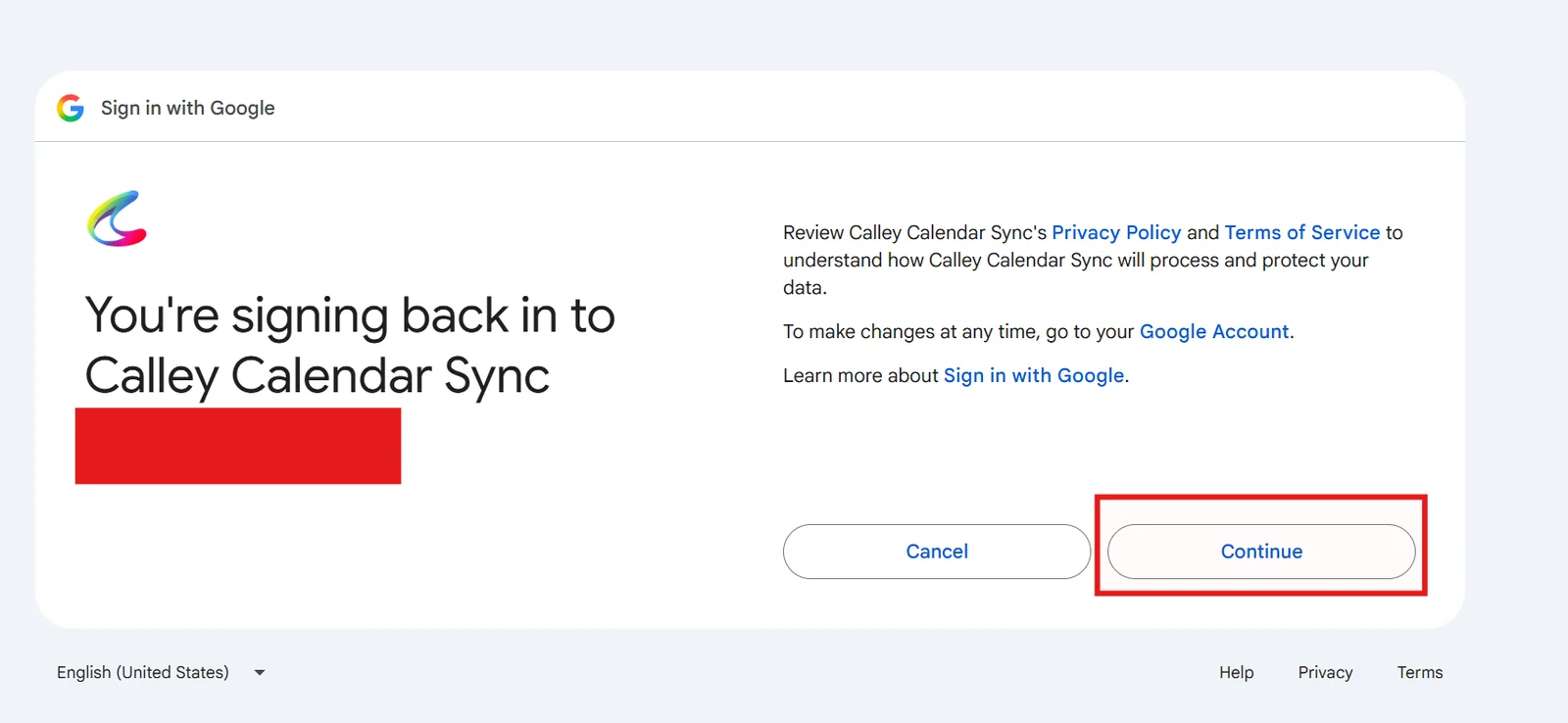
✓Now the Google Calendar connected to Calley.
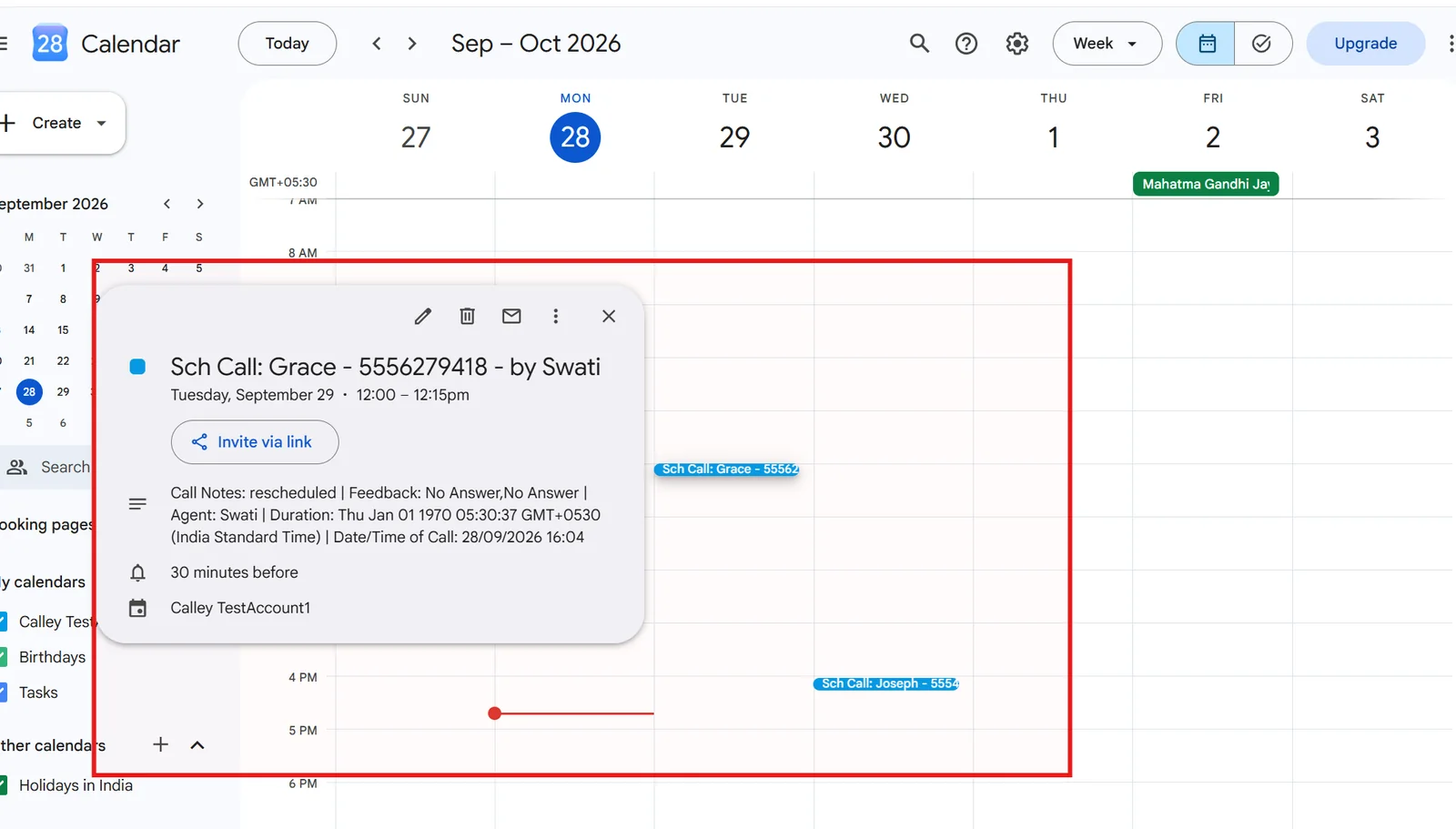
✓For each 30min time interval, Events are pushed to Google Calendar from Calley. You can see the even created in Google Calendar with details of the Call.
How Google Calendar Sync Helps Your Business
1. Efficient Call Scheduling and Conflict-Free Calendar
With Google Calendar and Calley connected, all your scheduled calls sync automatically. Any updates made in Calley to your call list will be reflected in your Google Calendar, ensuring your schedule is always up-to-date and eliminating double-booking.
2. Seamless Follow-Ups with Automated Reminders
When calls are rescheduled in Calley, the corresponding event in Google Calendar is automatically updated with the new details. You will also receive automatic reminders for follow-ups, ensuring you never miss important calls.
3. Improved Coordination with Your Team
For businesses using Calley Teams, syncing Google Calendar ensures everyone is on the same page. Team Admins can view upcoming calls, check performance, and manage follow-ups for agents, all within their Google Calendar.
4. Increased Productivity
By automating the sync between Google Calendar and Calley, agents can focus on engaging clients and prospects instead of manually tracking schedules. The feature frees up time for more important tasks, boosting overall productivity.
5. Simplified Workflow
With Google Calendar and Calley working together, any changes made within one platform will reflect in the other, making the entire scheduling process smoother and easier to manage.
6. Better Customer Experience
The ability to stay organized and timely with follow-ups means your business can offer a more responsive and reliable service. Clients and prospects appreciate prompt communication, which leads to stronger relationships and higher satisfaction.
Key Features of Google Calendar Sync with Calley
- ✓Automatic Calendar Updates: Any changes made in Calley (e.g., rescheduled calls) are automatically reflected in your Google Calendar, keeping everything in sync.
- ✓Timely Follow-Up Reminders: Google Calendar sends automated reminders for upcoming calls, ensuring you never miss a follow-up.
- ✓Seamless Scheduling: Syncing with Google Calendar eliminates scheduling conflicts and ensures your calls are organized and up-to-date.
- ✓One-Way and Two-Way Sync: Choose between pulling events from Google Calendar into Calley or keeping both platforms updated with two-way sync.
- ✓Team Coordination (for Calley Teams): For Calley Teams, syncing calendars helps ensure all agents are on the same page. The Team Admin can view performance, manage upcoming calls, and track follow-ups.
- ✓Enhanced Productivity: Automating scheduling and reminders helps your team spend more time engaging with clients and prospects, leading to improved productivity.
Syncing Google Calendar with Calley ensures that your scheduling and follow-ups are streamlined and conflict-free. By automatically syncing scheduled calls with your call list, you can easily manage your calendar, improve team coordination, and provide a better experience for clients. This integration saves time, boosts productivity, and simplifies your workflow, so you can focus on growing your business.
Note: This feature is available for Calley Pro and Calley Teams users. Calley Personal users do not have access to the Google Calendar sync.
For any assistance with setting up calendar sync, don’t hesitate to reach out to the Calley support team!
Checkout here > Pricing Plans for Calley Auto Dialer App
Link to > Full Feature List of Calley AutoDialer
Do you want to Subscribe to a Free Auto Dialer with a limit of 25 calls per day?
We know you will have questions.
We would love to answer all your questions to get you started with Autodialing using The Calley Auto Dialer app.